Where to buy
Thirty dollars is a real budget line for a small firm, and this guide will treat it with professional honesty: no standalone NAS exists at this price, exactly one USB-sharing router genuinely sells under the line, and — for most firms — the correct use of this guide is as a map to the step-up that actually protects the business. These six are the picks under $30: one linked buy for the sharing job, five labelled step-ups. Start with the list, then read the reasoning — including the part where this guide advises most firms to buy its own step-up, because the cheapest business-storage mistake is protecting nothing cheaply.
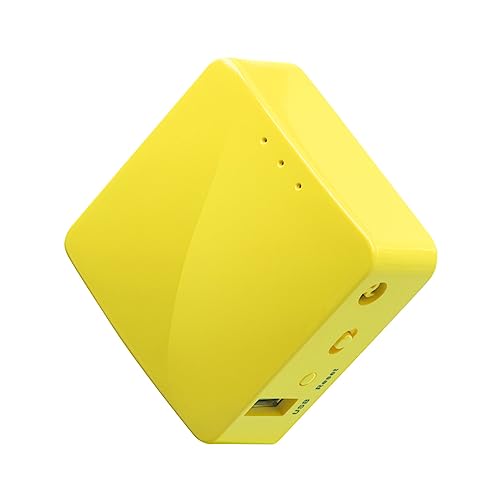
- GL.iNet GL-MT300N-V2 (Mango) — Check on Amazon
- TP-Link TL-WR902AC Travel Router (step-up pick — dual-band sharing just above this budget; see review)
- SSK 1TB Personal Cloud Storage (step-up pick — dedicated wireless storage above this budget; see review)
- SSK 2TB Portable NAS (step-up pick — dedicated wireless storage above this budget; see review)
- Synology DS124 (step-up pick — where business storage becomes infrastructure; see review)
- Buffalo LinkStation 210 2TB (step-up pick — the budget dedicated NAS; see review)
Read the full guide ↓
Disclosure: As an Amazon Associate, umtsmarttool.com earns from qualifying purchases. Links to Amazon on this page are affiliate links; they cost you nothing extra. Listing details such as price and availability change often, so check the current Amazon listing before you buy.
The best network storage for small business under $30 is a sharing point, not a storage system — and a firm deserves that sentence before it deserves a product list. GL.iNet’s Mango, a pocket OpenWrt router with a USB sharing port, genuinely solves the micro-office’s daily problem for under thirty dollars: one place for the shared documents, with per-user accounts, reachable from every desk instead of scattered across laptops and inboxes. What it cannot do — what nothing at this price can do — is protect anything: no backup automation, no versioning, no redundancy, one copy of everything. For business files, that distinction is the difference between an inconvenience and a crisis, so this guide leads with the Mango for the sharing job, reviews TP-Link’s dual-band router and SSK’s self-contained drives as step-ups, and presents the DS124 plainly as what most firms should actually save toward: the first rung where storage becomes infrastructure, with scheduled backup and snapshots. Read this guide backwards if your files matter — step-up first — and buy the $30 route only with the two-copies policy attached.
The small-business lens reprices everything in labour and risk. At $30 the labour arithmetic sharpens: the configuration hour costs more than the hardware, which makes the assembled NAS step-up cheaper than it looks and the router route’s discipline — manual copies, account reviews — a recurring line item rather than a one-off. Staff change; accounts must close in minutes. Clients’ files may be involved; custody outranks convenience. Firms speccing the wider office network will find companions in our Best Network Storage For Small Business Under $50 coverage of the tier above and our Best Nas For Small Business Under $150 guide for the full-size answer.
The standing instruction of this guide, repeated at every relevant point because it is the actual product advice: share here if you must, but back up elsewhere from day one — a cloud folder or a rotated drive — as policy, not preference. A $30 share with that policy is a defensible bridge. A $30 share without it is the firm’s files, uninsured.
In this guide
Quick Picks
| Pick | Best for | Key spec |
|---|---|---|
| GL.iNet GL-MT300N-V2 (Mango) | The office sharing point at $30 | USB 2.0 sharing, OpenWrt, per-user accounts |
| TP-Link TL-WR902AC (step-up) | Simple dual-band office sharing | AC750, USB 2.0 sharing/charging port |
| SSK 1TB Personal Cloud (step-up) | A self-contained shared drive | 1 TB fitted, Samba/DLNA, battery |
| SSK 2TB Portable NAS (step-up) | Bigger shared libraries | 2 TB fitted, Samba/DLNA, app access |
| Synology DS124 (step-up) | Where business storage becomes infrastructure | 1 bay, full DSM, snapshots, scheduled backup |
| Buffalo LinkStation 210 2TB (step-up) | Dedicated box, drive fitted | 2 TB fitted, fanless, backup software |
How These Picks Were Chosen
Specifications were verified against manufacturer sources: GL.iNet’s Mango page (MT7628NN, 128 MB RAM, USB 2.0 host with file sharing, OpenWrt with per-user accounts and VPN support), TP-Link’s TL-WR902AC specifications (AC750, USB 2.0 sharing), SSK’s SSM-F200 documentation (capacities, 3800 mAh battery, Samba/DLNA, the maker’s own throughput guidance), and the NAS makers’ pages for the step-ups (the DS124’s backup and snapshot features; the LinkStation’s fitted capacity and bundled backup software). Business fitness was judged on serviceability by non-specialists, account management for changing staff, honest throughput guidance for office document loads, and the maker’s support horizon. Tier honesty was applied at its strictest: linked only if the street price genuinely lives at or below $30 in ordinary trading — a test exactly one product passes.
We excluded no-name mini-NAS boxes with unpublished specifications and unsupported firmware — for a business, unsupported storage is not a bargain but an uninsurable risk, and at $30 the listings are at their most inventive. What remains is the tier’s true shape for firms: one honest linked route for sharing, one near-miss step-up, and the dedicated ladder, each labelled as what it is. Offices building the wider network point will also want our Best Wifi Router For Small Business Under $30 and Best Network Switch For Small Business Under $30 coverage.
The 6 Best Network Storage Picks for Small Business Under $30
1. GL.iNet GL-MT300N-V2 (Mango) — the one honest buy
Who it suits: Micro-offices and sole traders whose immediate problem is genuinely sharing — the same quotes, templates and job files needed at every desk, today, for almost nothing — with a backup policy that lives elsewhere.
The Mango is a pocket travel router on OpenWrt: MediaTek MT7628NN, 128 MB of RAM, 300 Mbps single-band 2.4 GHz Wi-Fi, two 10/100 Ethernet ports, and a USB 2.0 host port with standards-based file sharing. Wired into the office network, the attached drive becomes the firm’s shared shelf: a Shared folder for the working documents, per-user accounts so each staff member’s folder is theirs and a leaver’s access closes in minutes, and VPN support for remote access done respectably — a genuine differentiator at this price. Its street price sits at the top of this tier in ordinary trading — under the line, honestly, which no rival route can claim. The limits are this guide’s opening paragraph, repeated without softening because a business guide’s duty is repetition where safety is concerned: USB 2.0 throughput serves office documents happily and bulk archives patiently; there is no backup automation, no versioning, no redundancy; the share is one copy, and the firm’s irreplaceable files must also live elsewhere from day one. Bought for sharing with that policy attached, it is the best thirty dollars in the category. Bought as “the firm’s storage, sorted”, it is a crisis deferred at a bargain price.
Pros: Standards-based sharing with per-user accounts and VPN at the tier’s only real price; maintained firmware; tiny running cost. Honest limitation: No backup, versioning or redundancy; USB 2.0 throughput; safety is discipline-dependent.
Choose it if the need is sharing now and the backup policy exists separately. Skip it if the need is protection — climb the ladder, as most firms should.
2. TP-Link TL-WR902AC — the simple step-up
Who it suits: Firms that can stretch modestly past the line for the shallowest learning curve and dual-band wireless access for a laptop-heavy office.
Reviewed without a buy link because it ordinarily sells above $30, TP-Link’s pocket router plays the Mango’s role — USB 2.0 storage sharing — with AC750 dual-band Wi-Fi (433 Mbps on 5 GHz plus 300 Mbps on 2.4 GHz), one 10/100 Ethernet port, and mainstream, appliance-simple firmware. Its business pitch is configuration time: the share exists within the hour and staff find it without fuss. It shares the class ceiling in full — throughput, no backup automation, no redundancy — and trades the Mango’s OpenWrt depth, VPN and second port for that simplicity. If a promotion brings it within the line, it becomes a legitimate $30 alternative for a two-desk office; check the listing on the day.
Pros: Dual-band share access; simplest setup; mainstream support. Honest limitation: Ordinarily above this budget; same class ceiling; no VPN depth.
Choose it if configuration time is the firm’s scarcest resource. Skip it if $30 is a hard line — the Mango is under it.
3. SSK 1TB Personal Cloud Storage — the self-contained step-up
Who it suits: Firms that want a shared drive as a device — fitted storage, its own Wi-Fi, an app — with no router configuration and no IT conversation.
SSK’s SSM-F200 (1 TB) packs a fitted drive, a 3800 mAh battery, its own 2.4 GHz Wi-Fi, USB 3.0 wired loading, Ethernet, and Samba/DLNA sharing with app access. For a small firm its appeal is operational: it arrives as an appliance, staff use the app, and nothing about the office router changes. The maker’s own throughput guidance keeps expectations honest — personal-cloud speeds — and the business caveats are this guide’s standing ones: a single drive is a single copy, and app convenience is not a backup strategy. It sells well above this tier; as a shared drive for a micro-office that also keeps a cloud copy of what matters, it is coherent. As the firm’s only storage, it is not.
Pros: Fully self-contained; app access for staff; battery portable; USB 3.0 loading. Honest limitation: Well above this budget; modest throughput by the maker’s figures; single drive, no backup suite.
Choose it if appliance simplicity is the brief. Skip it if the stretch reaches the proper NAS below — for most firms it should.
4. SSK 2TB Portable NAS — the capacity step-up
Who it suits: Firms whose shared library is media-heavy — job photography, training video, marketing assets — at a size 1 TB no longer holds.
The 2 TB SSK doubles fitted capacity on the same formula — battery wireless storage, Samba and DLNA, USB 3.0 loading, app access — with the same honest throughput class and single-drive caveat. Its business logic is its sibling’s with the capacity question answered generously, and its signpost value is sharper in this lens: a firm whose working assets measure in terabytes has storage that is operational infrastructure, and operational infrastructure deserves the next rung’s backup and snapshots. Furthest of the pair above this budget, it is the convenience ladder’s top — and a prompt.
Pros: 2 TB fitted; same appliance formula; fast wired loading. Honest limitation: Furthest above budget of the pair; same throughput class; capacity fixed at purchase.
Choose it if the shared library is large but the risk is genuinely low. Skip it if the assets matter — they usually do.
5. Synology DS124 — where business storage becomes infrastructure
Who it suits: Most firms reading this guide, honestly: any business whose files would hurt to lose, which is to say any business with files.
The DS124 is the step-up this lens believes in: a single-bay, book-sized NAS on full DiskStation Manager, with scheduled backup of the office’s computers, Btrfs snapshots that roll back ransomware and accidents alike, proper per-user accounts and permissions, and gigabit throughput in a different class from everything above it here. It costs multiples of this tier before its drive and is reviewed without a link for that reason; its place at the head of a $30 guide’s ladder is deliberate. The business case is arithmetic a firm can check: one lost week of invoices, one corrupted job archive, one ransomware morning without snapshots costs more than the entire ladder. Firms that recognise their files in that sentence should treat the Mango as the bridge and this as the destination — bought once, configured once, quietly protecting the business thereafter.
Pros: Scheduled backup and snapshots; proper accounts; gigabit class; book-sized and quiet. Honest limitation: Multiples of this budget, drive extra; single bay, so off-device backup still matters.
Choose it if the firm’s files matter — the default assumption. Skip it only if the sharing need is genuinely trivial and the backup policy already lives elsewhere.
6. Buffalo LinkStation 210 2TB — the budget dedicated box
Who it suits: Firms that want a dedicated always-on box with the drive fitted and backup software bundled, at the lowest price the form honestly reaches.
Buffalo’s LinkStation arrives with 2 TB fitted, fanless and quiet in the office, offering shared folders, media serving and bundled PC backup software — a real NAS in the meaningful senses: always on, wired, independent of any one computer, with the firm’s files in one known place. Its hardware is a generation behind the Synology’s and its software simpler — no snapshot story to match DSM’s — but as a first dedicated box it is honestly specced for a micro-office. Above this budget and reviewed as the final step-up, it is the benchmark the router route’s value should be judged against.
Pros: Drive fitted; fanless; backup software bundled; real NAS basics. Honest limitation: Above this budget; dated hardware and software; single drive.
Choose it if you want dedicated and done, cheaply. Skip it if the stretch reaches the DS124’s snapshots and software.
Comparison Table
| Model | Type | Capacity | Sharing | Business note |
|---|---|---|---|---|
| GL.iNet Mango | Router + USB sharing | Your USB drive | SMB via OpenWrt | The $30 sharing point |
| TP-Link TL-WR902AC (step-up) | Router + USB sharing | Your USB drive | USB sharing | Simplest setup |
| SSK 1TB Personal Cloud (step-up) | Wireless drive | 1 TB fitted | Samba / DLNA | Appliance + app |
| SSK 2TB Portable NAS (step-up) | Wireless drive | 2 TB fitted | Samba / DLNA | Media-heavy libraries |
| Synology DS124 (step-up) | 1-bay NAS | Drive separate | Full DSM services | Backup + snapshots |
| Buffalo LinkStation 210 (step-up) | 1-bay NAS | 2 TB fitted | Shares / DLNA | Fanless, fitted |
How to Choose Network Storage for a Small Business on This Budget
Separate sharing from protection, in writing. The firm’s storage decision is really two decisions: where files are shared from, and where they are protected. This tier answers the first honestly and the second not at all. A firm that writes both answers down — share on the Mango, backup in the cloud or on the DS124 — has a storage strategy; a firm that buys the share and calls it storage has a hope. The paperwork is ten minutes; the difference is the business.
Price the labour, not just the hardware. At $30 the configuration hour costs more than the product, and the router route’s discipline — manual copies, monthly account reviews — is a recurring line item priced at the rate of whoever does it. Against a technician’s callout, the assembled NAS step-up with automatic backup is frequently the cheaper three-year total. Run the firm’s own arithmetic rather than inheriting a home guide’s.
Do the throughput arithmetic in office units. USB 2.0 sharing serves office documents — quotes, spreadsheets, PDFs, photographs — at working speed, and bulk archives at overnight speed. If the firm’s daily flow is documents, the tier is right-sized; if it is video production or CAD libraries, the workload is a NAS workload and the step-ups are the honest read from the start.
Plan accounts for the staff you will have. Per-user folders and permissions, set up at installation, are what make a leaver’s departure a two-minute account closure instead of a password panic. The Mango supports accounts properly; the discipline is the firm’s. Our Best Nas Hard Drive For Small Business Under $30 coverage handles the drive side for firms speccing the NAS tier.
Adopt the two-copies rule as policy. Not advice — policy: the firm’s irreplaceable files exist in at least two places at all times, one of them off the premises or in the cloud. At this tier the second place is a cloud folder or a rotated drive taken off-site; at the DS124’s tier the NAS automates its half. Either way, the rule is the product; the hardware is interchangeable.
Setting Up the Office Share Well
An hour of setup discipline decides whether the share becomes infrastructure or folklore. Wire the Mango to the office network’s core; attach the drive and format it as the firmware recommends; build the structure (Shared for the working documents, one folder per person, an Archive folder with a named owner); set the accounts and permissions before the first file lands — including the leaver’s-account procedure, written down while it is hypothetical; give the share a fixed, boring name; and record the whole arrangement on one page in the firm’s operations file: what the share is, where its backup lives, who administers it. That page is the difference between a system and a secret, and at the first staff change or the first fault it will pay for the entire tier several times over. Small firms cannot afford undocumented infrastructure; fortunately, documentation is the one enterprise feature that is free.
Security and Continuity for a Business Share
A business share concentrates business risk, and the hygiene is correspondingly firmer. Keep the Mango’s firmware current — GL.iNet maintains it, one reason it is the pick. Use per-user accounts with real passwords, reviewed when staff change. Never expose the share to the internet through port forwarding; remote access is the Mango’s VPN used deliberately, or the DS124’s proper implementation — not a toggle. Keep the office Wi-Fi on WPA2-or-better with a password that is not on a sticky note. And rehearse the continuity question once, out loud: if this drive died tonight, what exactly would the firm lose, and how long would recovery take? If the answer is uncomfortable, the firm has just written its own case for the DS124 step-up — which is precisely what the question is for.
The Workflows a Firm Actually Runs on a Share
Capability convinces nobody; workflows do. The shared drive of current work: quotes, invoices and job files in one place, so the answer to “where is the latest version” stops being a person. The job-photo habit: site photographs land in dated folders from phones each evening, building the firm’s visual record without a photographer’s invoice. The template shelf: the documents everyone reuses, versioned by folder discipline rather than by hope. The handover folder: everything a new starter or a covering colleague needs, in one known location. None of these needs a NAS; all of them need storage that is shared, always on, organised and permissioned — a precise description of this tier done well. Firms who recognise their week here have found their tier for the sharing half of the problem; the protection half is the ladder. Firms formalising the wider office network will find the pattern continued in our Best Cable Management Kit Under $30 coverage for the physical layer beneath the share.
Client Files and the Professional Dimension
One consideration separates business storage from home storage absolutely: other people’s data. The moment the share holds client files — their documents, their photographs, their project assets — the firm’s duty changes from convenience to custody. Custody at this tier is achievable but must be deliberate: per-client folders with permissions matching who should see them, the two-copies policy applied without exception to client material, an account list reviewed monthly, and no internet exposure of the share under any circumstances. Firms in regulated or contract-bound work should treat this paragraph as the guide’s boundary marker: custody obligations are the DS124’s home ground, with its accounts, snapshots and scheduled backup — and where a client contract names data-protection terms, the contract outranks this guide’s budget entirely. Know whose data you hold; the tier follows from that, not the reverse.
When the Firm Outgrows the Tier: Reading the Signs
Business storage announces its graduation in operational language. A second computer joins and its backup becomes a manual chore someone owns — or nobody does. A staff departure turns into a password exercise because the share has one login for everyone. A client asks how their files are protected and the answer requires choreography. The archive folder’s owner leaves. A drive makes a noise. Any one of these is the tier telling the firm, in plain terms, that the sharing solution has become the firm’s storage system by default — and defaults deserve to be replaced by decisions. The decision, in this guide’s ladder, is the DS124: scheduled backup nobody has to remember, snapshots nobody has to schedule, accounts that close in two minutes. Graduation costs nothing already spent — the Mango retires to VPN and travel duty, the habits and folder structure transfer intact — and the firm keeps the one-page record that made the whole arrangement a system rather than a secret.
Power, Placement and the Office Corner
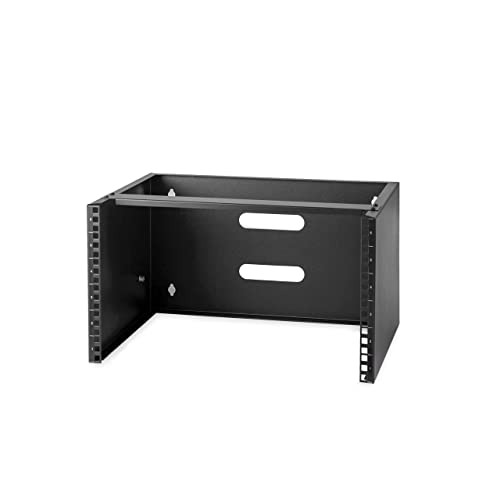
A business share should live where business infrastructure lives: wired to the network’s core, in the office’s equipment corner rather than on someone’s desk, on the same protected power as the router and switch — ideally the small UPS that guards the network point — so the files’ availability follows the network’s. The Mango’s economics help: a few watts, no fan, no heat worth managing, a footprint that fits the existing shelf. One placement rule is business-specific: not in a public area. A share drive that a visitor can unplug or pocket is a continuity incident waiting for a date; the equipment corner, a cupboard, or the rack this guide’s sibling coverage builds are its proper homes. Placement is a five-minute decision with a five-year shadow, and at this tier it costs nothing to make it correctly.
The SSK Middle Rung, for Firms Specifically
The SSK step-ups tempt firms for a specific reason worth naming: they arrive as appliances and ask nothing of the office’s infrastructure or its people beyond an app. For a micro-office with no IT confidence, that is a real virtue — the shared drive exists by lunchtime, staff use it without training, and nobody has configured anything. The honest counters are the business ones: the throughput is personal-cloud class by the maker’s own figures, the convenience is not a backup strategy, and the firm’s files deserve the two-copies policy regardless of which box hosts the first copy. Read precisely, the SSK is the polished version of this tier’s idea rather than the first version of the next tier’s — and for the firm whose constraint is confidence rather than cash, polished may be worth more than capable. Know which constraint is yours, and the rung either fits perfectly or not at all.
Formatting, Records and the Five-Minute Disciplines
Small setup decisions decide whether the share ages like infrastructure or like folklore. Format the attached drive in the filesystem the Mango recommends and let the router own the format. Keep filenames boring — letters, numbers, hyphens, dates at the front where they sort — because the share will be read by every device the firm owns and a few it has not bought yet. Set the permissions before the first file lands, and write the one-page record the same afternoon: the share’s name, its structure, its administrator, and where its second copy lives. Resist the second-share temptation: one organised system the firm trusts beats two improvised ones. These disciplines are unglamorous and free, and they are most of the difference between firms who describe their thirty-dollar storage as “the system” and firms who describe it as “Dave’s drive” — a distinction that only matters, as all such distinctions do, on the worst day of the year.
The Ten-Minute Monthly Habit, Business Edition
Budget business storage stays trustworthy with one small ritual: ten minutes a month, owned by a named person. Glance at the share’s free space before it surprises anyone; confirm the second copies are current — actually open one; check for a firmware update on the Mango; review the account list against the current staff list, because the two drift apart silently; and note the month in the operations file. Ten minutes is the whole maintenance budget of this tier, and the account review alone justifies it: the cheapest security control in the firm is a list that matches reality. Firms that keep the habit describe their storage as boring, which in business infrastructure is the finest compliment available — and the habit, unlike the hardware, transfers to the NAS tier unchanged when the firm graduates.
The Drive Itself: The Component Inside the System
Half of this tier’s real decision is the drive the Mango will host, and the business criteria differ from the home ones in one respect: provenance and predictability. Buy a new drive from a known maker, sized to the working documents plus the active media — hundreds of gigabytes covers most micro-offices’ shared life, with the archive habit holding the cold history elsewhere — and record its purchase date in the operations file, because drives are consumables with a service life and the file should know when this one started. Format it for the router, structure it as this guide prescribes, and hold the standing rule without exception: it is a convenience copy, and the firm’s irreplaceable files also live somewhere else. Chosen this way, the drive is a component in a system; chosen carelessly, it is the system — and that difference is the whole of business storage in one sentence.
Configuring the Office Share Properly: Accounts, Folder Discipline and a Business-Grade Backup Habit
A business share is configured in the same order as a home one — drive, structure, accounts — but the consequences of skipping a step are professional rather than domestic. Dedicate a drive, settle its format before the firm’s files move, and rehearse with a test folder from two staff machines. Then build the structure around confidentiality, not convenience: a general folder for shared reference material, a folder per function or per staff member behind individual accounts, and client folders visible only to the accounts that serve those clients. The router’s admin login is never a file password. When a staff member leaves, their account is deleted the same day — a discipline that costs nothing at this tier and is impossible to retrofit onto a single shared login.
Remote access and media-style serving mark the tier’s boundaries, and a firm should meet them deliberately. The share belongs on the office network only: never expose its sharing ports directly to the internet, however convenient that would be for homeworking. The Mango’s built-in VPN support — OpenVPN and WireGuard are part of its verified feature set — is the respectable route in, giving remote staff an encrypted path to the office network rather than an open door in it. Within the office, remember the host serves files exactly as stored and juggles light loads gracefully; simultaneous heavy transfers across several staff will find the ceiling, so schedule bulk work — archive moves, large deliveries — outside the hours when the whole firm is browsing.
Continuity is where a business share must be more than a convenience, and the 3-2-1 rule is the minimum professional posture: three copies of business-critical files, on two different storage types, with one copy off the premises. At this tier that means the share, a scheduled copy to a designated office computer, and a cloud copy of client and financial records held away from the building — the copy that answers fire, theft and ransomware rather than mere drive failure. Test the restore once, in calm conditions. The graduation signals are equally concrete: client obligations that demand versioned, automatic backup; staff numbers that make per-person routines slip; or an auditor’s raised eyebrow. Any one of them promotes a dedicated unit from Best 2 Bay Nas For Small Business Under $150 from upgrade to infrastructure.
Common Buying Mistakes
Believing a $30 “business NAS” listing. A standalone NAS does not exist at this price in ordinary trading, and at $30 the listings are at their most inventive. What they sell is router-sharing in costume, bare enclosures, or no-name boxes with unpublished specifications and unsupported firmware — for a business, unsupported storage is not a bargain but an uninsurable risk.
Calling a share a backup. The costliest confusion in small-business IT: one shared drive is one copy, and its failure takes the firm’s working files with it. The two-copies policy is not an upsell; it is the difference between an inconvenience and a crisis.
Skipping the accounts. One open share for the whole firm means a leaver’s access is a password change for everyone, and an accidental deletion has no owner. Per-user folders take ten minutes at setup and repay it at the first staff change.
Ignoring the labour line. A $30 kit that consumes a billable afternoon and a permanent manual-backup chore may cost more over three years than the automated step-up. Firms should run their own numbers — this guide’s recurring theme, because it is where business buying differs from home buying.
Exposing the share to the internet. Port-forwarded file shares are among the most-scanned targets on the small-business internet. Remote access belongs behind the VPN or the NAS’s proper implementation — never behind a forwarded port and a hope.
Letting the share become the firm dumping ground. A share without the monthly ten minutes fills with duplicates, exports and mystery folders until nobody trusts it — and an untrusted share gets routed around, recreating the scattered-files problem it was bought to solve. The archive habit is what keeps a business share a system.
Buying capacity instead of a system. A vast drive on a slow share, with no accounts, no backup and no documentation, is a larger liability, not a larger asset. The system — structure, policy, records — is the purchase; the drive is a component.
Sharing one login across the whole office. A single staff password cannot be revoked when someone leaves, cannot show who touched a file, and eventually lives in notebooks and old emails. Individual accounts take minutes to create, make leavers a one-line change, and are the cheapest professional control a firm can buy at any tier.
Exposing the share to the internet for remote staff. Forwarding file-sharing ports so staff can reach files from home publishes the firm’s documents to every scanner on the internet. Use the router’s VPN features for remote access instead, or keep remote work on a proper cloud service — convenience never justifies an open door into client files.
Final Recommendation
For the sharing job under a hard $30 ceiling, buy the GL.iNet GL-MT300N-V2 (Mango): standards-based sharing with per-user accounts and VPN capability on maintained firmware — the most businesslike implementation of the router route at any budget price. There is no linked runner-up at this tier, and inventing one would break the rule the guide is built on; the honest runner-up is the TP-Link TL-WR902AC step-up, a small stretch away, for firms whose scarcest resource is configuration time. But this guide’s headline recommendation for most firms is the ladder’s top: the DS124, whose scheduled backup and snapshots convert storage from a hope into infrastructure for less than the cost of one bad morning. Buy the Mango as the bridge if cash demands it — with the two-copies policy attached from day one — and let it retire to VPN and travel duty when the firm graduates. Whichever rung the firm buys, buy the system around it — structure, accounts, policy, records — because at business scale the system is the storage, and the box is merely where it lives.
Frequently Asked Questions
How much storage does a small office need?
Less than it fears, for documents: years of quotes, invoices and correspondence typically measure in tens of gigabytes; job photography and media are what push firms toward terabytes. Size the share to the working documents and the active media, and let the archive habit — rotated drives or the cloud — hold the cold history.
Does the storage work when the internet is down?
Yes — sharing is a local-network function. The office’s devices reach the share over your own cabling and Wi-Fi whether or not the outside connection lives, which makes the local share a quietly resilient place for the documents trading hours depend on.
Can a small business really run network storage under $30?
It can run shared storage — one place for the office’s documents, reachable from every desk — via the Mango in this guide. What $30 cannot buy is protection: backup, versioning and redundancy begin at the NAS step-ups, and this guide is explicit that most firms should treat those as the destination.
Is the SSK personal cloud suitable for a business?
As a shared drive, yes — with the standing policy attached: it is one copy, its throughput is personal-cloud class, and the firm’s irreplaceable files still need their second home. As the firm’s storage strategy by itself, no appliance at any price is a strategy; the strategy is the policy around it.
How many staff can use the share at once?
A micro-office’s worth, comfortably — document work is light, and the typical mix of a few people opening files and one copying photographs runs happily. Simultaneous bulk transfers are where the modest processor shows its size; schedule the big archive jobs out of hours.
Is a shared drive a backup for business files?
No. It is one copy in a shared place. Business files need at least two copies at all times, one off the premises or in the cloud — as policy, not preference. Scheduled, versioned backup is the DS124’s headline feature and the core of its business case.
Can staff have individual folders and permissions?
Yes — the Mango supports per-user accounts properly, and the DS124 adds full permission management. Set accounts up at installation, and a staff departure becomes a two-minute closure instead of a firm-wide password change.
How fast is the Mango for office documents?
Right-sized for documents: quotes, spreadsheets, PDFs and photographs move at working speed; bulk archives are an overnight habit. The ceiling is USB 2.0 and a modest processor. Firms whose daily flow is video or CAD should read the step-ups as their shortlist.
Which is better for a firm, the Mango or the TP-Link?
The Mango for capability — OpenWrt’s accounts, configuration depth and proper VPN support — and the TP-Link step-up for the shallowest learning curve and dual-band wireless access. For most firms the Mango’s foundation ages better; for a two-desk office that will never need remote access, the TP-Link’s simplicity is a legitimate deciding vote.
Can the share replace our cloud storage subscription?
For sharing at the office, largely yes — that is its job. As the firm’s only backup, no: the two-copies rule means the share and an off-site copy work as a pair. Many firms find the pair — a local share for speed, a modest cloud tier for the second copy — cheaper and faster than the premium cloud capacity they were renting alone.
How should staff access the files remotely?
Through a VPN — the Mango supports OpenVPN and WireGuard properly — or through the NAS step-up’s managed remote access. Never through port forwarding the share itself, which is among the most dangerous shortcuts in small-business networking.
What happens when the shared drive fails?
With the two-copies policy in force: an inconvenient morning — restore from the second copy, replace the drive, continue. Without it: the firm’s only copies are gone, and recovery becomes a data-recovery invoice or a loss. The policy, adopted at setup, is the entire difference.
Are budget routers safe to hold business files?
With the business basics done — current firmware, per-user accounts, no internet exposure, the two-copies policy in force — yes, as a sharing point. The risks in business storage come from missing policy, not from the price of the hardware; the same box with defaults untouched and no second copy is a liability at any price.
What is the cheapest respectable business storage setup?
For sharing alone: an existing router’s USB port plus a drive, structured and permissioned — free, and respectable the moment the two-copies policy stands behind it. For sharing with protection, there is no respectable shortcut below the DS124 class, and this guide will not invent one.
When should a firm skip this tier entirely?
When its files would hurt to lose — which is most firms — when several computers need automatic backup, when remote access is a daily requirement, or when clients or compliance ask how data is protected. Those are the DS124’s home ground, and recognising them at $30 is cheaper than recognising them after an incident.
How should remote staff reach the office share?
Through a VPN, not through an exposed share. The Mango supports OpenVPN and WireGuard, letting a staff laptop join the office network over an encrypted connection and browse the share exactly as if it were in the building. The sharing ports themselves stay closed to the internet, and access can be revoked per person when roles change.
What backup routine suits a small firm at this tier?
The 3-2-1 minimum, run on a schedule rather than on memory: the share holds the working files, a designated office computer takes a regular copy, and client and financial records are copied to a cloud location off the premises. Test restoring one real file early, record who owns the routine, and treat a missed cycle as a fault to fix, not a shrug.