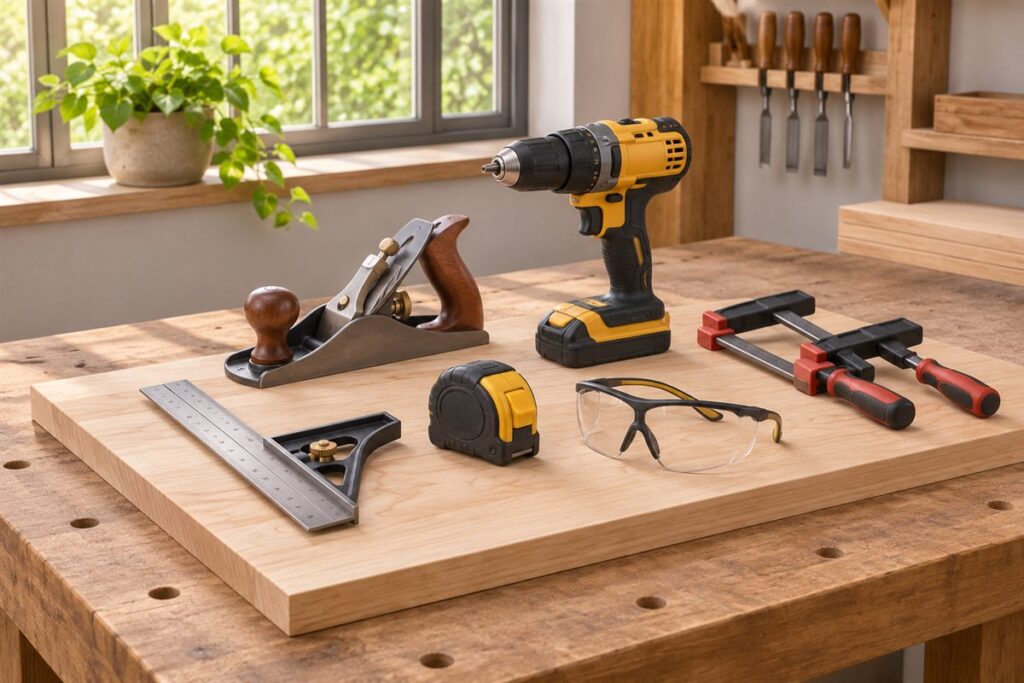
A brushless drill uses an electronic motor instead of carbon brushes. Makers say this gives better efficiency and longer runtime than brushed motors, and it is common in modern cordless drill drivers.
These drills suit homeowners, carpenters, builders and DIY fans who drill and drive fasteners regularly. We have not used these products ourselves; this guide compares listing information so you know what to weigh before you buy.
As an Amazon Associate we earn from qualifying purchases. Links on this site are affiliate links, and they do not change the information we give.
What to Look For
| Factor | Why it matters | What to check |
|---|---|---|
| Torque and speed | Higher figures help with large bits and dense material. | Compare the maker’s listed torque and speed ranges. |
| Chuck | Chuck size and grip affect which bits you can use. | Check chuck size and whether it is keyless. |
| Battery platform | Batteries cost money and are shared across tools. | See which platform it uses and what ships in the box. |
| Weight and balance | Overhead work gets tiring with a heavy tool. | Read the stated weight with battery. |
| Clutch and modes | Settings help protect screws and material. | Look at clutch positions and drill mode. |
| Work light and extras | Small features help in dim spaces. | Check for LED light, belt hook and case. |
Setup and Care Tips
- Charge a new battery fully before first use.
- Keep the chuck clean and tighten bits firmly.
- Store batteries at room temperature.
- Let the tool cool after heavy work.
- Keep vents free from dust.
Mistakes to Avoid
- Buying on voltage alone.
- Mixing battery platforms without checking compatibility.
- Ignoring tool weight.
- Using worn or wrong bits.
- Skipping the clutch setting.
Drill Driver, Hammer Drill and Impact Driver
Brushless motors appear in several tool types that look similar, and choosing the wrong type is a common mistake. Before comparing brushless drills against each other, decide which kind of tool suits your work.
- Drill driver: The all-round tool for drilling holes in wood, metal and plastic and driving screws. It has an adjustable clutch that stops the chuck at a set torque, which protects screws and surfaces. This is the best starting point for most households.
- Hammer drill: Adds a hammering action that helps drill into masonry and concrete with the right bits. It is useful if you often drill into brick or block walls. The hammer function usually switches off for normal drilling.
- Impact driver: Delivers short rotational bursts for driving long screws and bolts with less strain on your wrist. It uses hex-shank bits and is less suited to precise drilling. Many people own both an impact driver and a drill driver.
Read the listing to see which tool you are looking at. Titles can be confusing, and some products combine functions or are sold as sets. If the description mentions a clutch and a chuck, it is likely a drill driver. If it mentions a quarter-inch hex collet, it is likely an impact driver.
For typical home use, such as hanging shelves, assembling furniture and drilling pilot holes, a drill driver is enough. For decks, framing and repetitive screw driving, an impact driver adds speed. For masonry, check that the tool has a hammer mode and uses suitable bits. Choose the type that fits your tasks, not the one with the highest numbers.
Chuck, Clutch and Speed Settings in Use
Knowing how to use the controls makes a drill more effective, regardless of its motor type. A few settings account for most of the difference between a good result and a damaged screw or hole.
- Chuck: A keyless chuck lets you tighten bits by hand. Make sure the bit is centered and tight, and re-check after the first few seconds of use. Check the maximum bit shank size in the listing.
- Clutch settings: The numbered ring sets how much torque is applied before the clutch slips. Use a low number for small screws and soft materials, and a higher number for large screws and dense materials. If screws strip or sink too deep, lower the number.
- Drill mode: Most drills have a drill setting that bypasses the clutch, intended for drilling holes.
- Speed ranges: A low speed range gives more torque for driving and large bits, while a high range suits small bits and quick drilling. Switch the range only when the tool has stopped.
- Trigger control: A variable trigger lets you start slowly and increase speed. Start slow to avoid bit wander on smooth surfaces.
- Forward and reverse: A switch near the trigger changes direction. Check which way it is set before you start.
Practice on scrap material. Using the right setting for the task saves time, reduces damage and protects the tool. Follow the manual for the exact controls on your model, since layouts differ. Always secure the work piece with clamps instead of holding it by hand, and let the tool do the cutting without forcing it.
Battery Platform and Charging Choices
With cordless tools, the battery system is often more important than the drill itself. The platform you choose can determine which tools you will use for years.
- Platform compatibility: Batteries are usually shared across a brand’s tools within a line. Check which line the drill belongs to and what other tools it supports. Do not assume batteries from different brands or lines work together.
- Voltage class: Higher-voltage platforms are usually aimed at heavier work, while lower-voltage ones are lighter. The label alone does not tell you how a tool performs, so compare other specifications.
- Capacity: Battery capacity, often shown in amp-hours, affects runtime. Larger batteries usually run longer but weigh more.
- Kit contents: Check the number of batteries, the charger type and whether a bag or case is included. A kit with two batteries lets you work while one charges.
- Charger speed: Faster chargers reduce downtime, though they are not always included. Check the listing.
- Bare tool option: If you already own a compatible platform, a bare tool saves money and avoids duplicate batteries.
Think about the future. If you plan to add more tools, such as an impact driver, a saw or a work light, a platform with a broad range is useful. Check the maker’s range before you commit, and consider availability of replacement batteries in your area.
Battery care matters. Store batteries at room temperature, avoid leaving them in a hot vehicle, and follow the maker’s charging instructions. Use only the recommended chargers, and do not use damaged batteries.
Comfort, Ergonomics and Bits to Pair
A drill is something you hold for long periods, so comfort and handling matter as much as power. Small details become noticeable during a day of use.
- Weight with battery: The stated weight may exclude the battery. A heavier tool can tire your arm in overhead or long jobs.
- Balance: A tool that feels balanced over the handle is easier to control. Batteries add weight at the base, which changes the balance.
- Grip: Rubberized, contoured grips reduce slipping and fatigue. Consider your hand size.
- Size and length: A compact drill reaches into tight spaces. A longer one may offer more leverage.
- Work light: An LED near the chuck helps in dark corners. Check how well it stays on after you release the trigger.
- Belt hook and bit holder: Small conveniences that save time on the job.
Bits matter as much as the drill. Use the right bit type for each material: twist bits for metal and general drilling, brad-point bits for clean holes in wood, masonry bits for brick and block, and driver bits for screws. Match the bit shank to the chuck, and keep bits sharp. Dull or wrong bits cause slow work, burning and wear on the tool.
A basic set of drill bits and driver bits is a worthwhile addition. Check whether the kit includes any, and what quality they are. Replace worn bits promptly, and store them in a case to keep them organized.
Care, Safety and Replacement Signs
Cordless drills are tough, but regular attention helps them last and keeps you safe. Follow the manual for your specific tool, and use common sense.
- Wear eye protection: Chips and dust can fly from the work. Use hearing and dust protection where appropriate.
- Secure the work: Clamp small pieces, and keep your hands away from the bit path.
- Remove the battery for changes: Take out the battery or lock the trigger when changing bits or making adjustments.
- Avoid loose clothing and jewelry: These can catch in a spinning chuck.
- Do not force the tool: If it slows or heats up, ease off. Let it cool before continuing.
- Keep vents clear: Dust buildup can cause overheating. Wipe and brush the housing as the manual advises.
- Clean the chuck: Remove dust and residue, and check that it grips firmly.
Check cables on chargers and inspect batteries for swelling, leaks or damage. Do not use a damaged battery. Dispose of old batteries at a proper recycling point.
Budget tiers vary by motor control, build and extras. Lower-cost drills can suit light home use. Mid-range tools tend to offer more durable parts and better battery options. Premium tools focus on durability, features and a wider platform. Choose by how often and how hard you will work.
Signs it is time to replace the tool include a chuck that will not hold bits, a damaged clutch, persistent overheating, a battery that no longer holds a useful charge and trigger faults.
FAQ
What does brushless mean in a drill?
It means the motor does not use carbon brushes, which the makers say reduces wear and heat.
Do I need a kit or bare tool?
Kits include batteries and a charger, while bare tools suit people who already own a compatible platform.
Is a brushless drill worth it for occasional use?
Makers say brushless motors are more efficient and need less maintenance, but the benefit is smaller if you use a drill rarely. The battery platform and fit to your tasks usually matter more.
What size chuck should I choose?
Check the maximum bit shank size in the listing. Common sizes suit most home tasks, while larger chucks accept larger bits for heavier drilling.
Can I use a drill driver for masonry?
Only if it has a hammer mode and you use masonry bits. A standard drill driver without a hammer function will struggle with concrete and brick.
Why does my drill stop before the screw is fully in?
The clutch may be set too low. Increase the number slightly, or use the drill mode for driving long screws, taking care not to strip the head.
How should I store lithium-ion batteries?
Keep them at room temperature in a dry place, away from heat and direct sun. Follow the maker's instructions on charge level for long storage.
Do I need an impact driver as well?
Not necessarily. A drill driver covers most home work, while an impact driver speeds up repetitive screwing and long fasteners. Consider one if you do a lot of driving.
Questions to Ask Before You Buy
- What materials do I drill most often: softwood, hardwood, masonry, or metal?
- Do I already own batteries and chargers that would work with a new tool?
- Is the chuck size right for the largest bit shanks I use?
- Do I need a hammer mode, or would a plain drill and driver cover my work?
- How does the tool feel with a battery fitted after a full day of use?
- What does the maker’s manual say about duty cycle and recommended accessories?
Matching It to Your Workshop or Job
Trades differ in what they ask of a drill. A finish carpenter values a compact body that fits between studs and a clutch with fine steps. A framer cares more about torque and a body that handles long auger bits. Someone who drills into brick or block needs a hammer function and a side handle, plus bits made for the material.
Home users often fall in the middle. A mid-sized tool with two speed ranges and a decent clutch can handle shelves, decking and the odd bit of masonry without feeling oversized. Think about where you will keep it, too: a tool that lives in a drawer suits a smaller case, while one that rides in a truck benefits from a tough carry case.
Platform Compatibility
Batteries are a long-term commitment. Before buying, list the other cordless tools you own or plan to add, and check whether they share one battery system. A bare tool is a good fit if you already have packs; a kit makes more sense for a first purchase.
Who Should Skip It
If you drill a handful of holes a year, a basic corded or older cordless tool you already own may be enough. Upgrading makes sense when your current tool struggles with your usual tasks or when you want to standardize on one battery system. Use eye protection and follow the maker’s manual, local rules and a qualified professional where needed.
Feature Trade-offs
| Feature | Benefit | Trade-off |
|---|---|---|
| Compact body | Fits tight spaces | Less room for power |
| Larger battery | Longer runs | More weight in hand |
| Metal chuck | Grips bits firmly | Adds some weight |
The Short Version
Weigh torque, chuck, battery platform and weight. The platform you are buying into often matters more than any single spec.