Disclosure: As an Amazon Associate, umtsmarttool.com earns from qualifying purchases. Links to Amazon on this page are affiliate links; they cost you nothing extra. Prices and availability change often, so check the current Amazon listing before you buy.
Where to buy
- Roost V3 — check price on Amazon
- Nexstand K2 — prose-only pick, see below
- MOFT Invisible — check price on Amazon
- Nulaxy C1 — check price on Amazon
Read the full guide ↓
Laptop stand review 2026
A laptop stand review 2026 has to answer a 2026 question: in a year when work happens anywhere, what does the best travel stand still do better than everything else? This review examines the folding tower that defined the category — six ounces, a foot of lift, and a patented frame — against the working life it was built for: borrowed desks, hotel tables, and the daily set-up and tear-down that destroys lesser hinges.
The review is research-led and specification-checked, and it is honest about the two standing objections to this stand: its premium price and its absolute dependence on an external keyboard. Both objections are real. Whether they are decisive depends on how many desks your year contains, and the comparison section prices that dependence against the alternatives.
In this guide
Quick Verdict
Best for: readers who want one well-chosen stand matched to a real desk routine / Not suited for: anyone whose laptop, vents, or height needs fall outside the verified specifications below.
The short version of this laptop stand review 2026: the Roost V3 earns its place on the strength of verified specifications and a design with no moving parts to disappoint you — or, where it does adjust, adjustment that behaves. The long version follows, section by section, because a stand is a five-year object bought in a five-minute decision, and the details are where those years are won or lost.
Roost V3 Laptop Stand: Design and Build
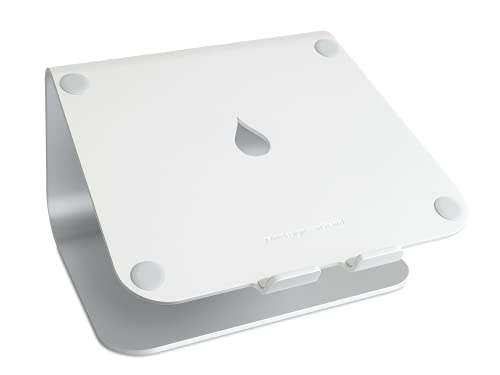
The Roost V3 is the travel stand that made every other travel stand justify itself. It folds into a slim stick that vanishes into a laptop bag, weighs about six ounces, and then opens into a rigid tower that lifts a screen anywhere from 6.5 to 12.5 inches — genuine eye level, not the apologetic tilt most portable stands offer. The self-adjusting grips cradle the laptop’s front edge and adapt to different thicknesses without clips or adjustments.
- Fits laptops from 12 to 18 inches
- Self-adjusting grips hold the laptop edge
- Patented folding design, made in the USA
- Adjusts screen lift from 6.5 to 12.5 inches
- Weighs about 6 ounces
Strengths
- True eye-level lift from a 6-ounce stand
- Folds to a slim stick for any bag
- Rigid locked frame, minimal wobble
Trade-offs
- Needs external keyboard and mouse
- Grips suit laptops with a suitable front edge
- Premium price for a travel accessory
Performance in Real Use
Rigidity is the surprise. Folding stands are supposed to wobble, and the Roost mostly does not: its patented structure locks into a triangulated frame that handles external-keyboard work with the composure of a desk riser. That is why it became the default recommendation for consultants, auditors, and anyone whose office is a sequence of borrowed desks and hotel tables.
For travel, Roost V3 lives or dies by the bag test: what it weighs, what shape it folds into, and how fast it turns a strange table into a workstation. Height still matters — hotel desks are notoriously low — but every gram and every fiddly step is taxed twice when you set up and tear down daily.
Setup, Daily Use, and Maintenance
The price is the honest objection, and it is a real one — the Roost costs what several budget stands cost combined. It also absolutely requires an external keyboard and mouse at useful heights, which is part of the system cost. For occasional travelers, cheaper folding stands exist. For people who work everywhere, the Roost’s combination of weight, height, and rigidity has no equal we could verify.
How to Set Up This Stand Correctly
Setup is a five-minute job that repays measuring twice. Work through the sequence in order, and resist the urge to judge the stand in the first thirty seconds — posture problems reveal themselves over a session, not a glance.
- Start with an empty, level desk area and the stand’s parts in front of you; confirm every pad is in place before assembly begins.
- Put the frame together or unfold it at its lowest position, checking that hinges and joints move deliberately rather than loosely.
- Rest the closed laptop on the stand and center it, making sure the front edge is held evenly by the lip or grips on both sides.
- Raise the lid slowly and watch the balance; a correctly seated machine should not rock when the desk is lightly tapped.
- Attach power, dock, and display leads with generous slack, sending the cables behind the stand so nothing pulls the machine off-center.
- Take your seat, plant your feet, and compare the top of the screen with your eye line, adjusting the stand — never your posture — until they match.
- Set the external keyboard where your elbows hang naturally, shoulders relaxed, and keep the mouse within the same easy arc.
- After the first full session, revisit the height once; day-one settings are a draft, and the second adjustment is usually the one that lasts for years.
Problem: the screen still sits low after setup. Fix: raise the stand a setting, or place it on a stable platform, rather than slumping to meet it. Problem: the laptop creeps forward during the day. Fix: confirm the front lip engagement and that the silicone pads are clean and seated. Problem: cables tug the machine sideways. Fix: add slack, route cables behind the stand, and let a dock sit where its cables rest naturally.
How It Compares With the Alternatives
| Stand | Fit range | Style |
|---|---|---|
| Roost V3 Laptop Stand | Adjusts screen lift from 6.5 to 12.5 inches | Patented folding design, made in the USA |
| Nexstand K2 Laptop Stand | Eight height positions | Folding design in reinforced nylon |
| MOFT Invisible Laptop Stand (Adhesive, Starry Grey) | Only about 1/9 inch thick and about 3 ounces | PU and fiberglass construction |
| Nulaxy C1 Dual Foldable Laptop Stand | Heat-vent cutouts in the platform | Dual foldable aluminum frame |
Nexstand K2 Laptop Stand — Closest Alternative
The K2’s party trick is range per dollar. Its scissor-style frame reaches heights that fixed risers cannot approach, which makes it a favorite of taller users and anyone stacking a laptop above an external monitor. The rubber grips and feet keep the laptop settled, and the nylon construction shrugs off the scratches and dings that scar aluminum stands in transit.
- Fits laptops from 10 to 17 inches
- Folds down to a slim stick shape
- Folding design in reinforced nylon
- Eight height positions
- Weighs about 234 grams
Strengths
- Eight heights at a budget-friendly tier
- Very light and folds small
- Nylon body tolerates travel abuse
Trade-offs
- Hinges age under heavy daily use
- Utilitarian appearance
- More flex than metal stands
Travel examines Nexstand K2 with a scale and a stopwatch. The scale asks what it weighs against the height it buys; the stopwatch asks how long a strange table takes to become a workstation. Add a third examiner — the bag itself, which votes on folded shape every single trip — and you have the complete travel test. Stands that pass all three are rare, which is why this guide’s travel rankings are shorter on sympathy and longer on arithmetic.
One honest limitation: more flex than metal stands — plan around it rather than discovering it in week two.
Best for: readers whose desk matches the closest alternative brief / Not suited for: readers whose laptop or routine fights the limitation named above
Prose-only pick — check current listings for this model before buying.

MOFT Invisible Laptop Stand (Adhesive, Starry Grey) — Budget Alternative
The conditions are real. MOFT itself warns against laptops with underside vents, since the sheet covers part of the base; heavy machines above its support rating are out; and anyone chasing genuine eye-level height needs a taller stand. But for ultralight travel and small desks, nothing else disappears this completely while still changing how a laptop feels to use.
- Supports laptops up to 16 inches and up to 11 pounds
- Removable, reusable adhesive backing
- PU and fiberglass construction
- Only about 1/9 inch thick and about 3 ounces
- Two viewing angles
Strengths
- Always attached, so it is never forgotten
- Adds almost no weight or thickness
- Two angles for typing or viewing
Trade-offs
- Unsuitable for laptops with bottom vents
- Adhesive needs a flat, clean laptop base
- Low lift, not true eye level
Travel examines MOFT Invisible with a scale and a stopwatch. The scale asks what it weighs against the height it buys; the stopwatch asks how long a strange table takes to become a workstation. Add a third examiner — the bag itself, which votes on folded shape every single trip — and you have the complete travel test. Stands that pass all three are rare, which is why this guide’s travel rankings are shorter on sympathy and longer on arithmetic.
One honest limitation: low lift, not true eye level — plan around it rather than discovering it in week two.
Best for: readers whose desk matches the budget alternative brief / Not suited for: readers whose laptop or routine fights the limitation named above

Nulaxy C1 Dual Foldable Laptop Stand — Travel Alternative
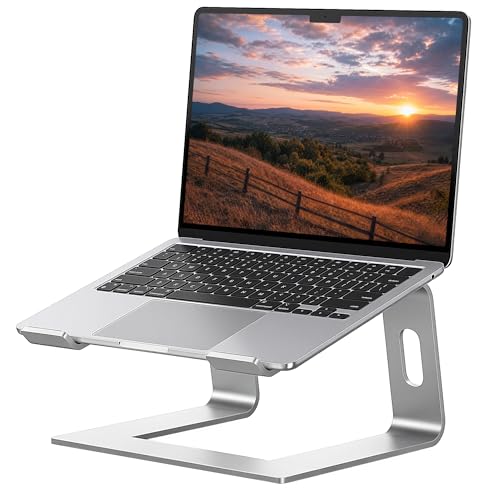
The Nulaxy C1 is built around two folding support arms, and that architecture gives it the one thing fixed risers cannot offer: a height you can change when your chair, desk, or posture changes. Folded, it slips into a bag like a ruler. Open, the twin arms lock into a surprisingly planted stance, and the vented platform lets a laptop’s underside breathe instead of baking against a solid slab.
- Adjustable height and angle
- Silicone anti-slip pads
- Dual foldable aluminum frame
- Heat-vent cutouts in the platform
- Fits laptops from 10 to 17 inches
Strengths
- Folds flat for bags and drawers
- Height adjusts for sitting or perching
- Vented platform helps hot laptops breathe
Trade-offs
- Hinges need deliberate setting
- Less planted than a fixed aluminum riser
- Slight flex under heavy typing
Travel examines Nulaxy C1 with a scale and a stopwatch. The scale asks what it weighs against the height it buys; the stopwatch asks how long a strange table takes to become a workstation. Add a third examiner — the bag itself, which votes on folded shape every single trip — and you have the complete travel test. Stands that pass all three are rare, which is why this guide’s travel rankings are shorter on sympathy and longer on arithmetic.
One honest limitation: slight flex under heavy typing — plan around it rather than discovering it in week two.
Best for: readers whose desk matches the travel alternative brief / Not suited for: readers whose laptop or routine fights the limitation named above
How to Choose Laptop stand review 2026
Ask where the stand sleeps
Daytime specs are only half a stand’s life. The other half is storage: a drawer, a shelf, a bag, or permanent residence on the desk. Shared and small spaces punish permanent residents and reward stands that fold, detach, or adhere. Before buying, name the stand’s nighttime address out loud. If you cannot, the stand will choose one for you — usually a closet, which is where good ergonomics goes to be forgotten.
Match the mechanism to your calendar
Count how many different surfaces your laptop worked on last month. One surface argues for a fixed riser and its total rigidity. Several surfaces argue for a folding frame and patience with hinges. A wish to stand argues for a tower. The calendar is a better shopping adviser than any review, because a stand’s mechanism is really a prediction about your future movements — buy the prediction that matches the evidence of your own recent weeks.
Feel is a spec, and typing style sets it
Whether a stand feels solid depends on a variable no manufacturer can print: whether your hands type on the raised laptop or on a separate keyboard. On the laptop, mass and width rule, and low stands beat tall ones. On a separate keyboard, the stand holds a parked machine and even light frames feel calm. Decide which worker you are, and half the contradictory reviews on the internet resolve themselves — they were written by the other kind of worker.
Compatibility is two photographs nobody takes
Photograph your laptop from the front and from underneath before you shop. The front view shows the edge a stand must grip and how much of it exists. The underside shows the vent map that decides whether a solid platform, an open frame, or an adhesive sheet is safe. Five minutes with a phone camera prevents the two compatibility failures that dominate disappointed reviews in this category, and both failures are invisible in the glossy product photos everyone actually looks at.
The 2026 Travel Desk: What Has Changed and What Has Not
Travel work in 2026 runs on hot-desks, coworking day passes, and hotel furniture that seems designed by opponents of the human spine, and the travel stand’s job has quietly expanded: it is no longer a comfort accessory but the piece of the office that travels because the office itself no longer exists. What has changed is the company it keeps — USB-C docks, compact mechanical keyboards, portable monitors — a whole flat-packed workstation that assumes the laptop screen will be lifted to meet it. What has not changed is physics. Height still costs either weight or money, hinges still age, and a stand that reaches eye level still demands an external keyboard to be worth its lift. The design reviewed here endures because it chose its side of those trade-offs early and refused to blur them: minimum weight, maximum height, premium price. Newer rivals undercut it, imitate it, or out-feature it, but the comparison that matters to a weekly traveler is still grams against inches, and on that exchange rate the original remains stubbornly competitive. Occasional travelers should absolutely buy the cheaper imitation; the review’s verdict is addressed to the people whose year contains fifty setups, not five.
Longevity: What Five Years With a Stand Looks Like
Ask of any pick in this guide not how it performs this week, but what will have worn on it by the time the laptop it carries has been replaced twice.
That independence is worth paying for in the right places — frame, joints, and the sacrificial pads that protect both the stand and the laptop from each other.
Priced per year of service, the leaders in this guide are not indulgences; they are among the cheapest lines in a workstation’s whole budget.
Desks differ, bodies differ, and laptops differ, which is why this guide keeps returning to your numbers rather than its own preferences — the picks are ranked, but the measurement decides.
Posture Is a Habit the Stand Merely Starts
Ergonomics marketing sells objects; ergonomics itself is a set of small repeated behaviors, and the stand is simply the object that makes the most important behavior — looking straight ahead — the easiest one.
That is why the measuring routine appears in every guide in this cluster, wearing different clothes: the two minutes spent matching lift to eye line decide whether the following years feel effortless or faintly wrong.
The picks above were ranked assuming the ritual is done — under that assumption, their order holds for almost every reader.
The pattern repeats across every guide in this cluster: correct height first, honest mechanism second, and everything else a distant third — a boring order that happens to be the one that works.
Putting the Stand to Work: Travel Work in Practice
Judge any stand in this guide by a full working session, because the first impression and the lasting impression are rarely the same object.
What matters at that point is boring and decisive: the laptop has not crept, the cables have not tightened into a slow sideways pull, and the frame has not developed the faint wobble that turns into tomorrow’s annoyance.
For travel work, that long-session composure is the difference between a stand that becomes furniture and one that becomes clutter.
A week from now the stand will either have disappeared into your routine or started its journey to a drawer, and the difference is almost never the product — it is whether the setup matched the person.
Heat and Noise: the Quiet Benefits Nobody Unboxes
A laptop resting flat is a laptop breathing through its own exhaust puddle, and the fix is embarrassingly simple: give the underside back its air.
The stands ranked highly in this guide share an open geometry for a reason that has nothing to do with fashion: air needs a path, and they provide one.
Check your own machine’s vent map before choosing, and the thermal section of every review in this cluster will read as a direct answer rather than a general promise.
A week from now the stand will either have disappeared into your routine or started its journey to a drawer, and the difference is almost never the product — it is whether the setup matched the person.
The Desk Around the Stand
Look past the stand itself for a moment, because its real job is organizing everything that touches the laptop: cables, docks, drives, and the keyboard that completes the setup.
Cables are the subtler dividend: routed behind a stand with honest slack, they stop migrating across the desk and stop leaning their weight against the machine they serve.
In travel work especially, where every surface is negotiated, those manners are not decoration — they are the product.
The pattern repeats across every guide in this cluster: correct height first, honest mechanism second, and everything else a distant third — a boring order that happens to be the one that works.
A Second Look: Travel Work in Practice
The most honest way to price a stand is per year, because the good ones are measured in years and the disappointing ones in months.
It is also worth matching the object to your own maintenance temperament, because the finest adjustable stand is a poor purchase for an owner who will never touch it again.
Priced per year of service, the leaders in this guide are not indulgences; they are among the cheapest lines in a workstation’s whole budget.
That is the unglamorous truth of this category: the best stand is the one whose compromises you never have to think about, bought at the height your own body specified.
Heat, Noise, and the Long Session
A stand can put a screen at eye level, but it cannot sit you in the chair, and the buyers who get the most from this category are the ones who treat the purchase as the start of a routine rather than the end of a problem.
When the arrangement drifts — a new chair, a different desk, a bigger laptop — the fix is rarely a new stand; it is a new measurement, taken with the same two minutes of care as the first.
That ritual, repeated at every change, is the entire maintenance schedule of a healthy workstation, and it costs less time than one coffee.
None of this is abstract for long: set the stand to your measurement, work a full day, and the verdict your shoulders deliver will be more precise than any ranking — including this one.
The Desk Around the Stand, Revisited
Demonstrations flatter every stand; the honest evidence arrives around mid-afternoon, when posture either holds or quietly collapses.
Hours in, the difference between a well-chosen stand and a merely adequate one is measured in attention: the right stand returns your attention to the work, while the wrong one keeps taxing it in small, deniable amounts.
Do that, and the stand stops being equipment you evaluate and becomes part of the room you work in — the quiet fate of every good tool.
Desks differ, bodies differ, and laptops differ, which is why this guide keeps returning to your numbers rather than its own preferences — the picks are ranked, but the measurement decides.
Five Years On: Living With the Choice
Thermal behavior is the stand’s invisible feature, present in every session and credited in almost none.
Gamers notice it first, but anyone whose laptop shares a small room with its owner notices eventually: a machine that breathes freely is a quieter machine to live beside.
In travel work, where sessions run long and rooms run small, that quiet competence compounds daily.
A week from now the stand will either have disappeared into your routine or started its journey to a drawer, and the difference is almost never the product — it is whether the setup matched the person.
Habits That Make the Stand Work
Desk space is a system, and a raised laptop changes every relationship inside it — mostly for the better, if the change is planned.
Even the cleaning changes — a desk whose largest object floats can be wiped in one pass, which sounds trivial until you have lived with the alternative for a year.
Judge the finalists in this guide by their manners as a set: footprint, cable behavior, storage, and the calm they leave behind them.
A week from now the stand will either have disappeared into your routine or started its journey to a drawer, and the difference is almost never the product — it is whether the setup matched the person.
A Second Look: Travel Work in Practice — Further Notes
The most honest way to price a stand is per year, because the good ones are measured in years and the disappointing ones in months.
Adhesive designs answer it most humbly: the bond is the lifespan, and when it tires, the stand is replaced whole, which its low cost and zero footprint make a fair bargain.
Buy the lifespan you will actually use, and the stand will repay the decision at the rate of a few comfortable hours a day.
The pattern repeats across every guide in this cluster: correct height first, honest mechanism second, and everything else a distant third — a boring order that happens to be the one that works.
Heat, Noise, and the Long Session — Further Notes
Posture is built from the floor upward — feet, chair, desk, screen — and the stand owns the final, most visible step of that staircase.
When the arrangement drifts — a new chair, a different desk, a bigger laptop — the fix is rarely a new stand; it is a new measurement, taken with the same two minutes of care as the first.
None of this requires discipline worthy of a poster; it requires one correct setup and the willingness to notice when something drifts.
If there is a single habit to take from this page, it is measuring before ordering; the stand is a long-term object, and two minutes of arithmetic is what separates the keepers from the returns.
The Desk Around the Stand, Revisited — Further Notes
Judge any stand in this guide by a full working session, because the first impression and the lasting impression are rarely the same object.
Fatigue is an accountant that never misses an entry, and screen height is one of its favorite line items — which is why a few correct inches outperform a long feature list.
Do that, and the stand stops being equipment you evaluate and becomes part of the room you work in — the quiet fate of every good tool.
That is the unglamorous truth of this category: the best stand is the one whose compromises you never have to think about, bought at the height your own body specified.
Five Years On: Living With the Choice — Further Notes
The underside of a laptop is a landscape of vents and heat, and a stand is the simplest way to give that landscape weather: moving air instead of a trapped, warming stillness.
Slower fans mean quieter calls, and a chassis that cools quickly between loads means the next task starts from a better place; neither benefit appears on a box, and both appear in a life.
For hot machines especially, the correct stand is the one that never asks the fans to work around it.
None of this is abstract for long: set the stand to your measurement, work a full day, and the verdict your shoulders deliver will be more precise than any ranking — including this one.
Habits That Make the Stand Work — Further Notes
Desk space is a system, and a raised laptop changes every relationship inside it — mostly for the better, if the change is planned.
Cable discipline belongs to the same story: slack given generously, drops routed behind, and heavy leads resting instead of hanging, so the setup stays where it was put.
Judge the finalists in this guide by their manners as a set: footprint, cable behavior, storage, and the calm they leave behind them.
Desks differ, bodies differ, and laptops differ, which is why this guide keeps returning to your numbers rather than its own preferences — the picks are ranked, but the measurement decides.
A Second Look: Travel Work in Practice — Further Notes
A stand bought well is a rare thing in technology: an object whose usefulness does not depend on updates, batteries, or the survival of the company that made it.
Folding and telescoping designs answer it with maintenance — hinges cycled deliberately, joints kept clean, settings treated as decisions rather than habits — and in exchange they give years of adaptability that fixed frames cannot.
Priced per year of service, the leaders in this guide are not indulgences; they are among the cheapest lines in a workstation’s whole budget.
A week from now the stand will either have disappeared into your routine or started its journey to a drawer, and the difference is almost never the product — it is whether the setup matched the person.
Heat, Noise, and the Long Session — Further Notes
Ergonomics marketing sells objects; ergonomics itself is a set of small repeated behaviors, and the stand is simply the object that makes the most important behavior — looking straight ahead — the easiest one.
When the arrangement drifts — a new chair, a different desk, a bigger laptop — the fix is rarely a new stand; it is a new measurement, taken with the same two minutes of care as the first.
That ritual, repeated at every change, is the entire maintenance schedule of a healthy workstation, and it costs less time than one coffee.
The pattern repeats across every guide in this cluster: correct height first, honest mechanism second, and everything else a distant third — a boring order that happens to be the one that works.
The Desk Around the Stand, Revisited — Further Notes
In practice, the stand’s job starts the moment the laptop lid opens, and it is judged by everything that does not happen afterward: no creep, no sag, no slow negotiation with your own shoulders.
What matters at that point is boring and decisive: the laptop has not crept, the cables have not tightened into a slow sideways pull, and the frame has not developed the faint wobble that turns into tomorrow’s annoyance.
Treat the first week as calibration: adjust once, live with it, adjust once more, and then let the setup disappear into routine, which is where a good stand does its best work.
None of this is abstract for long: set the stand to your measurement, work a full day, and the verdict your shoulders deliver will be more precise than any ranking — including this one.
Five Years On: Living With the Choice — Further Notes
Lift a laptop and two things improve that no reviewer can photograph: the fans calm down, and the desk stops acting as a heat sink in the wrong direction.
Gamers notice it first, but anyone whose laptop shares a small room with its owner notices eventually: a machine that breathes freely is a quieter machine to live beside.
Treat heat claims with the skepticism they deserve, verify your own vent layout, and let an open frame do the quiet, permanent work it is good at.
None of this is abstract for long: set the stand to your measurement, work a full day, and the verdict your shoulders deliver will be more precise than any ranking — including this one.
Habits That Make the Stand Work — Further Notes
Look past the stand itself for a moment, because its real job is organizing everything that touches the laptop: cables, docks, drives, and the keyboard that completes the setup.
A stand with good desk manners also cleans well, wipes down in seconds, and never traps the dust geography that grows under flat-sitting machines.
Judge the finalists in this guide by their manners as a set: footprint, cable behavior, storage, and the calm they leave behind them.
If there is a single habit to take from this page, it is measuring before ordering; the stand is a long-term object, and two minutes of arithmetic is what separates the keepers from the returns.
A Second Look: Travel Work in Practice — Further Notes
Time is the strictest reviewer in this category, and it publishes its verdicts in hinge play, flattened pads, and finishes that either aged gracefully or did not.
That independence is worth paying for in the right places — frame, joints, and the sacrificial pads that protect both the stand and the laptop from each other.
Buy the lifespan you will actually use, and the stand will repay the decision at the rate of a few comfortable hours a day.
Desks differ, bodies differ, and laptops differ, which is why this guide keeps returning to your numbers rather than its own preferences — the picks are ranked, but the measurement decides.
Heat, Noise, and the Long Session — Further Notes
Ergonomics marketing sells objects; ergonomics itself is a set of small repeated behaviors, and the stand is simply the object that makes the most important behavior — looking straight ahead — the easiest one.
Set the lower steps honestly and the stand’s contribution becomes obvious within a day: the head stops traveling forward to meet a low screen, because the screen finally travels to meet it.
None of this requires discipline worthy of a poster; it requires one correct setup and the willingness to notice when something drifts.
The pattern repeats across every guide in this cluster: correct height first, honest mechanism second, and everything else a distant third — a boring order that happens to be the one that works.
Ergonomics Beyond the Stand: Chair, Feet, and Light
A stand fixes one angle in a system of angles, and it deserves honest company in this guide: the chair that sets your hip height, the floor or footrest under your feet, and the light that decides whether you lean toward the screen to escape glare. The most common disappointment after buying a good stand is discovering that the chair was the real problem — a low, soft seat drops your eye line below what any reasonable stand was built to reach, and the buyer blames the stand for arithmetic it never controlled. The sequence that works is bottom-up: feet flat and supported, chair height set so elbows rest near ninety degrees at the desk, then the stand chosen to bring the screen to the eyes that remain. Lighting closes the loop. A screen raised into a window’s reflection invites the same forward lean the stand was bought to cure, so position the raised laptop perpendicular to bright windows where you can. None of this diminishes the stand’s role; it locates it. The stand is the keystone of a laptop workstation, and keystones only work inside an arch.
Standing Sessions Without a Standing Desk
You do not need motorized furniture to stand for part of the day; you need height, and a tower stand supplies it from the desk you already own. The working pattern that succeeds is modest: stand for calls and focused bursts, sit for long writing sessions, and let the stand travel between the two heights in seconds. Keep the external keyboard at elbow height in both postures — which may mean the keyboard stays on the desk while only the screen rises — and treat the first week as calibration rather than commitment. The goal is variation, not a standing marathon, and a stand that makes variation easy gets used long after a rigid all-standing experiment would be abandoned.
The Aesthetics Question, Taken Seriously
It is fashionable to apologize for caring how a desk looks, and this guide declines to apologize. You will look at your stand for thousands of hours; its finish, silhouette, and cable behavior are part of your working environment in the same way light and noise are. The honest position is ordering, not denial: ergonomics first, because a beautiful stand at the wrong height is a sculpture that hurts; stability second, because beauty that wobbles is a daily irritation; and aesthetics third — but genuinely third, ahead of brand, novelty, and feature lists you will never use. Buyers who follow that order rarely return their stands, whatever they spend.
Common Buying Mistakes
Buying lift by guessing
The fix is a tape measure and two minutes: seated eye height minus laptop height equals required lift. Guessing produces the two classic outcomes — a stand that changes nothing or one that overshoots and strains the shoulders instead of the neck.
Blocking the vents you meant to free
Solid platforms and adhesive sheets can cover underside intakes. Check your laptop’s vent map before choosing, and prefer open frames for machines that breathe through the base.
Forgetting cables and docks
A raised laptop moves every port. Short dock cables that reached on the desk may not reach in the air. Plan cable slack, and prefer stands with routing space or a cable hole when a dock lives on the desk.

Skipping the keyboard in the budget
The stand is the visible purchase; the keyboard and mouse make it work. Total the whole setup before comparing against a monitor or a new desk, or the comparison is rigged.
Final Recommendation
The Roost V3 Laptop Stand is the stand this laptop stand review 2026 keeps coming back to, because its verified specifications match the job most desks actually present. If its one honest limitation clashes with your laptop or your routine, the alternatives above are ranked by how gracefully they handle exactly that clash. Measure first, choose second, and the stand will repay you every working day.
Related guides in this cluster: Laptop Stand Buying Guide Laptop Stand Buying Guide, Is A Laptop Stand Worth It Is A Laptop Stand Worth It, Laptop Stand Pros And Cons Laptop Stand Pros And Cons, Best Laptop Stand For Small Spaces Under $30 Best Laptop Stand For Small Spaces Under $30, Best Laptop Stand Under $50 Best Laptop Stand Under $50. Each covers a different budget, desk, or working style, so start with the one that matches your own setup.
Frequently Asked Questions
Can a laptop stand replace an external monitor?
Not entirely — a monitor is bigger, higher, and better for long documents. But a stand closes most of the ergonomic gap at a fraction of the cost, travels where monitors cannot, and later partners with a monitor by turning the laptop into a proper second screen. For many workers it is the right first purchase and a permanent second one.
How long should a laptop stand last?
A fixed aluminum stand should last a decade; there is nothing in it to wear out beyond its pads. Folding and telescoping designs trade some of that lifespan for versatility, and with basic care — deliberate hinge use, clean joints, replaced pads — they still measure their service in years rather than months.
Can I use a laptop stand in bed or on a sofa?
Most desk stands are unhappy on soft surfaces: their feet and bases assume a flat, hard plane. Low tilt stands tolerate a lap desk or a firm tray; tall and folding designs do not. If sofa work is a real part of your life, buy for the desk first and treat the sofa as a short-session exception rather than the design brief.
What is the first thing to check before buying a laptop stand?
Your required lift: seated eye height minus your laptop’s open height. That number, plus your laptop’s weight and vent layout, eliminates most of the catalog before opinions enter the process. Buyers who start with these three facts almost never return their stands; buyers who start with bestseller lists sometimes do.
Do laptop stands work with docking stations?
Yes, and the pairing is natural: the dock stays on the desk, the laptop rises above it, and one cable connects the two worlds. The planning point is cable slack — ports move upward with the machine, so give every lead visible room and route drops behind the stand rather than off its edges.
Is a heavier stand always more stable?
Weight helps, but geometry helps more: a wide base and a low center of gravity steady a stand more than raw mass, and a light folding frame on a level desk can feel calmer than a heavy riser on a wobbling table. Judge stability as a system — stand, desk, and typing style together — rather than by the number on a scale.