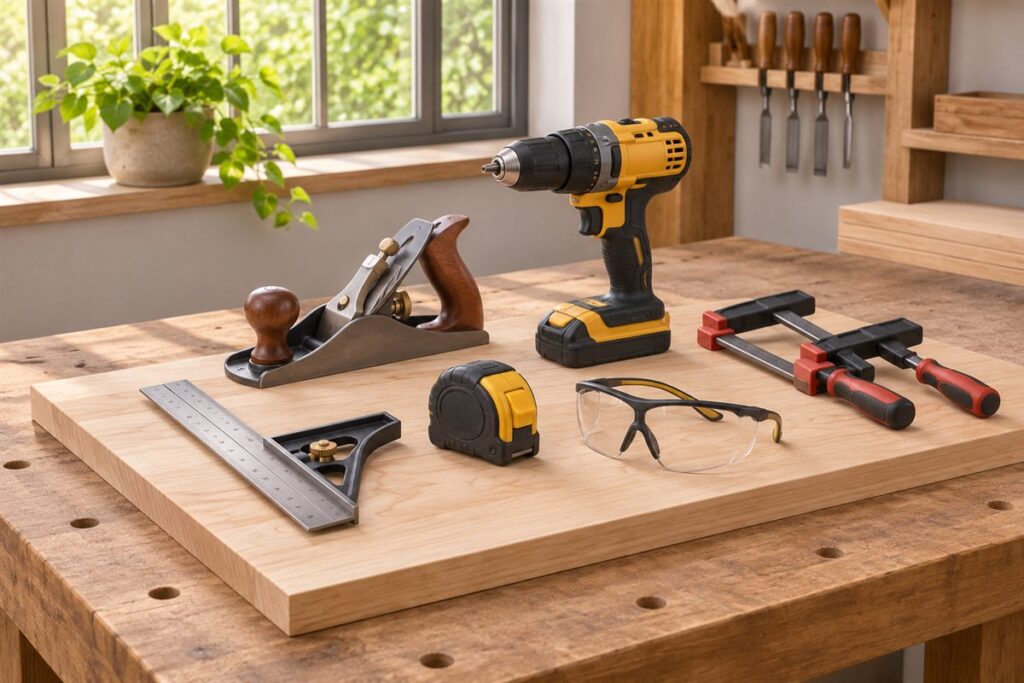
Power tools last longer when you clean them after use, check them before each job and store them dry. Most failures trace back to dust, dull accessories, damaged cords or neglected batteries. A short routine, repeated often, costs far less effort than a repair. Always follow the maker’s manual and safety instructions for your specific tool.
After every job
- Disconnect the cord or remove the battery before touching any part of the tool.
- Brush or blow dust from vents, switches and moving parts. Wear eye protection when using compressed air.
- Wipe the body with a dry or slightly damp cloth. Keep liquids out of the motor housing.
- Remove bits, blades and discs, and check them for wear.
- Coil the cord loosely and store the tool in its case or on a shelf.
Regular inspection checklist
- Cords and plugs: look for cuts, bent prongs and exposed wire. Do not use a damaged cord.
- Guards and handles: make sure they are present, firm and move freely.
- Switches: they should click and return cleanly.
- Chucks and arbors: remove dust and check that they grip tight.
- Brushes: some motors have replaceable carbon brushes. The manual shows how to check them.
- Noise and smell: grinding, sparking or a burning smell is a sign to stop and look for the cause.
A simple schedule
| How often | Task |
|---|---|
| Every use | Clean vents, inspect the cord, check accessories |
| Monthly | Look over guards, switches and fasteners, and tighten loose screws |
| Every few months | Clean chucks and adjustment tracks, and add a drop of light oil only where the manual says |
| Seasonally | Check batteries, chargers and stored tools for moisture or corrosion |
| Yearly | Read the manual for service advice, or have a repair shop look at heavily used tools |
Care for blades, bits and batteries
Dull accessories force a motor to work harder, so replace or sharpen them promptly. Wipe resin from saw blades with a suitable cleaner. For cordless tools, avoid leaving packs on the charger for weeks unless the maker allows it, and keep them away from heat and damp. Store tools off bare concrete floors where moisture collects.
Keep a simple log on the workshop wall or in a notebook. Write down the date of each blade change, battery check and cleaning. It takes seconds and shows you which tools get the hardest use and need attention first.
Extension Cords and Power Supply Habits
A tool is only as safe as the supply feeding it. An undersized or damaged extension cord can overheat, cause the motor to run poorly and shorten its life. Check the rating printed on the cord and the tool’s nameplate or manual, and choose a cord that is rated for the load and long enough without being excessive. Longer cords and thinner conductors cause more voltage drop, so use the shortest cord that reaches comfortably.
Unroll the cord fully before use. A cord left coiled on a reel can trap heat when it carries a heavy load. Keep it out of walkways, away from the cutting line and out of puddles, and never run it under rugs or through doorways that can close on it. Pull on the plug, not the cord, when disconnecting, and do not carry a tool by its cord.
For outdoor or damp work, use equipment and cords marked for that purpose, and consider a residual current device (also called a ground fault circuit interrupter) in the supply. If you are unsure whether your outlets have this protection, a qualified electrician can advise. Retire any cord with cuts, crushed sections, bent prongs or a warm plug. Taping a damaged cord is not a lasting repair; replace the cord or have the tool serviced by a qualified person.
Dust Extraction and Cooling Vents
Dust is the most common enemy of a power tool. Fine particles settle inside housings, clog cooling vents, coat switches and wear bearings. A motor that cannot shed heat runs hotter, loses efficiency and fails sooner. Cleaning the vents after each job, as the post describes, works best when you also reduce how much dust enters the tool in the first place.
Use any dust port or bag your tool provides, and connect a suitable vacuum or extractor where the maker permits. Check hose diameters and adapters in the manual so the connection is secure. Empty bags and canisters before they are full, because a packed filter reduces airflow and pushes dust back toward the tool. Clean or replace filters according to the extractor’s instructions.
Different dusts call for different care. Sawdust from some woods, plasterboard dust, concrete dust and fine sanding dust can irritate lungs and eyes, so wear a mask and eye protection suited to the material. Concrete and masonry dust is abrasive and can wear internal parts quickly, so give tools used on those materials extra attention. Never blow compressed air at close range without eye protection, and keep it away from bearings and seals, where it can drive dirt inward. After dusty work, move the tool to a clean area before opening any covers.
Sharpening and Accessory Upkeep
Blades, bits and discs wear down in use, and their condition determines how hard the motor works. A dull blade pushes waste instead of cutting it, produces heat, burns material and strains both tool and operator. Learning to recognize dullness early saves wear on the whole machine.
- Drill bits: look for a rounded cutting edge, a blue or dark tip from overheating, or a bit that squeals and requires heavy pressure. Some bits can be resharpened by hand or with a guide, while others are better replaced.
- Saw blades: burn marks, ragged cuts and extra effort are warning signs. Carbide-tipped blades are often sent to a sharpening service, but chipped, cracked or bent blades should be discarded.
- Sanding sheets and discs: change them when the grit is clogged or worn smooth, since clogged paper burnishes the surface.
- Grinding and cutting wheels: check for cracks and damage before each use, and note any expiry or speed rating on the label.
Store accessories in labelled cases or holders so edges do not knock together. Keep bits dry and lightly protected from rust. Match the accessory to the tool’s speed and size limits in the manual, and fit it fully before switching on. Inspect the chuck, arbor and clamp area for wear, because a loose accessory wobbles and can be dangerous.
Troubleshooting Common Symptoms
Many tool problems have simple causes, and checking them in a sensible order saves time. Always disconnect power or remove the battery before touching anything inside or around moving parts.
- Tool will not start: check the outlet with another device, the cord and plug, any lock-off switch, and for cordless tools the battery charge, battery seating and contacts. Dirty contacts can often be wiped clean with a dry cloth.
- Tool runs but lacks power: try a fresh accessory first, then a different cord or a charged battery. Heavy dust in the vents can also trigger thermal protection.
- Tool overheats or shuts off: let it cool, clean the vents, reduce the load and check that you are not pushing too hard. Repeated shutoffs suggest it is time for a service check.
- Excess vibration: look for a bent or unbalanced accessory, loose fittings or a worn chuck.
- Sparks at the vents: a little glow can be normal for brushed motors, but heavy or unusual sparking, smoke or a burning smell means stop. The manual or a service center can explain what is normal.
Write down what you tried. If the fault persists, the notes help a repair technician, and they stop you from repeating steps.
When to Service, Repair or Retire a Tool
Basic upkeep is within most owners’ reach, but internal repairs often are not. Opening a tool can expose live parts, affect warranty cover and disturb safety features. Before taking anything apart, read the warranty terms and the manual’s service section, which usually say what the owner may do and what should go to an authorized repair shop.
Consider a few questions when deciding. Is a replacement part available and easy to fit, such as brushes, a switch or a cord? Is the fault linked to something simple like a worn accessory? How much will repair cost compared with a replacement tool of similar quality? A well-made tool used heavily may be worth repairing, while a light-duty tool with a failed motor may not be.
Retire a tool when it has a cracked housing, damaged insulation, a missing or broken guard that cannot be replaced, or repeated faults after repair. Do not give away or sell an unsafe tool; recycle it by local rules and handle the battery separately. Keep receipts and manuals together in a folder so warranty claims and service history are easy to produce. A short note of repairs and dates helps you spot patterns, such as a particular model that needs frequent attention.
FAQ
Can I oil every part of a power tool?
No. Many gearboxes are sealed and some parts must stay dry. Use only the lubricant and points named in your manual.
When should I stop repairing and replace a tool?
If the housing is cracked, the motor smells hot, or the cost and effort of fixing it keeps growing, replacing it may make sense. Use a qualified service center for electrical repairs.
Should I keep cordless tool batteries in the tool or take them out?
Removing the battery when the tool is not in use prevents accidental starts and is usually good practice. For longer storage, follow the battery maker's guidance on charge level and temperature. Store packs somewhere dry, away from heat and metal objects that could touch the contacts.
Is it safe to clean a power tool with water?
Not as a rule. Water can get into the motor, switch and electronics. Use a dry or barely damp cloth on the outside, a brush for crevices, and keep liquid away from vents unless the manual says otherwise.
How do I know whether carbon brushes need replacing?
Brushed motors may show weak power, sparking, intermittent running or a burning smell as brushes wear. The manual explains how to access and check them on models where they are replaceable. If your tool is brushless, there are no brushes to change.
Why does my tool get hot during use?
Some warmth is normal, especially under load. Excess heat usually comes from blocked vents, a dull accessory, pushing too hard or a long continuous run. Let it rest, clean the vents and check the accessory before starting again.
Can I use any lubricant on moving parts?
Use only what the manual recommends. Some parts are sealed and should not be oiled, and the wrong product can attract dust or damage plastics. When in doubt, a light wipe is safer than an oily spray.
How should I store power tools for the winter?
Clean them, remove accessories and batteries, and keep them in cases in a dry place with stable temperatures. Check for moisture or corrosion midway through the season, and take another look before first use in spring.
Do tool warranties change if I do maintenance myself?
Routine cleaning and accessory changes are normally fine, but opening the housing may affect cover. Read the warranty section in your manual or contact the maker if you are unsure.
The Short Version
Unplug, clean, inspect and store dry. Keep accessories sharp and batteries cool. Stick to the manual for oiling and repairs.