Where to buy
Start here for the best curved monitor for home office under $150: check the latest price, availability and delivery on Amazon. Orders are placed on Amazon. We may earn a commission from qualifying purchases.
- Best curved for mixed work and play: Sceptre C275W-FW100T 27-inch Curved Monitor — Check on Amazon
- Sceptre C275W-1920RN 27-inch Curved Monitor — Check on Amazon
- Sceptre C248W-1920RN 24-inch Curved Monitor — Check on Amazon
- Samsung CF396 23.5-inch Curved Monitor (LC24F396FHNXZA) — Check on Amazon
- AOC C24G1A 24-inch Curved Gaming Monitor — step-up pick, see the review below for why it is listed without a purchase link
- Samsung CF396 27-inch Curved Monitor (LC27F396FHNXZA) — step-up pick, see the review below for why it is listed without a purchase link
Read the full guide ↓
Disclosure: As an Amazon Associate, umtsmarttool.com earns from qualifying purchases. Links to Amazon on this page are affiliate links; they cost you nothing extra. Listing details such as price and availability change often, so check the current Amazon listing before you buy.
Finding the best curved monitor for home office under $150 is mostly a matter of refusing the wrong compromises. Under $150, the monitor market splits into panels that get the fundamentals right, an honest panel type for the work, inputs that match your machine, a stand that does not fight your posture, and screens that trade one of those away for a headline number you will never feel. This guide ranks the fundamentals first, verifies every specification it prints against maker or retailer documentation, and states plainly where this budget’s ceiling sits, including the picks that are described in prose because they belong to the step-up class above $150.
The lens here is the home office: video calls, documents, spreadsheets and a desk that shares space with the rest of your life. Stand behavior, cable tidiness, built-in speakers for calls, and a cabinet that does not look out of place in a living room all count for more than they do in a spare-room setup.
What this budget buys, stated plainly: a genuine curved VA panel at 24 or 27 inches with Full HD resolution and the inputs a normal desk needs. What it does not buy is an IPS curve, a USB-C curve, or a high-refresh esports curve; the first two effectively do not exist at these prices, and the third is the prose-only step-up class. Judged on those honest terms, the curve itself is very affordable now.
The shortlist below holds six picks. The linked picks are real Amazon listings to check price on Amazon before you buy, because prices in this category move constantly and this guide prints no static product prices. If you are still deciding between a single screen and a pair, the companion guide to Best Office Monitor Under $100. For desk hardware that completes the setup, see also Best Monitor Stand Under $20. The detailed reviews follow the quick picks, with a comparison table, a buying checklist tuned to home office work, and the mistakes that waste money at exactly this tier.
Quick Picks
Short on time? Each row names who a pick suits and the verified specification that earns it a place.
| Buyer type | Pick | Why it stands out | Link |
|---|---|---|---|
| Best curved for mixed work and play | Sceptre C275W-FW100T 27-inch Curved Monitor | 27in VA curved 1500R, 1920×1080, 100Hz, sRGB 100% (maker-stated) | Check on Amazon |
| Best 27-inch curved value | Sceptre C275W-1920RN 27-inch Curved Monitor | 27in curved, 1920×1080, up to 100Hz, sRGB 99% (maker-stated) | Check on Amazon |
| Best curved value at 24 inches | Sceptre C248W-1920RN 24-inch Curved Monitor | 24in VA curved 1800R, 1920×1080, 75Hz | Check on Amazon |
| Best curved from a major brand | Samsung CF396 23.5-inch Curved Monitor (LC24F396FHNXZA) | 23.5in VA curved 1800R, 1920×1080, 60Hz | Check on Amazon |
| Step-up curved for faster gaming | AOC C24G1A 24-inch Curved Gaming Monitor | 24in VA curved 1500R, 1920×1080, high-refresh gaming class | Step-up (see review) |
| Step-up curved from a major brand at 27 inches | Samsung CF396 27-inch Curved Monitor (LC27F396FHNXZA) | 27in VA curved 1800R, 1920×1080, 60Hz | Step-up (see review) |
How These Picks Were Chosen
The budget was applied as a ceiling, not a target: every linked pick is a real Amazon listing in the United States positioned at or under the $150 tier for this product class, and you should check price on Amazon before buying because listing prices change often. Products whose normal selling position sits clearly above the tier, however good they are, were not given purchase links; where they teach something important they appear as clearly labeled prose-only step-ups instead.
We did not use these monitors ourselves. Every specification printed in this guide, resolution, refresh rate, panel type, curvature radius, gamut figure and port list, was verified during research against manufacturer specification pages, retailer listings or reputable coverage, and the sources for each pick are recorded with this article. Where sources conflicted, the article either omits the claim or flags it in the review; no ASIN and no specification was invented, and gamut and comfort figures are always attributed as maker-stated.
Ranking weighted what this brief actually uses daily. Judge this curved pick from the center seat, which is where its geometry works; if your desk is regularly shared, weigh the flat alternatives in this series. Comfort and color figures from makers were treated as features to compare, never as guarantees, and no score or popularity figures appear anywhere in the guide, because such numbers change constantly and would be stale on arrival. Readers building a full desk around this screen may also want Best Monitor Light Bar Under $20.
Every pick was also screened for the unglamorous disqualifiers: a stand that cannot reach a sane height without help and offers no VESA escape route, an input set that strands a modern laptop, or a model name so tangled with variants that a buyer cannot reliably receive the researched product. Where a variant risk exists, the review says so and tells you which full model name to match at checkout.
Pricing discipline deserves one explicit sentence: this guide prints no product prices at all, only the budget that frames the search, because monitor pricing in this class swings with sales cycles by amounts that would make any printed figure a lie within weeks. The linked listings are the price source, checked by you at the moment of purchase, which is the only moment a price is ever true.
The 6 Best Curved Monitor Options Under $150
Top pick
1. Sceptre C275W-FW100T 27-inch Curved Monitor
Best for: best curved for mixed work and play.
The Sceptre C275W-FW100T is the most complete curved monitor in this guide. Sceptre’s specification sheet lists a 27-inch VA panel with a 1500R curvature, Full HD resolution, up to 100Hz refresh, a maker-stated 1ms response with blur reduction, sRGB 100% color gamut, 3000:1 contrast and 250 cd/m2 brightness. Connectivity is the other step up: DisplayPort 1.4 joins two HDMI 2.0 ports, so a desktop, a laptop and a console can coexist without a switch. Anti-flicker operation and a Blue Light Shift mode are maker comfort features. Mounting is VESA 100 x 100 and the speakers are 2 x 2W. If the budget stretches to one curved screen for work and play, this is the one the numbers point to.
The FW100T is the curved pick that behaves like a small flagship: DisplayPort for the desktop, two HDMI ports for the laptop and console, a 100Hz picture with the tightest curve in the guide, and color figures that let it moonlight for photo-adjacent work. Days split between spreadsheets and games are its home ground. The tilt-only stand is the visible budget line, answered by its standard VESA pattern and an arm when the desk matures. If one curved screen must do everything, this is the one the research kept circling back to.
In a home office the test is a full workday: calls where its speakers or lack of them matter, documents for hours, and a screen that still looks tidy when the workday ends and the room becomes a living space again.
Setup notes: desktops should take the DisplayPort for the cleanest 100Hz path, with the two HDMI ports hosting the laptop and console. Set the picture mode to a standard or sRGB preset for work and save gaming adjustments for the game inputs if your unit supports per-input memory. The 100 x 100 VESA pattern is the standard size, so arm upgrades are painless; route the three potential video cables once, with slack for tilt, and the desk is finished.
What stands out:
- The tightest curve here at 1500R, with a DisplayPort input the other curved picks lack
- Maker-stated sRGB 100% and 3000:1 VA contrast suit photo-adjacent work and media
- 100Hz with a maker-stated 1ms blur-reduction figure is the strongest motion package in the curved set
Honest limitation: The stand is tilt-only, and like every 27-inch Full HD screen, small text is not its strength.
Choose this if its strengths match your desk and the limitation does not touch your work. Skip it if the limitation names exactly what you do all day; a neighboring pick in this guide will cover that ground better.
2. Sceptre C275W-1920RN 27-inch Curved Monitor
Best for: best 27-inch curved value.
The Sceptre C275W-1920RN stretches the curved formula to 27 inches with Full HD resolution, a refresh rate of up to 100Hz across its two HDMI ports and VGA, maker-stated sRGB 99% coverage and built-in speakers. At this size the curve earns its keep more than at 24 inches: the edges of a flat 27-inch screen sit noticeably further from your eyes than the center, and the bend evens that out while adding wrap for video and games. The trade is the familiar one: 1920 x 1080 over 27 inches means larger pixels, so this is a media, general work and casual gaming screen first and a dense-text screen second.
At 27 inches the C275W-1920RN turns the curved idea up: video and games gain the wrap that 24 inches only hints at, and two HDMI ports let a PC and a console share the screen without cable swaps. The maker-stated sRGB 99% and up-to-100Hz figures give it a specification shine its smaller sibling lacks. Text work is where the size tax is paid, with Full HD pixels grown large, so mixed desks should seat it a touch further back. As the value route to a big curved screen, it is the pick the numbers keep pointing at.
In a home office the test is a full workday: calls where its speakers or lack of them matter, documents for hours, and a screen that still looks tidy when the workday ends and the room becomes a living space again.
Setup notes: use the first HDMI port for the PC and the second for the console or laptop, set up to 100Hz explicitly where the source supports it, and give the screen its distance: at 27 inches, pushing the desk a few inches deeper is a legitimate part of installation. The speakers simplify a media corner; call-heavy desks should still route audio deliberately. Confirm the curvature figure and port list on the live listing at purchase, since this series’ listings vary between production runs.
What stands out:
- 27 inches of curve with two HDMI ports, so a PC and a console or laptop can stay connected
- Maker-stated sRGB 99% and up to 100Hz refresh lift it above basic 60Hz curved panels
- Built-in speakers keep a small desk clear
Honest limitation: Full HD at 27 inches softens fine text, and Sceptre’s curvature figure for this series varies between listings, so verify the radius on the live listing if that number matters to you.
Choose this if its strengths match your desk and the limitation does not touch your work. Skip it if the limitation names exactly what you do all day; a neighboring pick in this guide will cover that ground better.

3. Sceptre C248W-1920RN 24-inch Curved Monitor
Best for: best curved value at 24 inches.
The Sceptre C248W-1920RN is the curved monitor that defines this budget: a 24-inch VA panel bent to an 1800R curvature, running Full HD at up to 75Hz with a maker-stated 250 cd/m2 brightness and 3000:1 contrast. Sceptre’s own specification for the closely related RK variant confirms the family numbers: 1800R curve, 1920 x 1080, up to 75Hz, HDMI, VGA and DisplayPort on that variant, and 2 x 2W speakers across the line. The curve at 24 inches is gentle rather than dramatic; what it does in practice is keep the screen edges at a more even distance from your eyes and give games and video a slightly wrapped feel. For office work it is equally serviceable, with the VA panel’s contrast flattering text on dark themes.
In daily use the C248W-1920RN is the small curved desk’s complete kit: the bend is present but polite, the VA contrast flatters dark themes and video, and the speakers mean a laptop and this screen are a whole workstation. The 75Hz refresh keeps general motion a step above the 60Hz Samsung, and the slim metal-look cabinet suits desks in living spaces. Its manners are budget manners, a tilt stand and a basic menu, and buyers planning an arm should confirm the VESA details on the live listing first. For the curve at the lowest honest price, this is the reference.
In a home office the test is a full workday: calls where its speakers or lack of them matter, documents for hours, and a screen that still looks tidy when the workday ends and the room becomes a living space again.
Setup notes: HDMI carries the full 75Hz; set the refresh explicitly in your system and sit centered at arm’s length before judging the curve, because off-center first impressions mislead. The speakers are enabled over HDMI automatically on most systems; check your sound output device once. If an arm is in your future, confirm the VESA pattern and screw size on the live listing for this exact variant before ordering the mount, because Sceptre’s curved family mixes patterns between variants.
What stands out:
- A genuine 1800R curve at the lowest tier in this guide, with a VA panel’s deep 3000:1 contrast
- 75Hz refresh and built-in speakers make it a complete small-desk package
- Slim metal design looks more expensive than the tier suggests
Honest limitation: No DisplayPort on this variant and the stand is tilt-only; check the VESA pattern on the live listing before arm mounting.
Choose this if its strengths match your desk and the limitation does not touch your work. Skip it if the limitation names exactly what you do all day; a neighboring pick in this guide will cover that ground better.
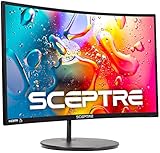
4. Samsung CF396 23.5-inch Curved Monitor (LC24F396FHNXZA)
Best for: best curved from a major brand.
Samsung’s CF396 in 23.5-inch form (model LC24F396FHNXZA) is the major-brand curved option: a VA panel with an 1800R curvature, Full HD resolution, a 4ms response figure, 3000:1 contrast and FreeSync support. Samsung markets Eye Saver Mode and flicker-free operation as comfort features, and they are described that way here. The design is the differentiator against the Sceptre: a super-slim panel profile and a simple circular stand that looks at home in a living space. Inputs are HDMI and VGA, mounting is VESA 75 x 75, and the refresh ceiling is 60Hz, which is fine for office work, study and casual play and a real limit for fast gaming.
The CF396’s daily character is calm: a slim, round-stand design that looks like furniture, a picture with deep VA contrast, and Samsung’s comfort features in the menu. It is the curved pick for desks that face the room, and for buyers who trust a major brand’s service network over a spec-sheet sprint. The 60Hz ceiling defines its limits honestly: office work, study, streaming and casual games feel at home; fast competitive play does not. Setup is HDMI for anything modern, and the whole experience is deliberately low-drama.
In a home office the test is a full workday: calls where its speakers or lack of them matter, documents for hours, and a screen that still looks tidy when the workday ends and the room becomes a living space again.
Setup notes: HDMI in, FreeSync enabled in the menu if your graphics support it, and Eye Saver Mode tried for a full workday before being judged, because its effect is cumulative rather than dramatic. The 75 x 75 VESA pattern is the detail to carry into any arm purchase. Seat this screen dead center and slightly further than a 24-inch flat habit suggests, and its slim cabinet will make the desk feel larger than the screen it replaced.
What stands out:
- Samsung’s 1800R panel with 3000:1 contrast and FreeSync in a super-slim cabinet
- Eye Saver Mode and flicker-free operation are maker comfort features for long sessions
- The circular stand and thin profile suit visible home desks
Honest limitation: 60Hz is the ceiling, and there is no DisplayPort or built-in speaker set.
Choose this if its strengths match your desk and the limitation does not touch your work. Skip it if the limitation names exactly what you do all day; a neighboring pick in this guide will cover that ground better.
5. AOC C24G1A 24-inch Curved Gaming Monitor
Best for: step-up curved for faster gaming.
The AOC C24G1A is the curved gaming step-up: a 24-inch VA panel with a 1500R curve built for high-refresh gaming rather than office value. It is named in reputable curved-monitor coverage as the step up from 60Hz budget curves at a similar class of money, and it is included here without a purchase link because its normal price sits above this guide’s ceilings. If your curved search is really a gaming search and the budget can grow, this is the direction to grow in; if the budget is fixed, the linked Sceptre and Samsung picks deliver the curve itself for less.
The C24G1A’s reputation in curved coverage is as the gamer’s step up: tighter curve, high-refresh class performance and an adjustable stand, aimed at players who found 60 and 75Hz budget curves limiting. It appears in this guide without a link because its normal price breaks the ceiling the guide is built on. Buyers whose curved search is secretly a gaming search should read it as a signpost: either stretch to this class, or take the FW100T’s 100Hz as the in-guide ceiling and spend the difference elsewhere.
In a home office the test is a full workday: calls where its speakers or lack of them matter, documents for hours, and a screen that still looks tidy when the workday ends and the room becomes a living space again.
A note on evaluating this step-up class: judge any high-refresh curved gaming monitor by its adaptive-sync range, its stand adjustment and its panel’s behavior in dark scenes, not by the curvature number alone. If you stretch to this class, buy it from a seller whose returns window lets you test your actual games, because motion character is the most sample- and taste-dependent quality in the category.
What stands out:
- A tighter 1500R curve and a gaming-class refresh rate move it beyond the office-first curved picks
- Height-adjustable stand is uncommon among budget curved models
Honest limitation: It normally sells above this guide’s budget ceilings, so it is a prose-only step-up here with no purchase link.
Choose this if its strengths match your desk and the limitation does not touch your work. Skip it if the limitation names exactly what you do all day; a neighboring pick in this guide will cover that ground better.
Prose-only pick: no purchase link, by design. See the sources note published with this guide for the reasoning.
6. Samsung CF396 27-inch Curved Monitor (LC27F396FHNXZA)
Best for: step-up curved from a major brand at 27 inches.
The 27-inch Samsung CF396 (model LC27F396FHNXZA) applies the CF396 formula at the larger size: a VA panel with 1800R curvature, Full HD resolution at 60Hz, a 4ms response figure, 3000:1 contrast and 250 cd/m2 brightness, with HDMI and VGA inputs and a 75 x 75 VESA pattern. It is included as a prose-only pick because research confirmed the model and its specifications through Samsung-model documentation and retailer listings, but did not confirm a current US Amazon ASIN, and this guide never guesses one. If you find it from a reputable seller at a price inside your budget, it is the major-brand 27-inch curved option; otherwise the linked Sceptre 27-inch models cover the same ground.
The 27-inch CF396 would be the major-brand big curve: Samsung’s slim design language, the 1800R VA panel and FreeSync at a size where the wrap registers. It is described rather than linked because research could not confirm a current US Amazon ASIN for it, and a guessed link would be worse than none. Buyers who find it through a reputable retailer at an in-budget price get the calm Samsung experience at the larger size; everyone else is served by the linked Sceptre 27-inch pair, whose specifications this guide could verify end to end.
In a home office the test is a full workday: calls where its speakers or lack of them matter, documents for hours, and a screen that still looks tidy when the workday ends and the room becomes a living space again.
A note for buyers who source this model elsewhere: verify the exact model code, LC27F396FHNXZA, on the unit, because Samsung’s CF396 family spans sizes and regions with near-identical names. The specifications to hold a listing against are the ones in this guide’s comparison table: 27 inches, 1800R, Full HD at 60Hz, 3000:1 contrast, HDMI and VGA, VESA 75 x 75. Anything that disagrees is a different variant wearing a familiar name.
What stands out:
- Samsung’s 1800R VA panel and super-slim design at the larger size
- FreeSync support and Eye Saver Mode as maker features
Honest limitation: It is presented without a purchase link because a US Amazon ASIN could not be confirmed during research; specifications are from Samsung-model documentation and retailer listings.
Choose this if its strengths match your desk and the limitation does not touch your work. Skip it if the limitation names exactly what you do all day; a neighboring pick in this guide will cover that ground better.
Prose-only pick: no purchase link, by design. See the sources note published with this guide for the reasoning.
Comparison Table
| Pick | Key specifications | Best for |
|---|---|---|
| Sceptre C275W-FW100T 27-inch Curved Monitor | 27in VA curved 1500R | 1920 x 1080 | 100Hz | 1ms with blur reduction maker-stated | sRGB 100% maker-stated | DisplayPort, 2 x HDMI | VESA 100 x 100 | Best curved for mixed work and play |
| Sceptre C275W-1920RN 27-inch Curved Monitor | 27in curved | 1920 x 1080 | up to 100Hz | sRGB 99% maker-stated | 2 x HDMI, VGA | built-in speakers | Best 27-inch curved value |
| Sceptre C248W-1920RN 24-inch Curved Monitor | 24in VA curved 1800R | 1920 x 1080 | 75Hz | 250 cd/m2 | 3000:1 | HDMI, VGA | built-in speakers | Best curved value at 24 inches |
| Samsung CF396 23.5-inch Curved Monitor (LC24F396FHNXZA) | 23.5in VA curved 1800R | 1920 x 1080 | 60Hz | 4ms | 3000:1 | HDMI, VGA | VESA 75 x 75 | Best curved from a major brand |
| AOC C24G1A 24-inch Curved Gaming Monitor | 24in VA curved 1500R | 1920 x 1080 | high-refresh gaming class | DisplayPort and HDMI class inputs | Step-up curved for faster gaming |
| Samsung CF396 27-inch Curved Monitor (LC27F396FHNXZA) | 27in VA curved 1800R | 1920 x 1080 | 60Hz | 4ms | 3000:1 | 250 cd/m2 | HDMI, VGA | VESA 75 x 75 | Step-up curved from a major brand at 27 inches |
Specifications are maker-stated figures verified during research; check the live listing for the configuration on sale, because monitor model families are revised and variant names are easy to confuse.
How to Choose a Curved Monitor Under $150
Curvature radius is the headline number: 1800R is a gentle bend suited to office work and mixed use, while 1500R wraps more noticeably and suits media and gaming. At 24 inches any curve is subtle; at 27 inches it starts to matter, because the edges of a flat panel sit measurably further from your eyes.
Panel type is effectively settled: curved screens at this budget are VA, which brings deep 3000:1-class contrast and good color, with viewing angles that are fine for a single centered viewer and less ideal for sharing the screen from the side.
Size decides the experience. A 24-inch curved monitor is a focused single-user desk screen; a 27-inch curved monitor is the immersive option, with the standing caveat that Full HD text is softer at 27 inches.
Refresh and inputs separate work from play: 60Hz and HDMI/VGA cover office and study, while 100Hz and DisplayPort serve gaming desktops. Count your devices before choosing, because curved budget models rarely offer USB-C.
Desk geometry changes with a curve: the panel’s corners come toward you, so check depth, and keep the screen centered on your seat. A curved screen viewed off-center looks distorted in a way a flat screen does not.
Finally, decide with your real content, inside a real returns window: a day of spreadsheets, an evening of video, a session of your usual game. Curved is the most taste-dependent category in this series, and the honest test is your own desk, not a specification table or this guide’s ranking.
When the desk itself is part of the upgrade, the related guide to Best Curved Monitor Under $100. And for the finishing layer that makes long sessions easier on any of these screens, see Best Dual Monitor Arm Under $50.
Living With a Curve: Desk Setup, Distance and Lighting
Set a curved monitor dead center on your chair, at roughly an arm’s length, with the screen’s center at or slightly below eye level. The geometry that makes a curve pleasant, every part of the panel near-equidistant from your eyes, only works from the middle seat. If two people regularly watch the same screen, for pairing, presenting or family video, a flat IPS panel from the other guides in this series will serve you better.
Reflections behave differently on a curve: instead of one mirror-like patch, light sources smear along the bend. Keep bright windows and lamps behind the screen rather than behind you, and angle the panel’s tilt before reaching for brightness. The anti-glare surfaces on these picks help, but placement is the real fix, and it costs nothing. For a worked example of a two-screen version of this desk, the guide to Best 27 Inch Monitor Under $100.
Give your eyes a week. Most people stop noticing the curve within days and then find flat screens oddly distant at the edges; a minority never settle and keep seeing straight lines, spreadsheets and CAD grids bow slightly. Buy from a seller with a sane returns window, test with your real work, especially spreadsheets, design grids and code, and decide inside that window rather than on day one.
Curved for Work: Spreadsheets, Timelines and Long Documents
The work case for a curve is width management. A 27-inch curved screen holds a wide spreadsheet, a project timeline or a video-editing track layout in one sweep, and the bend keeps the far columns at a more even distance, so you scan instead of leaning. Video editors and anyone living in wide tables feel this first; writers of narrow documents feel it least.
The work case against is precision geometry. Interface design, technical drawing and photo work that depends on straight lines being judged straight are safer on the flat, color-led picks in the graphic design guides in this series. The Sceptre FW100T, with maker-stated sRGB 100%, is the curved pick that comes closest to bridging the two worlds, and even it should be checked against a known-good reference if color pays your bills.
A practical hybrid many home offices land on: curved main screen for width and media, flat second screen for reference and precision. The two share a desk happily as long as heights and color temperatures are matched, and the dual setup guides in this series cover the arms and pairing rules. Readers comparing the arm and stand side of the equation should see Best Curved Monitor For Productivity Under $100.
Curved Versus Flat, Decided Properly
Strip the marketing away and the decision is three questions. Do you sit centered, alone, most of the time? The curve rewards exactly that viewer. Is your work geometry-critical, judged by straight lines at the edges? The flat guides serve it better. Is media at least half the screen’s life? The curve’s wrap and VA contrast flatter film and games in a way flat IPS at this price does not. Two or three honest yes answers in the curve’s favor make the decision; anything else is a coin toss that the flat, cheaper-to-pair panels usually win.
There is also a household reality: curved screens photograph oddly, reflect in a long smear and look unusual to guests, while delighting their owners daily. None of that should decide a purchase, but the buyer who will enjoy the object on the desk, not just its specification, is allowed to count it. This guide’s job is to make sure the specification underneath the enjoyment is real, and on the evidence of the verified numbers, it is.
Living With the Screen: Day-to-Day Notes
Sound is the curved desk’s quiet variable: the Sceptre picks and several others carry small built-in speakers that handle calls, videos and casual listening, which keeps a media-leaning curved desk free of extra boxes. If music matters, budget separately; no monitor speaker at this tier is a hi-fi answer, and the reviews say so where speakers are absent.
Gaming after hours is a legitimate part of the curved brief: the 100Hz picks with FreeSync-class support feel fluid in fast games, while the 60Hz Samsung is a casual-play screen. Match the pick to the proportion of your week that is play, and the curve will feel like a feature instead of a compromise.
One curved-specific setup check: sit at your normal distance and open a spreadsheet and a full-screen photo in turn. If the grid reads straight enough and the photo feels immersive, the geometry suits you. That five-minute test, inside the returns window, is worth more than any curvature number in a specification table.
Keep the original box for the first month. Curved panels are the category most sensitive to personal taste, and a painless return needs the packaging. It is boring advice that saves real money in exactly the cases where a curve does not suit the viewer.
Viewing distance deserves a number on a curved desk: close enough that the panel fills your central vision, roughly an arm’s length for the 24-inch picks and a little more for the 27-inch models, and far enough that your eyes are not chasing the corners. The curve rewards the right distance more than a flat panel does, and punishes the wrong one more honestly too.
If the desk doubles for film nights, the curved picks make a decent small cinema: VA contrast carries dark scenes, the wrap adds presence, and the built-in speakers on the Sceptre models handle dialogue. It will not replace a television, and at these sizes it should not try; it is a desk that moonlights, which for many rooms is the right ambition.
One last practical habit: photograph your final desk arrangement and menu settings. Curved desks are unusually sensitive to position, and the photo preserves the exact centering and tilt that made the geometry work, against the day the desk is moved or cleaned.
Common Buying Mistakes
Expecting a dramatic wrap at 24 inches. An 1800R curve on a 24-inch screen is gentle. Buy it for even viewing distance and contrast, not for a cinema sensation; the wrap becomes obvious at 27 inches and with 1500R models.
Sitting off-center. A curved screen is a one-seat product. Off to the side, geometry bends the wrong way and VA viewing angles narrow the picture. Shared screens belong in the flat guides.
Ignoring the returns window. A minority of people never adapt to the curve in spreadsheets and grids. Buy where returns are sane and test with your real work in the first week.
Assuming USB-C is included. None of the linked curved picks here takes a USB-C picture input. Laptop owners need HDMI, which almost every laptop reaches with a cable or small adapter, planned once.
Chasing curvature and forgetting the basics. Radius is one number among many: refresh, inputs, speakers and stand still decide the daily experience. The FW100T leads this guide because it pairs the tightest curve with the best all-round specification, not because of the curve alone.
Final Recommendation
Buy the Sceptre C275W-FW100T 27-inch Curved Monitor if you want the safest expression of this brief at this budget: it leads the guide because its verified specification serves home office work with the fewest daily compromises, and its limitation is the one most buyers will never meet. Check price on Amazon before you buy, and confirm the full model name on the listing, because every brand here sells close variants.
Choose the Sceptre C275W-1920RN 27-inch Curved Monitor as the runner-up when its particular strength, set out in its review, matches your desk better than the top pick’s balance. Either way, set the screen up properly on day one: native resolution, brightness matched to your room, height at eye level. If a second screen joins the desk later, the natural companion read is Best Curved Monitor For Macbook Under $100.
Frequently Asked Questions
Does a curved monitor help for office work?
It can: the bend keeps the edges of a wide screen at a more even distance, which suits wide spreadsheets, timelines and media. For narrow documents the benefit is small, and for precision line work a flat panel is the safer tool. Judge it from the center seat with your real applications during the returns window.
What does 1800R or 1500R actually mean?
The number is the radius, in millimeters, of the circle the curve is cut from: 1500R bends more tightly than 1800R. At 24 inches an 1800R curve is subtle; at 27 inches, and especially at 1500R like the Sceptre FW100T, the wrap is clearly noticeable.
Is a curved monitor bad for design or spreadsheets?
Straight lines near the edges can appear to bow slightly, which is why this guide steers precision design to the flat graphic design picks. Most spreadsheet users adapt within days; if your work is grid-critical, test early and use the returns window honestly.
Can I wall-mount or arm-mount a curved monitor?
Most picks here carry a VESA pattern, 75 x 75 on the Samsung CF396 and 100 x 100 on the Sceptre FW100T, but patterns vary by model, so confirm on the live listing and check the arm’s weight rating against the panel.
Curved or flat for a shared family desk?
Flat, in most cases: a curved VA screen is a one-seat product, and viewers off to the side get a narrower, distorted picture. The flat IPS guides in this series are the shared-desk answer.
Do curved monitors work with MacBooks and consoles?
Yes, over HDMI, which every pick here provides. There is no USB-C video input among the linked curved picks, so a modern laptop may need a USB-C to HDMI cable or adapter, and consoles connect directly.
Are built-in monitor speakers enough for video calls?
For calls and casual video, the 1 to 2-watt speakers on picks like the Acer SH242Y, BenQ GW models and Sceptre curved models are adequate and save desk space. If you present often or watch media at the desk, a small separate speaker or headset still sounds better; several picks omit speakers entirely, which the reviews state plainly.
Can I use a curved monitor as part of a dual setup?
Yes, with eyes open: a curved main screen beside a flat secondary is a common and workable arrangement, while two curved screens side by side create a wrap that some love and some find seasick. Match heights and color temperatures as the dual guides describe, and if the pair is the plan from day one, consider whether one curved and one flat serves the work better than symmetry does.