Where to buy
Check the latest price, availability and delivery on Amazon. Orders are placed on Amazon. We may earn a commission from qualifying purchases.
- Best overall for gaming: SanDisk Extreme 256GB microSDXC (SDSQXAV-256G-GN6MA) — Check on Amazon
- Samsung EVO Select 256GB microSDXC (MB-ME256SA/AM, 2024) — Check on Amazon
- Samsung PRO Plus 256GB microSDXC — covered in the review below (no verified US Amazon listing to link)
- Lexar Professional 1066x 256GB microSDXC SILVER Series — covered in the review below (no verified US Amazon listing to link)
See 2 more Amazon options
- Kingston Canvas Go! Plus 256GB microSD (SDCG4) — covered in the review below (no verified US Amazon listing to link)
- SanDisk Ultra 256GB microSDXC — covered in the review below (no verified US Amazon listing to link)
Read the full guide ↓
Disclosure: As an Amazon Associate, umtsmarttool.com earns from qualifying purchases. Links to Amazon on this page are affiliate links; they cost you nothing extra. Listing details such as price and availability change often, so check the current Amazon listing before you buy.
The best micro sd card for gaming under $30 is where modern handheld gaming physically lives. A Switch library, a Steam Deck’s second shelf, a retro handheld’s entire universe — all of it sits on a card the size of a fingernail, and the card’s classes decide whether game loads feel native or exiled. This guide verified six cards against maker documentation and judged them by gaming’s criteria: A2 app performance for load behavior, capacity for libraries, and the sustained writes that game installs and updates demand.
The honest framing first: a handheld’s own slot sets the speed ceiling — current handhelds read at UHS-I rates, so the race here is not for peak read figures but for the combination of A2 random performance, honest capacity, and maker trust. A counterfeit card in a handheld is a special misery (games that vanish past a fake capacity), which is why this guide’s authenticity discipline matters doubly in this lens. The readers that load these cards from a PC are in Best Memory Card Reader Under $30.
At $20, 128GB holds a respectable library of indie and mid-size titles; at $30, 256GB holds a serious one. Each review says what fits and which class credentials matter for the devices you own — and which famous names to skip for a gaming card despite their camera credentials.
Quick Picks
Short on time, or comparing several options at once? Each row below names a buyer type and the product that suits it, with the specification that matters most at this budget.
| Buyer type | Pick | Why it stands out |
|---|---|---|
| Best overall under $T | SanDisk Extreme 256GB microSDXC (SDSQXAV-256G-GN6MA) | Up to 190 MB/s read / 130 MB/s write, limited lifetime warranty |
| Best documented big card | Samsung EVO Select 256GB microSDXC (MB-ME256SA/AM, 2024) | Up to 160 MB/s read, U3/V30/A2, 10-year warranty |
| Fastest Samsung at 256GB | Samsung PRO Plus 256GB microSDXC | 180/130 MB/s maker-rated, U3/V30/A2 |
| Best pro-line value at 256GB | Lexar Professional 1066x 256GB microSDXC SILVER Series | 160/120 MB/s maker-rated, 10-year warranty |
| Fastest rated reads at 256GB | Kingston Canvas Go! Plus 256GB microSD (SDCG4) | Up to 200/160 MB/s per Kingston, U3/V30/A2 |
| Best bulk everyday capacity | SanDisk Ultra 256GB microSDXC | Up to 150 MB/s read, A1 class, 10-year warranty |
How These Picks Were Chosen
The budget was applied as a ceiling on street price for a specific capacity: the $20 guide judges 128GB cards and the $30 guide 256GB cards, because capacity is the honest axis of this market — check the current price on Amazon before you buy. Any listing whose capacity, class marks or model code could not be tied to a maker’s own documentation was excluded, and in this category that filter does more work than any other in this series: microSD is the most counterfeited product in consumer electronics.
We did not test these cards ourselves. We read maker product pages, datasheets and specification databases, and compared the figures that can be verified: rated read and write speeds (with their conditions), the class set — C10, U1/U3, V10/V30, A1/A2 — exactly as the maker states it, and the warranty. Where a maker declines to state a write speed, the review says so instead of borrowing one from a listing. Speeds beyond the UHS-I bus are printed with their mechanism (SanDisk’s QuickFlow and similar paths need compatible readers), because a number without its condition is an advertisement, not a specification. The readers that unlock those numbers are covered in Best Memory Card Reader Under $30. Warranty lengths are printed wherever a maker publishes them, because in a category where the product is a promise about the future, the length of the maker’s own promise is a specification like any other — and its absence from a listing is a specification too, of the opposite kind.
Two filters sat on top of the specifications. The first is authenticity infrastructure: every pick is a card whose maker sells through identifiable retail channels with a warranty process, because the defense against fakes is buying real cards from real listings, and this guide links only where the listing itself could be verified. The second is class honesty: a card is recommended for the jobs its classes certify — no V10 card is praised for 4K anywhere in this guide, whatever its listing’s photographs imply.
A third, quieter filter deserves naming: generational clarity. The famous card lines refresh in place, and two cards sharing a name and a shelf can be different products with different ratings. Where a line has generations, the review names the exact one being recommended — by model code — and flags the other. That is why these reviews read more like spec sheets than advertisements: in this category, precision is not pedantry, it is the difference between the card you researched and the card that arrives.
A note on what “verified” means here: every class mark and speed figure traces to a maker product page, datasheet or specification database entry for the exact model and capacity — not to a marketplace listing, which in this category is the single least reliable document in consumer electronics. Where a figure could not be tied to its maker, it was left out, and where a listing could not be verified, the pick carries no link and says why.
For gaming the criteria re-ranked around the A-class: A2 random performance first, because game loading is thousands of small reads; capacity second, because libraries are the point; sustained write third, for installs and patches; camera credentials (V-class) last, as they matter only if the card moonlights in a camera. Authenticity checking was weighted as heavily as in the backups lens — fake cards target gamers precisely.
The 6 Best Micro SD Cards For Gaming Under $30
SanDisk Extreme 256GB microSDXC (SDSQXAV-256G-GN6MA)
Who it suits: Shooters and handheld gamers who want the most card this budget buys: 256GB with the strongest documented write speed and SanDisk’s limited lifetime warranty.
At 256GB the Extreme stops being a camera accessory and becomes a library: a season of 4K footage, or a handheld’s whole game collection, on a card rated at up to 190 MB/s read (QuickFlow, with its standing condition — a compatible reader — printed here as always) and up to 130 MB/s write, with U3, V30 and A2 classes. One Amazon listing for this exact model documents a limited lifetime warranty, the strongest coverage in this guide. This is the pick the $30 tier exists for: capacity and credentials in the same card.
The write figure deserves its emphasis, because at 256GB the card’s jobs get longer — full-card ingests, hundred-gigabyte game installs, drone days that fill the card. A 130 MB/s rated write halves those jobs against the tier’s lesser cards, and the V30 floor guarantees the sustained minimum under the peak. If your workflow writes as hard as it reads, this is the card the guide was written to find.
At 256GB the Extreme becomes the card other cards are compared against in this guide, and a year of ownership explains why: the capacity ends card management (no mid-day swaps, no library triage), the write rating ends buffer anxiety, and the lifetime warranty note ends the risk conversation. Its one homework item is the reader — pair it with a QuickFlow-capable reader from our reader guide and the 190 MB/s read turns full-card ingests into a formality. It is the complete card at this capacity, and the guide’s top pick by accumulation rather than by any single figure.
- 256GB with up to 130 MB/s rated write
- Limited lifetime warranty (per listing)
- U3/V30/A2 full class set
Honest limitation: Peak read needs a QuickFlow-compatible reader; on standard readers, reads are UHS-I class.
Choose it if you want one card that is both the biggest and the fastest documented here. Skip it if your devices cap at 128GB or your work is read-only — save with the EVO Select.
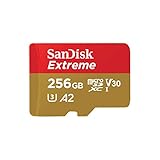
Samsung EVO Select 256GB microSDXC (MB-ME256SA/AM, 2024)
Who it suits: Buyers who want 256GB with the cleanest documentation in the business: Samsung’s current generation, maker-rated, decade-warrantied, adapter included.
The 256GB EVO Select carries the same virtues as its 128GB sibling at double the capacity: the current SA generation (MB-ME256SA/AM) rated at up to 160 MB/s read with U3, V30 and A2 classes and Samsung’s 10-year limited warranty, with the write speed officially unstated beyond “lower than read” and the V30 floor guaranteeing what video needs. For a phone’s media life, a tablet’s library, or a handheld’s game shelf, it is the documented, warrantied default at this capacity.
The generational note from the $20 guide applies with money attached: an older KA generation (130 MB/s class) circulates under the same name. The linked listing is the SA card this review describes; elsewhere, MB-ME256SA is the code to demand. Samsung’s six-layer protection claims (water, temperature, X-ray, magnet, drop, wear) are maker claims printed on its pages — reassuring, plausible, and properly attributed here rather than repeated as test results.
The 256GB EVO Select is the card for buyers who think in decades: Samsung’s documentation, Samsung’s warranty, Samsung’s own NAND, at the capacity where a phone’s whole media life fits. It will move from this phone to the next tablet to the handheld after that, accumulating roles, and its A2 class keeps it feeling native in each. The generational check (SA, not KA) is thirty seconds of literacy that buys the current card rather than its predecessor. In a category full of noise, that clarity is the luxury — and it costs nothing extra.
- 256GB, up to 160 MB/s read, full U3/V30/A2 classes
- 10-year limited warranty
- Current-generation model, clearly coded
Honest limitation: Write speed not maker-headlined; older KA generation shares the name — check the model code.
Choose it if you want the safest documented 256GB for general use. Skip it if you need the fastest rated writes for pro video — the Extreme above.
Samsung PRO Plus 256GB microSDXC
Who it suits: Write-heavy shooters in Samsung’s ecosystem who want the flagship’s 180/130 MB/s ratings at the capacity where long recording days live.
The PRO Plus line’s ratings hold at 256GB — Samsung documents the family at up to 180 MB/s read and 130 MB/s write with U3, V30 and A2 classes — which makes this, on paper, the joint-fastest-writing card in the guide at the capacity creators actually fill. Drone pilots shooting all day, action shooters, and anyone whose card is a working medium rather than a shelf will feel the write figure in every buffer clear and every ingest.
As with its 128GB sibling, no US Amazon listing for the exact model could be verified during research, so it is covered without a link and with its model family named for searching at Samsung’s own store and camera retailers. The honest comparison against the linked Extreme is a coin toss decided by ecosystem: SanDisk’s card carries the verified listing and the lifetime warranty note; Samsung’s carries the maker-page documentation. Both are the right answer for somebody; the reviews exist to say for whom.
The PRO Plus at 256GB is the working creator’s Samsung: the capacity of a full shooting day with the write rating of the flagship line, documented by the maker with unusual completeness. Its prose-only status in this guide is a listing-verification artifact that the review is transparent about; the card itself needs no apology. Shooters who standardize on Samsung media — for its readers, its warranties, its consistency — will find this exactly the card they hoped the $30 tier contained, and the model-code search is a small toll on a well-marked road.
- Maker-rated 180/130 MB/s at 256GB
- Full U3/V30/A2 classes
- Flagship Samsung line, maker-documented
Honest limitation: No verified US Amazon listing — shop the PRO Plus 256GB by name at Samsung and camera retailers.
Choose it if you find it at budget and write speed is your religion. Skip it if you want the verified listing and warranty note of the Extreme.
Lexar Professional 1066x 256GB microSDXC SILVER Series
Who it suits: Lexar-ecosystem shooters and value hunters: 120 MB/s rated writes and a 10-year warranty at 256GB, from the camera-storage specialist.
Lexar’s own specification table gives the 256GB 1066x the same figures as the 128GB — up to 160 MB/s read and 120 MB/s write for the 128GB–512GB capacities — with U3, V30 and A2 classes and the line’s 10-year limited warranty. Independent reviews of the 256GB card (Nikktech among them) confirm the positioning: a professional-series card priced where mainstream cards live. For a shooter whose reader is Lexar’s, the matched-ecosystem argument from the $20 guide applies at double capacity.
No US Amazon listing for the exact part could be verified during research, so the pick is prose-only; camera retailers stock the 1066x line under its part numbers. Judged purely on documented figures per dollar, this is the quiet value of the $30 tier — the card the spec-sheet readers find after the famous names have had their say.
The 1066x at 256GB is where Lexar’s value argument peaks: flagship-class write ratings and a ten-year warranty at a capacity that swallows a season of shooting, priced by a maker that does not charge for fame. Independent reviewers who measured the 256GB card found the line’s claims credible, which in this category is the compliment that matters. Paired with Lexar’s UHS-II-era readers for ingest (at UHS-I card speeds) or its UHS-I readers for the proprietary paths, it forms the specialist’s matched set — the choice of buyers who read spec sheets for pleasure.
- Maker-rated 160/120 MB/s at 256GB
- 10-year limited warranty
- Pro series at mainstream positioning
Honest limitation: No verified US Amazon listing — shop by part number at camera retailers.
Choose it if you value documented write speed and warranty over listing convenience. Skip it if you want one-click verified ordering.
Kingston Canvas Go! Plus 256GB microSD (SDCG4)
Who it suits: Speed-first buyers: Kingston’s current generation rates the 256GB card at up to 200 MB/s read and 160 MB/s write — the highest figures in this guide.
Kingston’s current Canvas Go! Plus page (the SDCG4 generation) publishes the boldest figures in this guide for 256GB: up to 200 MB/s read and up to 160 MB/s write, with Class 10, U3, V30 and A2 ratings. If those ratings hold in your reader, this is the fastest card here in both directions — the write figure in particular stands alone. Kingston is a major memory maker, and the figures are its own, printed on its own product page; this guide reports them as maker ratings, with the standing note that card speeds beyond the UHS-I bus depend on host and reader support for the maker’s high-speed path.
It is covered without a link because the US Amazon listing for the SDCG4 microSD could not be separated from the line’s full-size SD sibling and the older SDCG3 generation during research — a generational thicket this guide refuses to guess through. Search SDCG4 256GB microSD at Kingston’s store and major retailers, and confirm “microSD” and the generation on the page. Bought correctly, it is the spec-sheet champion of the tier.
The SDCG4 Canvas Go! Plus is the gambler’s documented bet: Kingston’s published figures are the highest in this guide, its maker is a giant, and its only sin is a confusing family tree that kept it from a verified link here. Buyers who do the model-code work — SDCG4, microSD, 256GB, three checks — own the fastest-rated card in the tier, with a major maker’s support behind it. There is a real pleasure in being the buyer who reads carefully enough to find the best card in a confusing lineup; this pick exists for that buyer.
- Maker-rated up to 200/160 MB/s — highest figures here
- Full U3/V30/A2 class set
- Current generation from a major memory maker
Honest limitation: No verified US listing; generations and a full-size SD sibling share the name — verify SDCG4 microSD carefully.
Choose it if you chase the highest documented ratings and shop carefully. Skip it if you want a verified listing with zero ambiguity.
SanDisk Ultra 256GB microSDXC
Who it suits: Media-library owners — phones, tablets, handhelds — who need 256GB of honest everyday storage and will never point a 4K camera at it.
SanDisk documents the Ultra line at up to 150 MB/s read for the 256GB-and-larger capacities, with U1, V10 and A1 classes and a 10-year limited warranty. That is the specification of a library card: apps (A1), photos, music, downloaded shows, a game shelf — enormous amounts of ordinary data, read often and written gently. At 256GB it is the capacity pick for the devices that dominate actual life, as opposed to the cameras that dominate review guides.
Its limits are the family’s limits, printed as plainly here as in the $20 guide: no U3, no V30, no business recording 4K. It is also covered without a link — the exact US listing for the 256GB could not be verified to standard among the line’s many regional and bundle variants — so shop the Ultra 256GB by name at major retailers, where it is a shelf staple. For the everyday job, it remains the default against which fancier cards must justify themselves.
The Ultra at 256GB is the library card perfected: a quarter-terabyte of documented, warrantied, universally compatible storage for the devices that hold a life’s media. Its ownership story is set-and-forget — it goes into the phone or tablet and becomes invisible capacity, which is the highest state a storage product can achieve. Its limits are real and printed (no 4K recording), and for the library job they simply never arise. When the fancier cards in this guide are overkill — and for most households, most days, they are — the Ultra is the honest remainder.
- 256GB of documented everyday storage, up to 150 MB/s read
- A1 app class, 10-year limited warranty
- Universal device compatibility
Honest limitation: U1/V10: not for 4K recording. No verified US listing for the exact capacity — shop by name.
Choose it if the card is a library for a phone, tablet or handheld. Skip it if any camera you own records 4K to its cards.
Comparison Table
All six picks side by side on their makers’ published figures. “Not maker-stated” is printed where a maker does not headline a write speed — an honesty this category’s listings rarely extend to you. Read the class column first and the speed columns second: the classes are guarantees, the speeds are weather reports, and a card chosen on its guarantees will never surprise you in the field.
| Pick | Capacity | Rated read | Rated write | Speed classes |
|---|---|---|---|---|
| SanDisk Extreme 256GB microSDXC (SDSQXAV-256G-GN6MA) | 256GB | Up to 190 MB/s (QuickFlow) | Up to 130 MB/s | U3 · V30 · A2 |
| Samsung EVO Select 256GB microSDXC (MB-ME256SA/AM, 2024) | 256GB | Up to 160 MB/s | Not maker-stated | U3 · V30 · A2 |
| Samsung PRO Plus 256GB microSDXC | 256GB | Up to 180 MB/s | Up to 130 MB/s | U3 · V30 · A2 |
| Lexar Professional 1066x 256GB microSDXC SILVER Series | 256GB | Up to 160 MB/s | Up to 120 MB/s | U3 · V30 · A2 |
| Kingston Canvas Go! Plus 256GB microSD (SDCG4) | 256GB | Up to 200 MB/s | Up to 160 MB/s | U3 · V30 · A2 |
| SanDisk Ultra 256GB microSDXC | 256GB | Up to 150 MB/s | Not maker-stated | U1 · V10 · A1 |
How to Choose a Micro SD Card
Decode the classes first, because they are the contract. C10 is the baseline (10 MB/s minimum writes). U1 and U3 raise the floor to 10 and 30 MB/s respectively; V10, V30 and V60 restate the same floors for video. A1 and A2 certify random performance for apps — 1,500/500 and 4,000/2,000 IOPS of read/write respectively. For a camera recording 4K, you need U3/V30. For apps on a phone, you want A1 at minimum, A2 preferably. For a media library, the classes barely matter and capacity is king. Every pick in this guide prints its full class set; buy the set your device actually uses.
Second, rated speeds — with their conditions attached. Read figures above 104 MB/s on a UHS-I card are achieved through maker-specific high-speed paths and need a compatible reader to materialize; on a standard reader or in a camera, the same card reads at bus speed. Write figures are the working numbers for cameras, and sustained floors (the V-class) matter more than peaks for video. Treat any listing that prints a speed without a class set as noise.
Third, capacity against the device, not the dream. Check your device’s maximum supported card size — older devices cap at 32GB (microSDHC) or 128GB, while current ones accept 512GB and beyond — and remember that a card’s labeled capacity is decimal: a 128GB card presents about 119GB to your operating system, which is arithmetic, not fraud. Finally, buy the card from a listing you can verify, at a price that is plausible: in this category, a price far below the tier’s is not a deal but a diagnosis.
Fourth, a word for the continuous-recording jobs — dash cams, security cameras, sentry modes — because they are the one workload that genuinely eats cards: writing constantly, in heat, for years. Makers sell dedicated high-endurance lines for exactly this, rated for tens of thousands of recording hours; none appears in this guide because their capacities and prices sit outside these tiers’ brief. A mainstream card from this list will work in a dash cam, but it will age faster there than anywhere else, and when it fails it will fail mid-drive. If continuous recording is the job, budget for the endurance line; if it is an occasional dash-cam cameo, any pick here serves — with its lifespan expectations adjusted honestly downward.
One more decision, small and permanent: the adapter. Most of these cards include a full-size SD adapter, and the adapter is a passive sled — it affects nothing about speed or class, despite listings that imply otherwise. Keep it with the card; the day a laptop’s SD slot or an older camera needs the card, the adapter is the difference between a working card and a tiny one. And never judge a card by performance through a cheap multi-format reader of unknown class — judge it in the device it was bought for.
The $30 tier doubles the capacity and, less obviously, changes the cards’ jobs: at 256GB a card stops being a session medium and becomes a library, an archive shelf, a handheld’s whole world. That shift is why this guide’s tier contains both the fastest documented writers (for the creators still treating it as a session card) and the honest library cards (for everyone else). The price per gigabyte is the best in this series, and the counterfeit pressure is at its peak — 256GB is the faker’s favorite label — so the verification discipline matters most exactly here.
One generational comfort: the cards in this tier are the current flagships and mainstreams of their makers, documented to a standard the smaller capacities sometimes are not. If your device accepts 256GB and your data justifies it, this is the tier where the category’s best economics and best documentation coincide — a rare alignment, worth taking.
For gaming, filter by A2 first, then capacity for your library, then maker trust. Ignore camera credentials entirely unless the card moonlights. And test the card on arrival — a handheld library is too much data to learn about a fake the hard way.
What A2 Actually Does for Game Loads
A game load is not one big read; it is thousands of small ones — textures, scripts, audio snippets, world data — scattered across the card. That is random access, and the A-class certifies it: A2 guarantees at least 4,000 read IOPS against A1’s 1,500. In practice, A2 cards load games and stream open-world assets noticeably more smoothly on devices that run software from the card, which today means Android handhelds, Switch-class devices and Steam Deck alike (the Deck runs games directly from microSD as a first-class citizen).
The corollary is the trap this lens exists to close: a card with heroic sequential figures and an A1 rating can feel slower in a handheld than a modest A2 card. The reviews print A-classes in the first lines for gaming readers — when you shop for a handheld, read the A before the MB/s.
Library Math: How Many Games Actually Fit
Game sizes sprawl across two orders of magnitude: indie titles at 1–5GB, mid-size games at 10–30GB, flagship releases at 50GB and beyond. A 128GB card therefore holds anything from two flagships to forty indies, and a 256GB card doubles the shelf. The working strategy mirrors the internal-drive one: keep the current rotation on the card, archive the rest on the PC, and move installs rather than re-downloading — through a reader, at card speed, in minutes.
Leave a tenth of the card empty: handhelds patch games in place and need the room, and a card run at the brim slows down and wears unevenly. The library that breathes is the library that loads. The full-size sibling format plays by the same rules, for the devices that take it — Best Sd Card Under $30 is that guide.
Save-Game Insurance: The Ten-Minute Ritual
Saves are the only data on a gaming card that cannot be re-downloaded, and they are small — which makes backing them up a ten-minute ritual rather than a project. Dock the handheld, mount the card through a reader (Best Memory Card Reader Under $30), copy the save folders into a dated folder on the PC, and let the PC’s own backup carry it from there. Do it when you load new games and the ritual attaches to an existing habit, which is how rituals survive.
The same session is the moment to prune: uninstall the finished, archive the someday, keep the rotation tight. A card curated monthly loads faster, patches easier, and backs up quicker than a card treated as a landfill — and the library guides in Best Gaming Ssd Under $30 apply the same philosophy at internal-drive scale.
Speed Classes, Decoded: What C10, U3, V30 and A2 Actually Promise
The alphabet on a microSD card is four separate certification systems wearing one coat. The C-class (C10) is the oldest: a guaranteed minimum sequential write speed in MB/s. The U-class (U1, U3) restates the same idea for the UHS era — 10 and 30 MB/s floors. The V-class (V10 through V90) is the video industry’s version, certifying sustained writes for recording, and it is the one camera buyers should read first: V30 means the card will not write slower than 30 MB/s, ever, which is what “no dropped frames” is made of. A card can carry all three marks for the same underlying capability, and the honest makers print them all.
The A-class is the odd one out: it certifies random access — thousands of tiny reads and writes per second — which is what running apps from a card feels like. A1 guarantees 1,500 read and 500 write IOPS; A2 doubles and quadruples those floors. A card can be a video champion and an app laggard, or the reverse; the classes are independent because the workloads are. This is why this guide prints full class sets and matches them to jobs: the card that is “fastest” for a drone may be merely adequate for a phone, and both verdicts are printed on its face for anyone who learns the four letters.
Above the classes sit the makers’ headline speeds, and they are real but conditional: sequential peaks, measured on the maker’s reader, often through proprietary paths past the UHS-I bus. They describe the card’s best day. The classes describe its worst. Professionals buy on the worst-day numbers and enjoy the best-day ones; listings hope you will do the reverse. This guide’s reviews print both, labeled, which is the whole difference between a specification and a slogan.
One more standard hovers over this category and deserves a sentence so its absence is understood: SD Express, which puts microSD on a PCIe/NVMe interface, promises SSD-class speeds and has been coming soon for years. Devices that use it remain rare, cards that carry it sit above this budget, and nothing in this guide needs it to do its job. When it arrives in earnest, this series will cover it with the same rule applied everywhere here: classes first, conditions printed, listings verified. Until then, UHS-I — mature, universal, and honestly specified by the makers in this guide — is not a compromise but the correct technology for the devices that exist.
The $30 Micro SD Card Buying Checklist
Ninety seconds, card’s job in mind, and this category’s traps all close.
- Name the job first: camera recording, apps, media library, or continuous recording (dash cam).
- Read the class set the job requires: U3/V30 for 4K, A1/A2 for apps, any class for libraries.
- Check your device’s maximum card size before choosing a capacity.
- Pick the exact model from the shortlist and copy its full model code.
- Buy from the maker’s store or a major retailer’s own listing — never a too-cheap marketplace twin.
- Confirm the model code and class marks on the listing match the review you read.
- When the card arrives, run a full-capacity write-and-verify test before trusting it.
- Format the card in the device that will use it, not on the computer.
- Keep the adapter and packaging until the card has proven itself in service.
- Remember the card is a working surface: everything on it should exist somewhere else too.
A card bought this way is a tool with a decade of service in it. A card bought carelessly is a lottery ticket shaped like one — and in this category, the house edge is data loss. Notice that nothing on this checklist requires expertise: a model code, a class mark, a capacity test, a plausible price. The card market’s hazards are not sophisticated; they are merely numerous, and they feed on hurry. Ninety seconds of unhurried checking is the entire defense, and it works every time it is used.
Common Buying Mistakes
The dominant mistake in this category is buying a counterfeit. Fake microSD cards — relabeled small cards that report false capacities and corrupt data past their real size — are sold through listings that ape the famous brands at impossible prices. The defenses are boring and total: buy from the maker’s store or a major retailer’s own listing, at a price in the tier’s normal range, and test any new card with a full-capacity write-and-verify tool before trusting it with data. This guide’s verified listings exist to make the first defense easy.
The second mistake is class mismatch: an A1/U1 card in a 4K camera, dropping frames the owner blames on the camera; or a V30 card bought for a phone library whose owner paid for video credentials nothing will use. The class marks are printed on every card and decoded in this guide’s how-to section — thirty seconds of reading prevents both directions of the error.
Third: treating any card as permanent storage. Cards are the most losable, washable, corruptible medium in the building. Everything on a card should exist somewhere else too — the card is a working surface and a transport, and the moment it becomes an archive it becomes a countdown.
Fourth: mixing up the card generations inside a famous name. As this guide’s reviews keep noting, the big lines refresh in place — an EVO Select or a Canvas Go! Plus of one generation is a different card from the next, with different ratings under an identical product name. The listing that does not state its generation or model code is asking you to buy the name and accept the lottery. Read the code, buy the card the code describes, and the famous name becomes what it should be: a warranty and a support desk, attached to a specification you chose on purpose.
The gaming-specific mistake: the no-name mega-card. A “1TB” card at a fantasy price is a 32GB card in costume, and its reveal comes mid-library, taking saves with it — usually during the largest install, which is precisely when the fake capacity runs out and the corruption begins. In gaming, capacity fraud is the whole ballgame — buy documented cards, from listings that can be checked, at prices that make sense.
Final Recommendation
If you read nothing else, buy SanDisk Extreme 256GB microSDXC (SDSQXAV-256G-GN6MA). It is the most completely documented answer at this capacity and budget. The runner-up is Samsung EVO Select 256GB microSDXC (MB-ME256SA/AM, 2024) — the better pick when its review’s strengths match your devices. Every other pick wins a narrower contest, and each review names it. Whichever card you choose, run the capacity test when it arrives and format it in its device: two small ceremonies that convert a purchase into a tool you can trust with a decade of small, irreplaceable things.
For gamers, the top pick is the library card to buy; the runner-up suits the smaller, faster-rotation library its review describes. Load and manage the library from the PC side with Best Memory Card Reader Under $30.
Frequently Asked Questions
Does an A2 card really load games faster than A1?
Yes, on devices that run games from the card: A2 certifies roughly 2.7× the random read performance of A1, and game loading is dominated by random reads. The difference is felt in load screens and asset streaming, not in frame rates.
How many Switch or Steam Deck games fit on 256GB?
Depends on the mix: a library of indie and mid-size titles might hold thirty or more; a shelf of flagship 50GB+ releases, about four. Most real libraries are mixes, and 256GB is the capacity where the mix stops needing management.
Will a faster card improve frame rates?
No. Storage affects loading and streaming smoothness; frame rates belong to the processor and GPU. Where a slow card caused hitching during asset streaming, an A2 card removes those specific hitches.
Can I move a card between handhelds?
Between devices of the same platform, generally yes. Between platforms, the card usually needs reformatting for the new device — move saves and data off first, through a reader, before the swap.
Is it safe to buy the cheapest 256GB card I can find?
It is the riskiest purchase in gaming: counterfeit cards target exactly that search. A fake card will accept your library and corrupt everything past its real capacity. Buy a documented card from a verifiable listing — this guide’s list is built for that.
Do game installs wear out a card?
Installs and patches write in bursts totaling far less than a card’s endurance over its life; reading — gaming’s main activity — does not wear flash. A documented card from this guide will outlast the handheld it serves, in ordinary use.