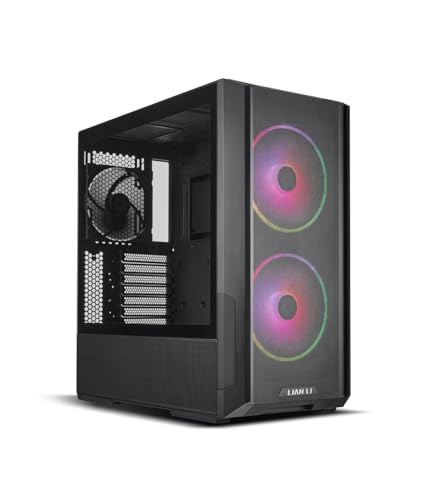
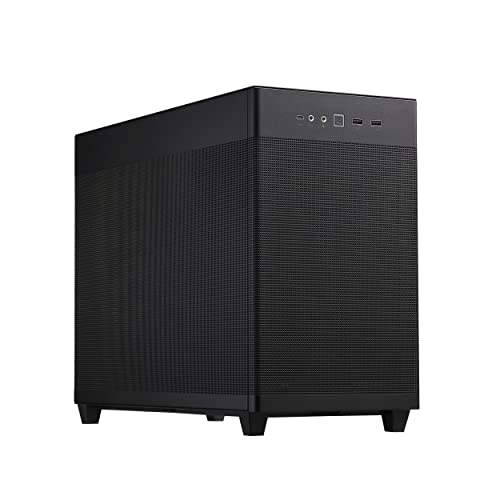
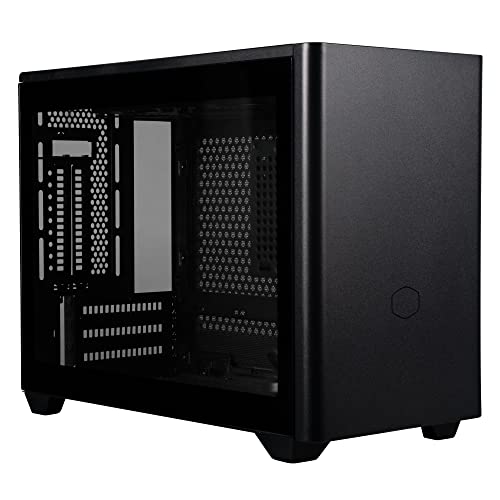
Disclosure: As an Amazon Associate, umtsmarttool.com earns from qualifying purchases. Links to Amazon on this page are affiliate links; they cost you nothing extra. Prices and availability change often, so check the current Amazon listing before you buy.
Where to buy
Small form factor is a spectrum, not a size. The six cases below run from 10.4 to about 18.4 litres and take very different approaches to the same goal — a real PC that does not own your desk. Five are linked to the exact researched variants; the Lian Li Q58 is covered in prose only because no verifiable Amazon listing for the exact model was found during research.
- Cooler Master NR200P — Check on Amazon
- Fractal Design Terra — Check on Amazon
- Lian Li x DAN A4-H2O — Check on Amazon
- SSUPD Meshlicious — Check on Amazon
- HYTE Revolt 3 — Check on Amazon
- Lian Li Q58 — check the current listing before you buy
Read the full guide ↓
The best small form factor pc cases answer a question that mid towers cannot: what if the computer is not the centre of the room? A small form factor (SFF) case — generally anything under about 20 litres — can sit beside a monitor without crowding it, live on a TV stand like a console, ride in a backpack to a friend’s place, or mount a serious workstation in a home office that doubles as a guest room.
This guide looks at six proven SFF cases through the lens of how you will actually live with them: footprint, noise manners, portability, and how much performance each litre buys. If your use is specifically gaming, our companion guide to best mini itx cases for gaming goes deeper on frame rates and GPU fit; if you are deciding whether to build at all, best small form factor pcs covers the ready-made route, and best mini pcs covers the truly tiny end of the market.
One honest note on cost: SFF is a premium hobby. The cases themselves are fairly priced, but the ecosystem around them — SFX power supplies, Mini-ITX boards, low-profile coolers — charges for miniaturisation. The right mindset is paying for space and flexibility, not for raw performance per dollar, where a mid tower will always win.
It helps to know that “small form factor” is a community term, not an industry standard. There is no certification and no hard boundary — the working definition is a case under about 20 litres that still takes standard desktop components. Everything in this guide qualifies comfortably, and everything in it can hold a graphics card that would satisfy a serious gamer, which was not true of small cases a decade ago. The format has grown up; this guide treats it that way.
In this guide
Quick Picks
| Pick | Badge | Key spec |
|---|---|---|
| Cooler Master NR200P | Best Overall | 18.25 L; fits 330 mm triple-slot GPUs and 155 mm air coolers |
| Fractal Design Terra | Best Looking | 10.4 L; walnut front; adjustable spine balances GPU and cooler space |
| Lian Li x DAN A4-H2O | Best Sub-12L Performer | 11 L; 322 mm triple-slot GPU; built around a 240 mm radiator |
| SSUPD Meshlicious | Best Vertical Tower | 14.67 L; footprint 245 × 166 mm; GPU up to 334 mm; ATX PSU option |
| HYTE Revolt 3 | Best for LAN Travel | About 18.4 L; integrated carry handle; GPU 335 mm without a riser |
| Lian Li Q58 | Best Premium Finish | 14.5 L; aluminium and glass panels; GPU 320 mm triple-slot; ATX PSU option |
How These Picks Were Chosen
Cases were selected for distinct roles rather than ranked clones of one idea. The shortlist needed a compatibility champion (NR200P), a design piece (Terra), a minimum-volume performer (A4-H2O), a footprint miser (Meshlicious), a traveller (Revolt 3), and a premium all-rounder (Q58). Each was verified against its manufacturer’s published dimensions, clearances, and cooling support — in SFF, a two-millimetre error in a copied spec table is the difference between a build and a return.
We also required each case to have a credible answer for heat. Small cases fail in one of two ways: the parts do not fit, or they fit and cook. Every pick here either places the graphics card against mesh, gives the CPU a real cooler or radiator budget, or both. Pretty boxes that suffocate their contents were cut, however good they look in renders.
Longevity of support mattered in the selection, too. SFF builds lean harder on their case’s ecosystem — replacement panels, riser cables, spare screws — than tower builds do, so every pick comes from a manufacturer with an established parts and support channel. A beautiful case from a vanished brand becomes e-waste the first time a proprietary cable fails; the six names above have the track record to still be answering emails when your build needs them.
The 6 Best Small Form Factor Pc Cases

Cooler Master NR200P — Best Overall
The NR200P suits anyone building their only PC in SFF form — gaming, work, and media in one box that does not force a compromise in any direction. It is the default recommendation because it behaves like a shrunken mid tower rather than a puzzle.
- Dimensions: 376 × 185 × 292 mm including protrusions (18.25 L)
- Motherboard support: Mini-ITX, Mini-DTX
- Max GPU: 330 mm long, 156 mm high, 60 mm (triple-slot)
- Max CPU cooler height: 155 mm with vented panel
- Radiator support: 280 mm side, 240 mm bottom, 92 mm rear
- Power supply: SFX or SFX-L up to 130 mm
Strengths
- Widest part compatibility of any case in this guide
- Both vented and glass panels in the box for cooling or display
- Huge community knowledge base for build planning
Trade-offs
- Largest case here alongside the Revolt 3
- Requires an SFX power supply
- Looks functional rather than beautiful
Think of the NR200P as the control group for SFF: it is what happens when a manufacturer shrinks a sensible tower layout instead of reinventing it. The motherboard sits in the normal orientation, the graphics card plugs straight in without a riser, the power supply tucks at the front, and the remaining volume goes to cooling — a 280 mm radiator on the side bracket or a tower air cooler up to 155 mm tall, your choice.
That ordinariness is a daily-life feature. Upgrades are easy because everything is reachable; troubleshooting is easy because nothing is buried behind three other parts; and the case accepts the kind of long, thick graphics cards that people actually upgrade to over a PC’s life. For a machine that must serve as gaming rig, work PC, and family computer for five years, adaptability beats novelty.
It is also the SFF case most likely to be recommended by someone who has built in several, precisely because it asks the least of you. If your shortlist is long and your patience is short, start here and only move to the smaller cases below when you know exactly which compromise you are buying.
Honest limitation: at 18.25 L it sits at the generous end of SFF, and on a truly small desk the Terra or A4-H2O will feel meaningfully smaller.
Best for: one-PC households and first SFF builds that must do everything / Not suited for: minimum-volume chasers or ATX power supply reuse

Fractal Design Terra — Best Looking
The Terra suits people whose PC lives in shared space — a living room, a studio apartment, a carefully designed office — where a plastic gaming box would be an eyesore. It is the SFF case as furniture, with an adjustable spine as its engineering party trick.
- Dimensions: 343 × 153 × 218 mm (10.4 L)
- Motherboard support: Mini-ITX
- Max GPU: 322 mm long; width 43–72 mm depending on spine position
- CPU cooler height: 48–77 mm depending on spine position
- Radiator support: 120 mm side only (GPU <200 mm in that layout)
- Power supply: SFX or SFX-L up to 130 mm
- PCIe 4.0 riser cable included
Strengths
- Aluminium and walnut construction looks at home anywhere
- Sliding spine adapts the case to your parts, not the reverse
- Smallest footprint in this guide
Trade-offs
- CPU cooling is low-profile air only, effectively
- Thick GPU and tall cooler cannot be maximised together
- Costs more than utilitarian rivals
The Terra’s sliding spine deserves its reputation. Seven positions shift the boundary between the graphics card chamber and the CPU chamber, so a build with a slim GPU can donate space to a taller cooler, and a build with a thick GPU can take it back. In a category where fit is usually binary — it closes or it does not — that adjustability is genuine engineering kindness.
Day to day, the Terra’s appeal is simpler: it is quiet-looking. No window, no lighting, no aggressive vents — just perforated aluminium, a walnut accent, and a footprint smaller than a shoebox. On a TV stand it reads as a piece of audio equipment; on a desk it reads as a design object. For shared living spaces, that discretion is worth more than two litres either way.
Keep the hardware honest and it performs: a mainstream processor under a quality low-profile cooler from best cpu air coolers, a graphics card breathing directly through the side mesh, and an SFX supply. Ask it to cool a flagship CPU under rendering loads and it will push back — that workload belongs in the NR200P or a mid tower.
Honest limitation: the Terra’s elegance is bought with cooling headroom; sustained all-core workloads are its weak scenario.
Best for: living rooms, studios, and design-conscious desks with gaming-capable hardware / Not suited for: workstation punishment or maximum-thickness GPUs with tall coolers
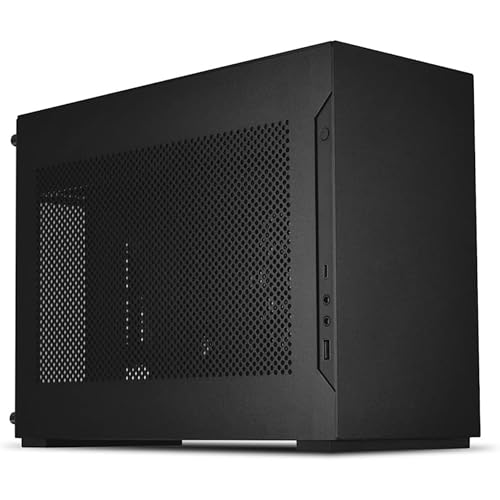
Lian Li x DAN A4-H2O — Best Sub-12L Performer
The A4-H2O suits performance-focused builders who want a genuinely small PC without giving up flagship graphics cards. It commits fully to liquid cooling for the CPU and spends every saved millimetre on the GPU.
- Dimensions: 326 × 140 × 244 mm (11 L)
- Motherboard support: Mini-ITX
- Max GPU: 322 mm, triple-slot
- Max CPU cooler height: 55 mm (pump block zone)
- Radiator support: 240 mm top (55 mm max combined thickness)
- Power supply: SFX or SFX-L
- PCIe 4.0 riser cable included
Strengths
- Flagship GPU support in just 11 litres
- A 240 mm AIO gives the CPU real cooling, unlike most cases this size
- Clean aluminium design that suits travel and desk alike
Trade-offs
- Air cooling the CPU is not a realistic option
- Radiator and fan combined thickness must stay <55 mm
- The build is dense and rewards experience
Most ultra-compact cases make the CPU the sacrifice: a tiny cooler, a throttled processor, an apology. The A4-H2O refuses by designing the entire top of the case around a 240 mm radiator. Pair that with a triple-slot graphics card up to 322 mm breathing through the mesh side, and the 11-litre box holds a system with no meaningful performance asterisk for gaming and general use.
The discipline required is real. Your AIO’s radiator plus fans must total under 55 mm thick; your power supply must be SFX; your cables must be routed like you mean it, because there is no spare volume to hide a tangle in. Builders who enjoy precision will find the process satisfying — the case equivalent of a well-packed suitcase.
As a life-fit case, the A4-H2O is the one that travels in a backpack, fits in a media cabinet with room to breathe, and still runs the same games as a tower. If you move between home and a dorm, office, or partner’s place, this is the size class that makes a desktop feel portable without becoming a laptop.
Honest limitation: there is no plan B inside the A4-H2O — if a chosen part misses its clearance by a few millimetres, the part, not the layout, has to change.
Best for: performance builds that must fit in a backpack or media cabinet / Not suited for: air-cooling plans, first builds, or thick-radiator AIOs

SSUPD Meshlicious — Best Vertical Tower
The Meshlicious suits desk-space accountants: its vertical layout takes the floor plan of a hardback book while holding a full-length graphics card, a 280 mm radiator, and even a standard ATX power supply.
- Dimensions: 245 × 166.4 × 360 mm (14.67 L)
- Motherboard support: Mini-ITX
- Max GPU: full-length cards up to 334 mm; CPU cooler 73 mm in 3-slot mode, 53 mm in 4-slot mode
- Radiator support: 120/140/240/280 mm front
- Power supply: ATX up to 170 mm or SFX
Strengths
- Smallest desk footprint relative to capability in this guide
- ATX power supply support can save real money
- Mesh on all sides keeps components fed with air
Trade-offs
- All cables exit at the bottom — plan adapters and access
- 4-slot GPU mode shrinks CPU cooler height to 53 mm
- Panel finish is a step below the premium picks
Desk space is measured in two dimensions, and the Meshlicious optimises the one that matters. Standing vertically, it occupies 245 × 166 mm of desk — less than the monitor stand it might sit beside — while internally it is all business: a full-length GPU bay good for 334 mm cards, a front mount for radiators up to 280 mm, and a spine that reconfigures between 3-slot and 4-slot GPU modes.
The ATX power supply option deserves emphasis because it changes the build’s economics. SFX supplies carry a premium; a Meshlicious build can instead reuse a quality ATX unit up to 170 mm from an old system or buy one at mainstream prices. Few SFF cases offer that escape hatch, and for upgraders it can be the difference between building now and waiting.
Living with it means accepting bottom-facing ports: display and USB cables plug in underneath, so set the case on a surface where you can tilt it, and consider right-angle adapters for permanent connections. Note that the linked listing found in research is the tempered-glass PCIe 3.0 variant — confirm the exact variant and riser generation on the listing before ordering.
Honest limitation: swapping a cable underneath a loaded vertical case is a two-handed job; frequently reconfigured setups will feel the friction.
Best for: tiny desks, upgraders with an ATX power supply, and long-GPU builds / Not suited for: setups where rear cables change weekly

HYTE Revolt 3 — Best for LAN Travel
The Revolt 3 suits people whose PC has a social life. The integrated handle, vertical tower shape, and riser-free layout make it the case to grab when the gaming moves to another house.
- Dimensions: 253 × 178 × 409 mm (about 18.4 L)
- Motherboard support: Mini-ITX
- Max GPU: 335 × 140 × 58 mm (triple-slot)
- Max CPU cooler height: 140 mm
- Radiator support: 120/140/240/280 mm side, up to 35 mm thick
- Power supply: SFX or SFX-L (optional bundled 700 W Gold)
Strengths
- Purpose-built carry handle and travel-friendly shape
- Direct GPU mounting — no riser cable to fail or configure
- 140 mm cooler height allows proper tower air cooling
Trade-offs
- Nearly twice the Terra’s volume
- Side radiator thickness capped at 35 mm
- Vertical tower shape needs a stable, level surface
Every SFF case claims portability; the Revolt 3 is engineered for it. The handle is part of the chassis, rated for the loaded weight, and the vertical footprint means the case slots into the spaces travel actually offers — a car footwell, the end of a friend’s desk, a hotel dresser. If your PC attends LANs, tournaments, or simply rotates between two homes, this is the form factor that respects the habit.
The internal layout lowers the stress of travel builds. The graphics card mounts directly on the motherboard — no riser cable flexing in transit, no PCIe generation setting to bite you at the venue — and CPU coolers can stand 140 mm tall, so a sturdy air cooler (often the travel-safest choice, with no liquid to worry about) is fully supported. A side radiator up to 280 mm remains available for home-based liquid builds.
Storage flexibility adds to the utility: a 3.5-inch bay alongside 2.5-inch mounts means the travelling PC can also be the media library. Add a compact keyboard and the protection of one of the best surge protectors for computers for unfamiliar venue power, and the Revolt 3 is a genuinely complete travel system.
Honest limitation: portability features are wasted on a PC that never moves, and stationary builders get more from the NR200P’s flexibility at the same volume.
Best for: LAN regulars, students, and split-home setups / Not suited for: static desks chasing minimum volume
Lian Li Q58 — Best Premium Finish
The Q58 suits builders who want premium materials and flexible internals in a mid-size SFF case. Note: it is covered in prose only because no verifiable Amazon listing for the exact model could be confirmed during research — search for the Lian Li Q58 by name at specialist retailers.
- Dimensions: 342 × 170 × 250 mm (14.5 L)
- Motherboard support: Mini-ITX
- Max GPU: 320 mm, triple-slot
- Max CPU cooler height: 67 mm
- Radiator support: 240/280 mm top in SFX mode, 120 mm bottom
- Power supply: SFX, SFX-L, or ATX up to 160 mm
Strengths
- Aluminium construction with swappable mesh and glass panels
- Accepts ATX power supplies as well as SFX — unusual flexibility
- Top radiator support up to 280 mm in SFX configuration
Trade-offs
- 67 mm CPU cooler height means low-profile air or liquid only
- Radiator options shrink when an ATX power supply is fitted
- Premium pricing, and availability varies by region
The Q58 is Lian Li’s polish applied to the sandwich layout: aluminium panels, split side panels that can be mesh or glass per half, and a fit and finish that feels closer to consumer electronics than to PC hardware. At 14.5 litres it sits between the A4-H2O’s minimalism and the NR200P’s generosity, and for many builders that middle is exactly right.
Its flexibility headline is power: SFX, SFX-L, or a standard ATX supply up to 160 mm all fit, which is rare in a case this size and this pretty. The choice interacts with cooling — an ATX supply trims the top radiator options, while an SFX unit unlocks the full 240/280 mm top mount — so the Q58 rewards the same paper planning as every case here, a process our best micro atx towers guide’s planning steps adapt well to this smaller class.
With 320 mm of triple-slot GPU room and a 67 mm cooler ceiling, the sensible Q58 build pairs a strong graphics card with either a low-profile air cooler on a mainstream CPU or a top AIO on a hotter one. Configured that way, it is the connoisseur’s middle path: smaller than the safe choice, roomier than the extreme choice, and finished better than both.
Honest limitation: the Q58’s cooling menu depends heavily on the power supply decision, and builders who change their mind mid-build may find their radiator no longer fits the plan.
Best for: premium desk builds wanting ATX-PSU flexibility at 14.5 L / Not suited for: tall air coolers or buyers who need Amazon availability
Comparison Table
| Case | Form factor | Max GPU length | Max CPU cooler height | Radiator support |
|---|---|---|---|---|
| Cooler Master NR200P | Mini-ITX / Mini-DTX | 330 mm, triple-slot | 155 mm (vented panel) | 280 mm side, 240 mm bottom |
| Fractal Design Terra | Mini-ITX | 322 mm; 43–72 mm wide (spine) | 48–77 mm (spine) | 120 mm side (short GPU only) |
| Lian Li x DAN A4-H2O | Mini-ITX | 322 mm, triple-slot | 55 mm (AIO pump zone) | 240 mm top |
| SSUPD Meshlicious | Mini-ITX | Up to 334 mm | 73 mm (3-slot) / 53 mm (4-slot) | Up to 280 mm front |
| HYTE Revolt 3 | Mini-ITX | 335 mm, triple-slot | 140 mm | Up to 280 mm side (35 mm thick) |
| Lian Li Q58 | Mini-ITX | 320 mm, triple-slot | 67 mm | 240/280 mm top (SFX mode) |
How to Choose a Small Form Factor PC Case
Start with the job, then the litres
Volume numbers mislead until they are attached to a job. A living-room gaming PC wants silence manners and a console-like shape (Terra, A4-H2O). A travelling PC wants a handle and robust internals (Revolt 3). A one-PC-for-everything build wants upgrade room (NR200P). A desk that is really a dining table wants footprint, not volume (Meshlicious). Write your job in one sentence and the shortlist usually halves itself.
Then sanity-check the litres against your desk: 10–12 L is backpack territory, 14–15 L is the flexible middle, and 18 L and up is “small tower” — still far smaller than a mid tower, but no longer tiny. All six cases here live in that 10–19 L band.
The three clearances that decide everything
GPU length, GPU thickness, and CPU cooler height — in that order — decide whether an SFF build exists. Manufacturers publish all three; this guide prints them for every pick from the official pages. Measure your exact graphics card model, because two cards with the same chip can differ by 40 mm in length and a full slot in thickness.
Remember the interactions: the Terra’s spine trades GPU width against cooler height, the Meshlicious trades the same pair via its slot modes, and the Q58 trades radiator room against power supply size. In SFF, every clearance is a budget shared between parts.
Cooling philosophy: mesh is your friend
Small cases cannot rely on internal air volume to buffer heat, so the successful designs cheat: they put the heat source directly against a mesh panel so it breathes outside air. The Terra, A4-H2O, and Meshlicious all park the GPU against perforations. If a small case hides its GPU behind glass with no intake path, expect noise.
For the CPU, be honest about workload. Gaming is bursty and kind to low-profile coolers; rendering, compiling, and streaming are sustained and unkind. Sustained workloads want the NR200P’s 155 mm air ceiling or a 240 mm radiator in the A4-H2O or Meshlicious. Builders who regularly push a processor hard should also read best prebuilt gaming pcs — some workloads are simply cheaper to cool in a bigger box.
Plan the whole system, not just the case
The case is the cheap part of SFF. Your budget must also hold an SFX power supply (unless your case takes ATX, like the Meshlicious or Q58), a Mini-ITX motherboard, and possibly a low-profile cooler and shorter cables. Custom-length PSU cables are a luxury that starts to feel like a necessity below 12 litres.
Also plan the peripherals: a case this small often pairs with a compact keyboard and a monitor arm to complete the uncluttered effect. The point of SFF is the whole desk, not just the box.
Noise expectations: small fans, close ears
SFF PCs usually live on desks, close to their owners, and distance is the forgotten variable in every noise comparison. A fan that is inaudible from a floor tower can be plainly present from a desktop case at arm’s length. Manage expectations accordingly: a quiet SFF build is achievable, but it is achieved with fan curves, frame rate caps, and component choices, not with the case alone.
Component choice matters most at the extremes. A graphics card with a large, slow-spinning cooler will be quieter in any of these cases than a compact card with small, fast fans. When two versions of the same GPU exist, the bigger cooler is usually the better SFF citizen — provided its dimensions still fit, which returns us, as everything in SFF does, to the tape measure.
Key Takeaways
- NR200P: the do-everything default. Terra: the beautiful one. A4-H2O: the smallest serious performer.
- Meshlicious has the smallest desk footprint; Revolt 3 is the one built to travel.
- The Q58 is prose-only here — no verified Amazon listing was found; buy by model name from specialists.
- Check GPU length, GPU thickness, and cooler height together; in SFF they share one space budget.
- Budget for the SFX ecosystem, not just the case.
- When in doubt, choose the case that fits your room first and your next graphics card second — in that order, every time.
How to Downsize an Existing PC Into an SFF Case
Moving a working ATX or Micro-ATX system into SFF is a popular project with predictable casualties. Here is the order that avoids them.
- List every current part and mark what can move: CPU, memory, storage, and the graphics card (after measuring it) usually can; the motherboard and usually the power supply cannot.
- Measure the graphics card’s length, thickness in slots, and height, and compare all three against your target case’s published limits.
- Check your CPU cooler’s height against the new case; most tower coolers will not survive the move, so budget a low-profile replacement or an AIO.
- Buy the Mini-ITX motherboard and SFX power supply (if your case needs them) before selling or storing the old parts, so the PC is never unbuildable.
- Test the new motherboard, CPU, memory, and GPU on the bench before anything enters the small case.
- Build into the SFF case following its manual’s sequence, route PSU cables first, and keep the old case intact until the new build has run for a few days.
Keep the old case and power supply until the new system has survived a week of normal use. Downsizing projects fail on small incompatibilities discovered late, and a working fallback turns a crisis into an errand.
Problem: the old power supply almost fits the new case.
“Almost” with power supplies means no. If the case specifies SFX, fit SFX; forcing an ATX unit into an SFX space blocks airflow paths the design depends on. The Meshlicious and Q58 are the picks here if ATX reuse is essential.
Problem: temperatures are worse than in the old big case.
Some increase is physics, but a large jump usually means the GPU lost its mesh access or a fan faces the wrong way. Compare temperatures with the panels off to isolate whether the problem is airflow or cooler capacity.
Problem: the PC fits the shelf but the shelf gets warm to the touch.
The case is exhausting into an enclosed space faster than the space can shed heat. Give the shelf an open back if possible, raise the case on small feet to free the bottom intake, and never stack other warm electronics directly above it.
How to Arrange an SFF PC on a Small Desk
The case is small; the ecosystem around it decides whether the desk actually feels bigger.
- Place the case where its mesh panels can breathe — never wedged between a wall and a monitor with both side panels blocked.
- Vertical cases (Meshlicious, Revolt 3) go at the desk’s rear corner, where their height costs nothing and their footprint is minimal.
- Horizontal-friendly cases (Terra, A4-H2O, NR200P) can sit under a monitor stand or shelf if the top panel’s exhaust has clear space above it.
- Route cables down and behind immediately; in a small setup, visible cable sprawl visually re-expands the PC.
- Put the power strip and surge protector within reach but off the desk surface, and leave the case’s port side accessible if you swap cables often.
Step back and look at the desk as a whole. The SFF promise is not the small box itself — it is the empty space around it. If the space is full of cables and accessories, the last step of the project is tidying, not hardware.
Problem: the PC fits but the desk still feels crowded.
The case shrank; the peripherals did not. A compact keyboard, a monitor arm, and moving the PC to a rear corner recover more visual space than another two litres of case reduction.
Problem: the desk setup looks tidy but the PC is awkward to switch on or plug into.
Placement optimised for looks can bury the power button and front ports. Favour the case’s accessible side when choosing its corner, use a small USB hub for frequently swapped devices, and treat “can I reach everything without moving the case” as a placement requirement, not an afterthought.
Where SFF PCs Actually Live: Three Setups That Work
The living-room setup is where SFF most obviously beats a tower. A Terra or A4-H2O on a TV stand reads as a piece of media equipment, runs the same games as the tower it replaced, and — with a wireless keyboard and controller — never reveals it is a PC until the desktop appears. The practical details: leave the mesh sides unobstructed by the stand’s walls, run one quality HDMI or DisplayPort cable rather than a nest of adapters, and set the PC to wake from the controller or keyboard so the couch experience never requires standing up. Heat rises off the top panel, so a shelf directly above the case needs a gap, not contact.
The small-desk setup is a negotiation between the PC and everything else that wants the same square metre. Vertical cases win this negotiation: a Meshlicious or Revolt 3 in the rear corner costs less desk than the monitor’s own stand, leaving the centre free for keyboard, notebook, and coffee. Horizontal cases compete differently — a Terra or NR200P under a monitor shelf uses the dead space beneath the screen. Either way, measure the desk before the build, route cables once and properly, and resist placing the case where its side panels face a wall at touching distance.
The two-homes setup — students, split households, weekly LANs — is the Revolt 3’s home turf, but the discipline applies to any case here. A travelling PC wants a parts list chosen for robustness: an air cooler or a securely mounted AIO, a graphics card braced by its bracket rather than hanging from a riser under vibration, and cables with enough slack to survive being unplugged and replugged fifty times a year. It also wants a padded bag that fits the case’s actual dimensions, which is a purchase to make with the case’s spec sheet open, not from memory.
A fourth, quieter scenario deserves mention: the bedroom PC. Small cases earn their keep where a tower’s bulk and lighting would dominate a room meant for sleeping. A mesh-sided case with its lighting off or absent, set to sleep aggressively, disappears in a way no mid tower manages. The Terra was practically designed for this paragraph.
Across all four setups the same principle holds: the case is the enabling object, but the setup is the product. Cable routing, placement, airflow gaps, and the discipline to leave the mesh breathing room do more for daily satisfaction than the last litre of volume or the last millimetre of clearance. Choose the case that fits your room’s story, then finish the story properly.
And if none of these scenarios sounds like your life — if the PC lives in a dedicated office with a big desk and no audience — that is useful information too. It suggests the honest recommendation might be a mid tower, with SFF as a future project rather than a present compromise. The best small form factor build is the one whose owner actually needed it small.
One scenario ties several of these threads together: the shared family PC. A tower in a family room is furniture nobody chose; an SFF system — a Terra under the TV, an NR200P on a bookshelf shelf — is a computer the household can live around. It plays the games, holds the photo library, streams the films, and does not ask the room to organise itself around a glowing monolith. For many households that invisibility is the entire point of the format, and it is a legitimate engineering requirement, not a vanity.
Whichever scenario is yours, the measure of success is the same six months later: you have stopped thinking about the case. The parts fit, the temperatures behave, the desk or the room looks the way you wanted, and the computer has become infrastructure. That is what these six cases are for.
It is worth closing the loop on cost, because SFF’s reputation for expense can scare people away from a format that would suit them. The premium is real but bounded: it lives in the power supply, the motherboard, and sometimes the cooler, and for a mainstream build it typically amounts to the price of one component tier — the difference between two adjacent graphics cards, say. Weighed against years of reclaimed desk space or a PC that finally fits the room it lives in, many owners judge that the best money in the whole build. Judge it against your room, not against a spreadsheet.
Common Buying Mistakes
- Downsizing the case but not the expectations. A 10-litre PC will not silently cool a flagship CPU under rendering loads. Match the workload to the class.
- Forgetting the motherboard must change. ATX and Micro-ATX boards do not fit Mini-ITX cases. The board swap is the hidden centrepiece of every downsize.
- Buying the GPU first and measuring never. In SFF the case and card are a matched pair. Measure the card, then choose the case — or the reverse — but never independently.
- Blocking the mesh with furniture. These cases breathe through their sides. A bookshelf cubby with no air gaps turns a great case into an oven.
- Skipping the bench test. Diagnosis inside 11 litres is slow and knuckle-scraping. Prove the parts on the desk first.
- Assuming smaller means cheaper to run. The parts premium is real. SFF buys space and flexibility, not savings.
- Measuring the case but not the cables behind it. A case’s depth on paper excludes the display and power cables plugging out of it. Add several centimetres for connectors and bend radius when checking a shelf or cubby.
Final Recommendation
The Cooler Master NR200P remains the small form factor case we recommend to the most people: it fits real hardware, cools it properly, and never makes its size your problem. For a first SFF build or a one-PC household, it is the answer.
The runner-up is the Fractal Design Terra, which trades the NR200P’s headroom for the smallest footprint and a design that belongs in any room in the house. Choose the NR200P for capability, the Terra for the life around the PC.
Frequently Asked Questions
What counts as a small form factor PC case?
The community convention is roughly 20 litres of internal volume or less. The cases in this guide run from 10.4 L (Terra) to about 18.4 L (Revolt 3) — all far below a typical mid tower, which often exceeds 40 L.
Can an SFF PC match a full-size gaming PC?
For gaming, yes, provided the graphics card fits and the CPU cooler matches the processor. The A4-H2O and NR200P in this guide run flagship GPUs; the compromises appear in sustained CPU-heavy workloads and in upgrade flexibility, not in frame rates.
Why do SFF builds cost more?
Miniaturised parts carry premiums: SFX power supplies, Mini-ITX motherboards, low-profile coolers, and sometimes custom cables. The case itself is often reasonably priced — the ecosystem around it is the expense.
Which SFF case is easiest for a first-time builder?
The NR200P. Its conventional layout, generous clearances, and enormous community documentation make it the most forgiving small case here. The Revolt 3 is the next easiest thanks to its riser-free layout.
Can I reuse my ATX power supply in an SFF case?
In two of these six: the Meshlicious accepts ATX units up to 170 mm, and the Q58 accepts them up to 160 mm (with reduced radiator options). The rest require SFX or SFX-L power supplies.
Is the Q58 not available on Amazon?
We could not verify an exact-model Amazon listing for the Q58 during research, so it is covered in prose rather than with a guessed link. It is sold by specialist PC retailers; search the model name “Lian Li Q58” to find current stock.
Can an SFF case hold a 3.5-inch hard drive?
Some can. The Revolt 3 includes a 3.5-inch bay alongside its 2.5-inch mounts, which makes it a good home for a combined gaming and media library. Most ultra-compact cases are SSD-only, so check the drive bay list if spinning storage matters to you.