Disclosure: As an Amazon Associate, umtsmarttool.com earns from qualifying purchases. Links to Amazon on this page are affiliate links; they cost you nothing extra. Prices and availability change often, so check the current Amazon listing before you buy.
Where to buy
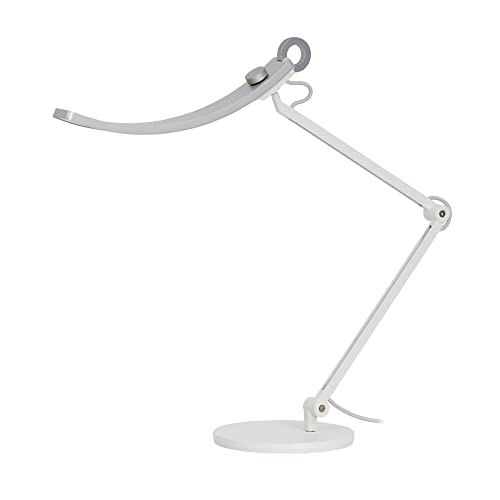
Our shortlist of the best architect desk lamps starts with our top pick, BenQ e-Reading Desk Lamp, if you want the safest all-round choice. Every linked pick below says check price on Amazon, because prices and availability change often.
- BenQ e-Reading Desk Lamp — Best Overall — check price on Amazon
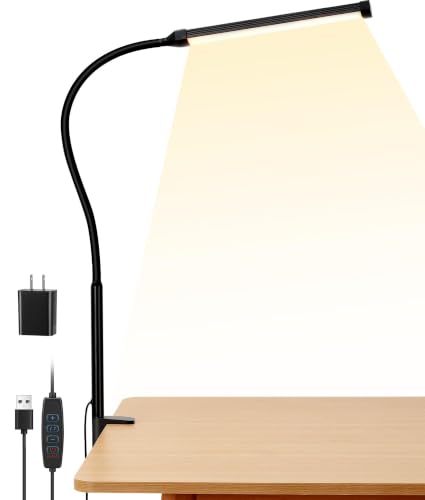
- EppieBasic 24W Architect Clamp Desk Lamp — Best for Wide Desks — check price on Amazon
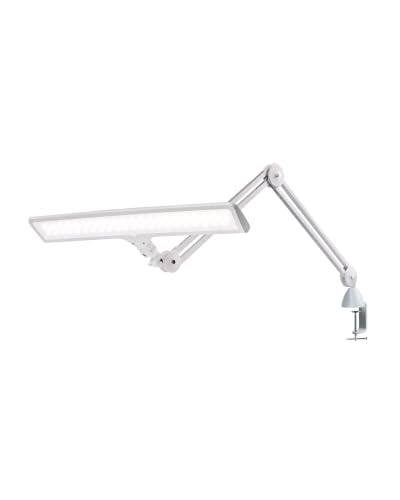
- PHIVE LK-3 Metal Architect Swing Arm LED Desk Lamp — Best Classic Swing Arm — check price on Amazon
- Micomlan 24W LED Desk Lamp with Clamp — Best for Screen-Heavy Desks — check price on Amazon
- PHIVE CL-2 Architect Desk Lamp — Best Proven Design — check price on Amazon
- Daylight Company Lumi Task Lamp — Best for Drafting Reach — check price on Amazon
Read the full guide ↓
If you are shopping for the best architect desk lamps, you are really shopping for reach, control, and light that stays where you put it. An architect lamp is not a decorative table lamp with a taller stem. It is a working tool built around an articulated arm — swing arm, balanced arm, or flexible bar — that floats a light source over plans, boards, keyboards, and notebooks, then holds that position for hours while you work underneath it. The six lamps in this guide cover the honest range of that idea, from a premium wide-coverage desk lamp to classic metal swing arms and a long-reach drafting lamp.
The lens for this guide is the architect’s desk in the broad sense: anyone whose work spreads out. That includes architects and engineers with drawings, illustrators with boards, makers with cutting mats, and home office workers whose desk holds two monitors, a notebook, and paperwork at the same time. If your work fits inside one small pool of light, a simpler lamp from our guide to best desk lamps may suit you better. If your work sprawls — and you are tired of dragging a small lamp around it — the arm, the clamp, and the coverage figures in this guide are the details that matter. Readers comparing focused alternatives should also see best desk lamps for monitors and best desk lamps for reading, which approach desk light from narrower, more specific angles.
A quick word on honest expectations before the picks. No single lamp is best at everything: the widest bar is not the most elegant object, the most classic swing arm is not the most tunable light, and the longest-reach drafting lamp keeps its dimming deliberately simple. We have named those trade-offs inside every review rather than hiding them, and we have only linked products where a real source we opened ties the exact model to the exact listing. Where a listing was thin, we say so. That honesty will help you more than another superlative.
In this guide
Quick Picks
| Pick | Badge | Key spec |
|---|---|---|
| BenQ e-Reading Desk Lamp | Best Overall | 2700K–5700K, 1600 lux, auto-dimming |
| EppieBasic 24W Architect Clamp Desk Lamp | Best for Wide Desks | 31.5-inch bar, 1100 lumens, 24W |
| PHIVE LK-3 Metal Architect Swing Arm LED Desk Lamp | Best Classic Swing Arm | Metal swing arm, 6-level dimmer, 4 modes |
| Micomlan 24W LED Desk Lamp with Clamp | Best for Screen-Heavy Desks | 24W, CRI above 90, auto-dimming sensor |
| PHIVE CL-2 Architect Desk Lamp | Best Proven Design | 8W, Ra85, clamp to 2.36 inches |
| Daylight Company Lumi Task Lamp | Best for Drafting Reach | 1320 lumens, above 95 CRI, 100 cm reach |
How These Picks Were Chosen
We built the shortlist from manufacturer pages, retailer listings, and reputable roundups, then narrowed it to lamps that satisfy the architect brief in different ways. First, the arm must genuinely reposition the light — reach across a desk, rise above a monitor, or lean over a board — and hold its pose without constant re-tightening. Second, the light itself must be useful for detailed work: adequate output for the coverage promised, color rendering that does not distort paper and material colors, and dimming you can set repeatably. Third, the mount must suit real desks, whether that is a weighted base on a clear surface or a clamp on a solid edge.
Specs in this guide come only from sources we actually opened for this research, and each article’s sources file records the product, the listing identifier, and the source for every pick. We did not invent hands-on testing claims. Instead, the reviews translate verified specifications — watts, lumens, lux, color temperature ranges, rendering figures, arm lengths, and clamp ranges where published — into the practical questions buyers ask: Will it cover my desk? Will it clear my monitor? Will the clamp fit my desk edge? Will the light flatter or fight my work?
We also weighted staying power. Architect lamps are furniture-grade purchases that people keep for years, so a stable design with clear published parameters scored well even against newer rivals with longer feature lists. Conversely, we treated thin or confusing listings as a risk to flag, not a reason to invent detail. You will see that approach in the PHIVE LK-3 review, where we name the documentation gap plainly and still explain why the proven swing-arm design earns its place.
The 6 Best Architect Desk Lamps

BenQ e-Reading Desk Lamp — Best Overall
Anyone who works for long stretches at a wide desk — writing, reading paperwork, coding, or mixing screen work with paper — and wants one lamp that covers the whole surface evenly instead of a narrow pool of light.
- Light source: LED, 18 watts
- Color temperature: 2700K to 5700K, adjustable
- Max illuminance: 1600 lux at 17.71 inches height
- Coverage: designed for desks wider than 35.4 inches
- Controls: touch with auto-dimming and two smart modes
Strengths
- Ultrawide, even coverage that lights a broad desk without a harsh hot spot in the middle
- Auto-dimming reacts to room light so you are not constantly reaching for the control
- Adjustable color temperature lets you shift from warm evening light to cooler focus light
Trade-offs
- Large footprint and a substantial base that needs clear desk space
- Premium positioning compared with simple clamp lamps
- Arm reach is generous side to side but it is still a base lamp, not a long drafting arm
What sets this lamp apart in daily use is not raw brightness on its own, it is how that brightness is spread. A narrow lamp can be very bright in one circle and dim everywhere else, so your eyes keep adjusting as you look across the desk. The wide head and the optical design here aim for a broad, even field, which is calmer for paperwork spread either side of a keyboard and for a notebook open next to a monitor.
The two smart modes are worth understanding rather than treating as marketing labels. One mode is tuned for screen work, balancing the light on the desk against the brightness of the display so the contrast between the two is less abrupt. The other is tuned for paper, pushing a little more light onto the page. In practice you will probably settle on one mode for your main task and only switch when your evening work looks very different from your daytime work.
Adjustment is where the lamp earns its keep over weeks, not just on day one. The arm moves smoothly enough that small corrections — a little lower for a thick book, a little higher for a larger sheet — do not feel like a fight. The touch control remembers the feel of a quick tap versus a deliberate hold, and the auto-dimming sensor does the boring work of compensating when daylight fades outside the window.
Build quality is the other reason this model keeps appearing in serious desk setups. The materials feel chosen for a lamp that will be repositioned thousands of times, and the matte finishes cut down reflections from the lamp itself. It is not a decorative lamp pretending to be a task lamp, and it is not a workshop light pretending to belong in a study. It sits confidently in between, which is exactly where most home offices live.
The honest limitation is size and commitment: the weighted base and wide head reward a permanent home position. If you move your workspace every day or your desk is very narrow, you will feel that footprint more than the benefit of the coverage.
Best for: wide desks and mixed screen-and-paper work / Not suited for: tiny desks with no room for a weighted base
EppieBasic 24W Architect Clamp Desk Lamp — Best for Wide Desks
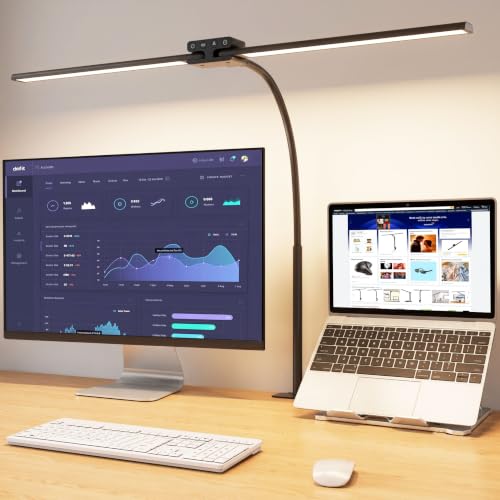
Owners of wide desks, dual-monitor desks, and large worktables who want coverage first and are happy to clamp the lamp to the back edge and leave it there.
- Power: 24 watts, double-head light bar 31.5 inches wide
- Output: 1100 lumens
- Color temperature: 3000K to 6500K in the listing, with memory function
- Color rendering: Ra above 90 in the listing
- Mount: metal clamp for desk edges, flexible gooseneck neck
Strengths
- Very wide bar lights two work zones or a large sheet from a single clamp point
- Auto-dimming sensor plus a timer function for set-and-forget evenings
- Clamp mounting frees the entire desk surface underneath the light
Trade-offs
- Wide bar can overwhelm a small desk or a low ceiling line of sight
- Gooseneck positioning takes two hands for precise placement
- Touch controls on the bar are easy to brush when repositioning the head
A double-head bar changes the geometry of desk lighting. Instead of one source you aim and re-aim, you get a line of light that runs across the desk, which softens shadows from your hands and makes a wide keyboard-and-notebook layout feel uniformly lit. For drafting sheets, cutting mats, and sewing tables, that line matters more than a single brighter spot.
The auto-dimming sensor is genuinely useful in rooms with changing daylight. As the afternoon fades, the lamp lifts its output gradually rather than leaving you in a dim pool until you notice and intervene. The memory function then holds your preferred color temperature, so the lamp wakes up the way you left it instead of resetting to a factory default every morning.
Positioning deserves patience during setup. Clamp the lamp firmly, route the cable so it does not pull when the neck moves, and then bend the gooseneck in a gentle curve rather than a sharp kink. A gentle curve holds position better and keeps the bar level, which keeps the light even from left to right.
For screen-heavy desks, angle the bar slightly forward and keep it above monitor height where you can. The angled-away LED arrangement described in the listing is intended to light the desk rather than wash the display, and you will get the best result when you cooperate with that intent instead of pointing the bar straight at the screen.
The honest limitation is proportion: on a compact desk the 31.5-inch bar is simply a lot of lamp. Measure your desk width and your monitor height before you commit, because the benefit only arrives when the bar can sit above and across your work, not squeezed into a corner.
Best for: dual-monitor and large worktable coverage / Not suited for: small desks where a wide bar would dominate

PHIVE LK-3 Metal Architect Swing Arm LED Desk Lamp — Best Classic Swing Arm
Readers who like the traditional architect silhouette — visible springs, long articulated arm, clamp at the back — and want modern LED control layered onto that familiar form.
- Mount: metal clamp, swing-arm architect design
- Controls: touch control with memory function
- Dimming: 6-level dimmer in the listing
- Lighting modes: 4 lighting modes in the listing
- Build: metal swing arm
Strengths
- Classic exposed swing-arm look with the reach that style is known for
- Memory function returns to your last setting
- Metal construction feels more durable than all-plastic arms at this tier
Trade-offs
- Listing detail is thinner than premium rivals, so check the current page carefully
- Swing arms need occasional joint tightening to hold a pose
- Clamp-only mounting will not suit glass or very thick desk edges
The swing-arm architect lamp survives decade after decade because the idea is sound: a counterbalanced arm that floats the light where you leave it, over a book, a board, or a keyboard, without a base stealing space in the middle of the desk. This PHIVE version keeps that idea and adds the conveniences modern buyers expect — stepped dimming for repeatable levels and a memory function so the lamp does not forget your preference overnight.
Four lighting modes give you a practical spread from warm to cooler light without endless scrolling through a dial. In a home office that doubles as an evening reading corner, that matters: the same lamp can be a focused task light at four in the afternoon and a softer companion at nine at night, with the arm swung lower and the level dropped.
Expect to develop a small habit with any swing arm: every few weeks, check the joint tension. Arms that get repositioned daily gradually loosen, and a quarter turn at the right joint restores the floating feel. It is not a flaw unique to this model; it is the maintenance reality of the whole category, and owners who know it stay happy far longer.
Visually, the black metal finish suits industrial and modern desks and hides the small scuffs that bright finishes advertise. Pair it with a desk edge that is solid and square, tighten the clamp fully, and the lamp becomes part of the furniture rather than an accessory perched on top of it.
The honest limitation is documentation: the public listing for this variant is less detailed than the listings for its closest rivals, so treat this as a weak pin in our research and confirm the current specifications on the product page before ordering. The design itself is proven; the paperwork trail is simply thinner.
Best for: fans of the traditional architect silhouette / Not suited for: buyers who need fully documented premium features

Micomlan 24W LED Desk Lamp with Clamp — Best for Screen-Heavy Desks
Screen workers who want strong desk light without screen wash, and anyone whose room lighting is poor enough that a little upward ambient glow makes the whole corner feel balanced.
- Power: 24 watts
- Color rendering: CRI above 90 in the listing
- Design: angled-away asymmetric main light with upward ambient lights
- Joints: 7 rotatable joints in the listing
- Sensor: built-in light sensor for auto-dimming
Strengths
- Main light angled away from screens plus soft upward ambient light in one unit
- Auto-dimming sensor adapts to the room without manual fuss
- Multiple joints make it easy to fold the light around monitors and shelves
Trade-offs
- Ambient and main lights are controlled separately, which takes a day to learn
- Many joints mean more positions to get wrong on first setup
- Brightest settings are more than a small desk will ever need
The clever idea here is separation: a main light that does the task work and auxiliary lights that point upward to soften the room. A desk lamp alone in a dark room creates a bright island surrounded by darkness, and your eyes work harder every time they move between the two. A gentle upward glow narrows that gap, which is why this design feels restful during long evening sessions.
The angled-away main light follows the same logic as a monitor light bar. By throwing light onto the desk surface at an angle rather than straight down or toward the display, it reduces the mirror-like reflection you get on screens and glossy paper. You still need to position it with care — height and angle both matter — but the starting geometry is on your side.
Seven joints sound excessive until you try to light a desk with a shelf above it, a monitor in the middle, and a notebook on the side. The arm can rise, fold, and lean in ways a two-joint lamp simply cannot. Spend the first session finding two or three poses you love — work pose, reading pose, away pose — and you will stop fiddling and start benefiting.
Color rendering above 90 in the listing means colors under this light should look close to how they look in daylight, which helps with printed proofs, fabric, and artwork as well as ordinary documents. It is not a specialist color-matching booth, but for a home desk it is a meaningful step above basic LEDs that wash colors flat.
The honest limitation is complexity for its own sake if your needs are simple. If you only ever read paper at one brightness, the sensor, the ambient lights, and the many joints are features you will rarely touch — a simpler lamp will serve you just as well.
Best for: screen workers who want ambient balance / Not suited for: buyers who want the simplest possible controls

PHIVE CL-2 Architect Desk Lamp — Best Proven Design
Buyers who want the textbook architect lamp — metal arm, clamp mount, soft diffused light — without paying for sensors, remotes, or app features they will never open.
- Power: 8 watts
- Color rendering: Ra85 in the product description
- Lifespan: 50,000 hours in the product description
- Arm: 16.3 plus 16.3 inches adjustable metal arm, 180-degree swivel head
- Clamp: supports tabletops up to 2.36 inches
Strengths
- Proven, widely documented design with clear published parameters
- Long rated lifespan and low power draw for daily task use
- Generous clamp range fits most solid desk edges
Trade-offs
- Currently shown as unavailable in some listings, so availability needs checking
- Single color family — less flexible than multi-temperature rivals
- Diffusion panel output is soft rather than punchy for very large sheets
There is value in a product whose description has been stable for years. The published parameters here are unusually clear: power, color rendering, lifespan, arm lengths, clamp range. That clarity lets you plan a desk around real numbers instead of adjectives, and it is a large part of why this model remains a reference point for the category.
The diffusion panel is the heart of the experience. Rather than a row of visible points, the light emerges softened, which is kinder on glossy paper and less likely to throw hard-edged shadows from your hands. For handwriting, sketching, and reading, that softness is not a compromise — it is the point. You trade a little punch at maximum distance for comfort at normal working distance.
The arm geometry — two sections of roughly equal length plus a swiveling head — covers the classic positions well: high and centered over a board, low and to the side over a book, or pushed up and away when you need the desk clear. The rotatable body at the clamp adds the final degree of freedom, letting the whole arm sweep across a wide desk from one mounting point.
Care is simple. Keep the clamp screw snug, wipe the panel with a dry soft cloth, and avoid hanging anything from the arm. Treated that way, a metal architect lamp is one of the longest-lived objects on a desk, and the low power draw means it costs very little to run through years of evenings.
The honest limitation is availability and flexibility: this long-running model is sometimes listed as unavailable, and its light is less tunable than newer multi-mode lamps. If you need stepless color control for mixed work, choose a newer design; if you want a known quantity, this is it.
Best for: buyers who value clear published parameters / Not suited for: buyers who need multi-temperature tuning

Daylight Company Lumi Task Lamp — Best for Drafting Reach
Artists, crafters, and anyone working on large sheets who needs bright, color-faithful light delivered from a distance rather than a small lamp hovering inches from the page.
- Power: 15 watts
- Output: 1320 lumens, 3800 lux at 30 cm on the high level
- Color rendering: above 95 CRI in the product title
- Reach: 100 cm long reach with multi-position head
- Dimming: 2 brightness levels, touch dimmer, 2 m cable
Strengths
- Long reach covers easels, cutting tables, and large drawing boards
- High color rendering supports color-critical work
- Large shade can be positioned vertically, horizontally, and laterally
Trade-offs
- Only two brightness levels — no fine stepless control
- Larger shade needs headroom above the desk
- Daylight character is fixed in spirit; warm-light lovers should look elsewhere
Reach changes what a desk lamp can do. With a 100 cm span, the head can sit well back from your work and still deliver its light at a useful angle, which keeps the lamp out of the way of large sheets, boards, and easels. Shadows fall differently, too: light arriving from higher and farther tends to be more even across a big surface than light from a small lamp parked at the edge.
Color rendering above 95 CRI is the specification artists should circle. Under low-rendering light, two colors that differ clearly in daylight can collapse into the same muddy tone. Under high-rendering light, the differences survive, so the choices you make at the desk are the choices you see when you carry the work to a window. That is the entire promise of this lamp, and its output is strong enough to keep that promise across a real working area, not just a small test patch.
The large shade is more than a styling choice. A bigger emitting area softens the transition between lit and unlit zones and makes the light feel less like a spotlight. You can also rotate the shade to match the shape of your work — long and horizontal over a wide board, turned for a tall sketchbook page — a small freedom that becomes second nature within a week.
Two brightness levels will divide opinion. Fans call it honest simplicity: bright for detail, lower for general work, nothing to scroll through. Others will want finer control. Judge by your own habits. If you constantly nudge brightness on your current lamp, note the trade-off; if you set a lamp once and work, you will probably love the restraint.
The honest limitation is granularity: two brightness levels are simple and repeatable, but some users will miss a smooth dial when the ideal level sits between the two steps. Positioning the head a little farther away is the practical workaround, and the long reach makes that easy.
Best for: large sheets, easels, and cutting tables / Not suited for: buyers who need fine stepless dimming
Comparison Table
| Pick | Mount | Key spec | Best use |
|---|---|---|---|
| BenQ e-Reading Desk Lamp | Weighted base | 2700K–5700K, 1600 lux, auto-dimming | Best Overall |
| EppieBasic 24W Architect Clamp Desk Lamp | Metal clamp | 31.5-inch bar, 1100 lumens, 24W | Best for Wide Desks |
| PHIVE LK-3 Metal Architect Swing Arm LED Desk Lamp | Metal clamp | Metal swing arm, 6-level dimmer, 4 modes | Best Classic Swing Arm |
| Micomlan 24W LED Desk Lamp with Clamp | Clamp | 24W, CRI above 90, auto-dimming sensor | Best for Screen-Heavy Desks |
| PHIVE CL-2 Architect Desk Lamp | Metal clamp | 8W, Ra85, clamp to 2.36 inches | Best Proven Design |
| Daylight Company Lumi Task Lamp | Clamp | 1320 lumens, above 95 CRI, 100 cm reach | Best for Drafting Reach |
How to Choose an Architect Desk Lamp
Start with reach and geometry, because no brightness figure can rescue a lamp that cannot get its light to your work. Measure three things on your desk: the distance from the likely mounting point to the farthest corner of your work area, the height of your tallest monitor or board, and the thickness and solidity of the desk edge if you plan to clamp. An arm that falls even a few inches short forces compromises you will feel every day — the lamp parked in the middle of the desk, the board rotated to chase the light, the notebook exiled to a dim corner. Buy reach first; tune light second.
Next, think about coverage shape. A wide head or a double bar throws a line or a broad field of light, which suits spreads of paperwork, large sheets, and dual-monitor desks. A smaller head on a long arm throws a movable pool, which suits work that migrates — a board here, a book there, a workbench task in between. Neither is better in the abstract. Match the shape to the shape of your work, and be honest about whether your desk life is a fixed command center or a moving workshop. Readers setting up a broader desk should pair this decision with desk lighting and cable management guide so the lamp, the monitors, and the cables are planned together rather than fighting afterward.
Brightness needs context, so translate the numbers. Lumens describe total output; lux describes how much light actually lands at a given distance. A lamp can post a big lumen figure and still feel dim if its light is spread very wide or mounted far away, and a modest lamp can feel brilliant parked close over a book. Use the figures in our spec boxes comparatively — this lamp against that lamp at similar distances — rather than chasing the largest number. For detailed drawing and drafting, also weigh color rendering: figures in the 90s and above mean colors under the lamp stay closer to daylight, which matters when you choose, mix, or proof anything visual.
Color temperature is your daily comfort dial. Warmer light around the lower end of the ranges in this guide feels relaxed and suits evening reading and paperwork. Cooler light toward the upper end feels alert and makes pencil, print, and fine detail separate crisply. Lamps with a wide adjustable range let one desk serve both moods; lamps with a fixed character ask you to commit. Neither approach is wrong, but know which buyer you are. If your desk is also your evening reading corner, range wins. If it is a dedicated workbench, a committed daylight character can be a strength. For color-focused work, cross-check your choice against best desk lamps for drawing in this same batch.
Mounting deserves more respect than it usually gets. A weighted base is instant and movable but consumes prime desk real estate and needs a clear, flat home. A clamp frees the surface and locks the lamp’s home position, but it demands a solid, square edge within its published grip range — glass desks, rounded trim, and hollow-core edges are all poor candidates. Measure the edge, check the clamp range in the spec box, and, if your desk edge is unusual, favor the base designs in this list. Also route the cable in your plan: a lamp whose cord drags across your work area will annoy you daily no matter how good its light is.
Finally, consider controls and memory as quality-of-life features, not gimmicks. Stepped dimming is repeatable — level three is always level three — while stepless dimming finds in-between levels presets miss. A memory function that restores your last setting removes a small morning ritual. Auto-dimming sensors help in rooms with changing daylight and are merely pleasant in windowless rooms. Rank these by your room and your habits, and let them break ties between lamps whose reach and light already fit. If charging from the lamp matters to your setup, see the sibling guide to best desk lamps with wireless charging before you decide.
Key Takeaways
- Buy reach first: measure from mount point to the far corner of your work before comparing brightness.
- Match coverage shape to work shape — wide bars for spreads, movable pools for migrating tasks.
- Use lumens and lux comparatively, and value high color rendering for anything visual.
- Clamp only to a solid, square edge inside the published grip range; otherwise choose a base.
- Set up two or three trusted arm poses on day one and stop re-aiming the lamp hourly.
How to Set Up an Architect Desk Lamp for Plans, Boards, and Screens
Setup decides whether an architect lamp feels brilliant or merely bright, so treat the first session as part of the purchase. Clear the desk completely if you can. You are about to choose a home position for the mount, an arc for the arm, and a working height for the head, and those choices are far easier to judge on an empty surface than around the usual clutter. Place your largest regular work item — drawing board, cutting mat, or open paperwork spread — in its normal position first, then build the lighting around it.
Work through the steps in order, and resist judging the light until the final step. New owners often switch a lamp on immediately, squint, and start swapping settings, when the real variable is geometry: height, angle, and which side the light arrives from. Get the geometry right and even modest settings feel generous; get it wrong and no brightness level will save the setup.
- Choose the mount position: clamp at the back corner of your dominant side, or place the base behind and beside your main work zone, never in front of it.
- Secure the mount fully — tighten the clamp until the lamp cannot rotate at the base, or settle the base on a flat, clear patch of desk.
- Raise the head above your tallest obstacle: monitor top, board edge, or shelf, so the arm clears it through its whole arc.
- Aim the head down at your work at a moderate angle from the side opposite your writing or drawing hand, so your hand’s shadow falls away from the work.
- Set a mid-level brightness and a neutral-to-cool temperature, then place your real work under the light and check corners as well as the center.
- Adjust height before brightness: lower the head a little if corners are dim, rather than simply turning the lamp up.
- Save or note your settings if the lamp has memory or stepped levels, and mark your two favorite arm poses by using them for a full session each.
- Route the cable along the back edge of the desk and down, with enough slack for the arm’s full movement and no loop across your work area.
Problem: the light is bright in the center and dim at the edges of a large sheet. Fix: raise the head and widen its angle before raising brightness; distance evens a field of light faster than power does. Problem: the arm slowly droops during long sessions. Fix: check joint tension at the elbow and head, tighten a quarter turn at a time, and rebalance the arm so no single joint carries the whole load. Problem: reflections glare off a monitor or glossy paper. Fix: move the lamp to the side, angle the head away from the screen, and lower brightness — glare is a geometry problem first. Problem: the clamp creeps on the desk edge. Fix: reseat it on a solid, square section of edge, fully tighten it, and confirm the edge thickness sits inside the clamp’s published range.
Maintain the lamp lightly and it will serve for years. Dust the head and panel with a dry, soft cloth — dust quietly steals brightness. Check the clamp and joint tension monthly if you reposition the arm daily. Keep cables unpinched through the arm’s arc. And revisit your setup when your desk changes: a new monitor, a bigger board, or a moved desk all deserve a fresh ten minutes of positioning, using the same steps above. Good light is not a product you buy once; it is a position you keep. Readers building a full desk around the lamp may also find best monitor light bars and best laptop stands useful companions.
Common Buying Mistakes
Mistake one is buying brightness instead of reach. A powerful lamp that cannot position its light over your work will lose to a modest lamp on a longer arm every single day. Measure your desk before you fall in love with a lumen figure, and let the geometry of your room lead the decision.
Mistake two is clamping to an unsuitable edge. Rounded trim, glass, hollow panels, and edges outside the published grip range all invite creep, wobble, and in the worst case a falling lamp. If your edge is doubtful, choose a weighted-base design from this list and give it a clear home instead.
Mistake three is judging the lamp in an empty, dark room on maximum brightness. Every lamp looks dramatic that way. Judge it at your desk, with your work, at the brightness you would actually use for an hour — and check the corners of your largest sheet, not just the bright center.
Mistake four is ignoring color rendering for visual work. If you draw, paint, proof prints, or choose materials at your desk, a low rendering figure will quietly distort every decision. The spec box is not decoration; for visual work it may be the most important line in it. See also best drawing tablets if your drawing setup is going digital alongside the new light.
Mistake five is strangling the setup with its own cable. A cord draped across the work area, pinched by the clamp, or too short for the arm’s arc turns a good lamp into a daily irritation. Plan the cable route as part of installation, with slack for movement and a clean drop at the back of the desk.
Final Recommendation
For most readers, start with BenQ e-Reading Desk Lamp. It is the pick we would buy first for this exact job, and it is the one least likely to need replacing when your desk or your habits change a little. As a runner-up, choose EppieBasic 24W Architect Clamp Desk Lamp, which covers the same ground with a different strength — read its review above and decide which trade-off fits your room, your desk edge, and the way you actually work in the evening as well as the morning.
Whichever you choose, set it up carefully on day one, live with it for a week of real work, and adjust its position before you judge its light. Desk lamps reward placement more than almost any other desk purchase, and an hour of honest positioning is worth more than another hour of comparison shopping.
Frequently Asked Questions
What makes a lamp an architect lamp rather than a normal desk lamp?
The defining feature is the articulated arm — swing, balanced, or articulated bar — that positions the light over your work and holds it there, usually with a clamp or a substantial base. A normal desk lamp lights the spot where it sits; an architect lamp brings its light to the work, across a desk or over a board, and keeps its pose for hours.
Is a clamp mount or a base better for an architect lamp?
A clamp frees your whole desk surface and locks the lamp’s position, but it needs a solid, square edge within the clamp’s grip range. A base is instant to place and easy to move, but it occupies prime desk space. Choose by your desk edge and your habits: permanent workstation, clamp; flexible or rented setup, base.
How bright should an architect desk lamp be?
Judge brightness at your working distance, not by the headline number alone. For paperwork and screens, a moderate, even field beats a harsh bright spot. For large sheets and drafting, favor lamps whose published lux and lumen figures stay strong across a wide area, and remember that raising the head and widening the angle often improves coverage more than turning the lamp up.
What color temperature is best for drafting and drawing?
A neutral-to-cool setting gives crisp contrast for pencil and print, while high color rendering — figures in the 90s and above — keeps colors honest. Adjustable lamps let you warm the light for evening reading; fixed daylight lamps commit to clarity. For dedicated color work, start with the Daylight Lumi and the BenQ in this guide and compare their rendering figures.
Can an architect lamp work with dual monitors?
Yes, if its coverage is wide enough or its arm can center the head above and between the displays. Wide-bar designs such as the EppieBasic in this guide are built for that layout. Keep the head above monitor height, angle it toward the desk rather than the screens, and check that paperwork either side of the keyboard is lit, not just the middle.
How do I stop an architect lamp arm from drooping?
Droop is usually joint tension, not failure. Tighten the elbow and head joints a quarter turn at a time, rebalance the arm so the load is shared, and avoid hanging the head at the extreme end of the arm’s reach for hours. A monthly tension check keeps a daily-adjusted arm feeling new.
Do I need high CRI if I only do paperwork and screen work?
It helps less dramatically than it does for art, but it still makes paper, print, and skin tones on video calls look natural. If your desk is purely screens and text, prioritize coverage, dimming, and glare control first — and let rendering break the tie between otherwise equal lamps.