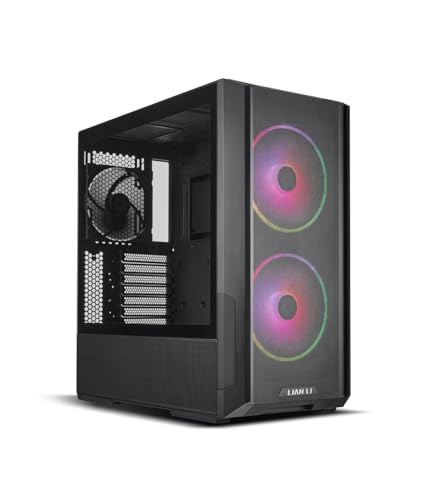
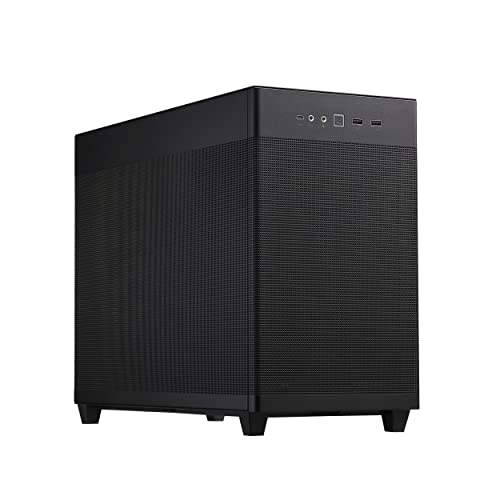
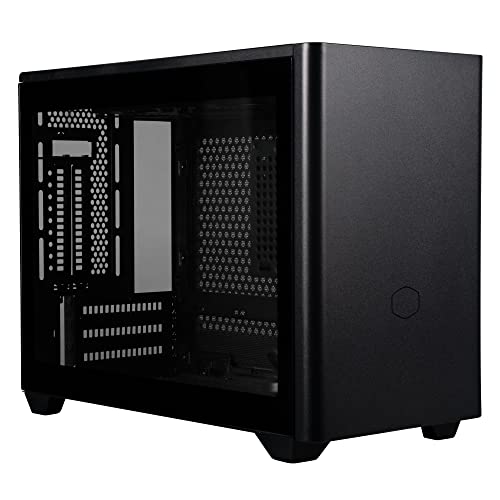
Disclosure: As an Amazon Associate, umtsmarttool.com earns from qualifying purchases. Links to Amazon on this page are affiliate links; they cost you nothing extra. Prices and availability change often, so check the current Amazon listing before you buy.
Where to buy
A white build is a commitment to coordination, so the details matter: every case below is a genuine white model (not a black case with white panels), and the linked listings point to the exact white variants researched. One pick, the Corsair 4000D Airflow White, is covered in prose only because its exact white-variant listing could not be separated from the black model’s listing during research.
- NZXT H7 Flow White (2024) — Check on Amazon
- Lian Li LANCOOL 216 White — Check on Amazon
- Fractal Design North Chalk White — Check on Amazon
- HYTE Y60 Snow White — Check on Amazon
- Thermaltake View 170 TG ARGB Snow — Check on Amazon
- Corsair 4000D Airflow White — check the current listing before you buy
Read the full guide ↓
The best white pc cases do more than change a colour. A white interior reflects your lighting instead of swallowing it, shows off dark components with contrast a black case cannot match, and turns the PC into a deliberate part of a bright desk setup. The six cases in this guide cover the main ways to build white: high-airflow mesh, Scandinavian wood-and-aluminium design, a panoramic glass showcase, and compact options for smaller desks.
An honest warning before the beauty shots: white builds demand coordination. A white case with a black motherboard, black GPU, and black cables looks like a compromise, not a theme — the look comes together when the major components, fans, and even the cable extensions share the palette. Budget and plan for that from the start, and browse best pc cases if you want to compare these against their black equivalents before committing to the aesthetic.
Every specification below — clearances, radiator support, included fans — comes from the manufacturer’s page for the white model specifically, because white and black variants occasionally differ in included accessories. Where a white version could not be tied to a verified listing, the pick is presented in prose with its model code so you can find it accurately yourself.
There is a practical dividend hiding inside the aesthetic one: a white interior is simply easier to build in. Connectors, clips, and cable routes are visible in a white chassis under room light in a way they never are inside a black box, and dropped screws announce themselves instead of vanishing. First-time builders underestimate how much of building is seeing what you are doing — white cases quietly help with the entire process.
In this guide
Quick Picks
| Pick | Badge | Key spec |
|---|---|---|
| NZXT H7 Flow White (2024) | Best Overall | Perforated white panels; 410 mm GPU clearance; front radiator up to 420 mm |
| Lian Li LANCOOL 216 White | Best Airflow | 2× 160 mm white front fans included; 392 mm GPU clearance |
| Fractal Design North Chalk White | Best Design | Walnut slat front; 355 mm GPU clearance with front fan; mesh side panel version |
| HYTE Y60 Snow White | Best Showcase | Panoramic three-piece glass; vertical GPU with PCIe 4.0 riser included; 375 mm GPU room |
| Thermaltake View 170 TG ARGB Snow | Best Compact White | Micro-ATX; dual glass panels; 340 mm GPU clearance; 377.5 mm shallow depth |
| Corsair 4000D Airflow White | Best Clean Mid Tower | Mesh front; 360 mm GPU clearance; RapidRoute cable management |
How These Picks Were Chosen
Selection required three things. First, the case had to be a true white model with a white interior, since a white exterior over a black frame defeats the purpose the moment the side panel comes off. Second, it needed the fundamentals of a good case regardless of colour: verified GPU and cooler clearances, sensible radiator support, and an airflow path that works — a white case that cooks its components is a sculpture, not a PC. Third, it had to offer something distinct, from the North’s walnut slats to the Y60’s panoramic glass.
We also checked what is in the box. Included white fans matter more than usual in this category, because replacing black stock fans with white ones is a hidden cost that quietly punishes several otherwise attractive cases. Each review notes the fan situation for exactly that reason.
Colour accuracy was checked as carefully as specifications. Some “white” cases are white only on the outer panels, with black interiors, black fans, and black cables waiting inside — a legitimate design, but not the one this guide promises. Every pick above is white inside and out in its white variant, and where included fans differ in colour or lighting from the hero photographs, the review says so, because that is precisely the detail white builders get burned by.
The 6 Best White Pc Cases

NZXT H7 Flow White (2024) — Best Overall
The white 2024 H7 Flow suits builders who want the complete package in white: serious airflow, the most radiator headroom in this guide, and a clean design that lets white components and lighting do the talking.
- Dimensions: 544 × 244 × 468 mm (H × W × D)
- Motherboard support: E-ATX (up to 277 mm), ATX, Micro-ATX, Mini-ITX
- Max GPU length: 410 mm
- Max CPU cooler height: 185 mm
- Radiator support: up to 420 mm front, up to 360 mm top, up to 140 mm rear
- Included fans: 3× 120 mm front
- Model code: CM-H72FW-01
Strengths
- Best radiator support of any white case in this guide
- Perforated front and low side intake feed the GPU directly
- 410 mm GPU and 185 mm cooler clearances end fit worries
Trade-offs
- Large and tall — measure your desk space
- Stock fans are plain white, not RGB, on this version
- The 2022 predecessor shares the name with weaker specs
NZXT’s 2024 redesign gave the H7 Flow a perforated front, a perforated lower side section, and internal room that embarrasses most mid towers. In white, the effect is striking: the fine perforations read as a clean textured surface rather than an obvious grille, and the interior stays bright enough that component lighting looks intentional instead of neon. This is the white case for builders who refuse to trade performance for the palette.
The numbers back the looks. A 410 mm GPU allowance and 185 mm of cooler height are the most generous here, and front radiator support up to 420 mm enables triple-140 mm liquid cooling that few cases of any colour can host. Three 120 mm fans are included up front; they are not RGB on this variant, which suits builders planning their own white fan set from best pc case fans — and makes the RGB version the one to check if lighting must come in the box.
Shop carefully: the model code for the white 2024 case is CM-H72FW-01. The older 2022 H7 Flow is a different, smaller-inside case that also comes in white, and listings do not always make the generation obvious. Get the 2024 model and you have the most capable white tower in this guide.
Honest limitation: at 544 mm tall and 468 mm deep, the H7 Flow White dominates a small desk; its presence is the opposite of discreet.
Best for: high-performance white builds, especially with liquid cooling / Not suited for: small desks or buyers who need RGB fans included

Lian Li LANCOOL 216 White — Best Airflow
The LANCOOL 216 in white suits performance-first builders who want their white build to also be the coolest-running one they have owned. The twin 160 mm front fans are white, the mesh is white, and the airflow is the best in this guide.
- Dimensions: 480.9 × 235 × 491.7 mm
- Motherboard support: E-ATX (up to 280 mm wide), ATX, Micro-ATX, Mini-ITX
- Max GPU length: 392 mm
- Max CPU cooler height: 180.5 mm
- Radiator support: up to 360 mm front and top, 240 mm bottom
- Included fans: 2× 160 mm front, 1× 140 mm rear
Strengths
- Strongest stock airflow here, with white fans included
- 392 mm GPU clearance fits flagship cards with room to spare
- White interior and exterior — no black frame surprises
Trade-offs
- Wide body takes real desk space
- The white finish shows dust and scuffs more than black
- 160 mm fans are a Lian Li-specific size for replacements
Everything that makes the black LANCOOL 216 our airflow favourite applies here, with the white tax unusually small: the two 160 mm front fans and the 140 mm rear fan come in white, the interior is white, and the mesh front keeps the same low-resistance path that lets those big fans loaf along at low speed. A white build that runs cool and quiet without a fan-shopping trip is rarer than it should be.
Clearances remain flagship-grade: 392 mm for the graphics card, 180.5 mm for the CPU cooler, E-ATX boards up to 280 mm wide, and 360 mm radiator mounts front and top. In practical terms, the white 216 accepts the same no-compromise parts list as its black sibling, which is exactly what a colour variant should do and what several rivals fail to manage.
Living with white mesh means a cleaning rhythm: dust that would be invisible on black shows as a grey film on the front panel within weeks in a busy room. The panel removes easily and rinses clean, so treat it as a five-minute monthly habit. Builders comparing cooling philosophies should also see how this case anchors best airflow mid tower cases.
Honest limitation: the white mesh front is a dust display case — in a workshop, garage, or pet-heavy home, it will look dirty faster than any black case.
Best for: white builds that prioritise temperatures and silence / Not suited for: dusty environments or anyone who will not clean a front panel monthly

Fractal Design North Chalk White — Best Design
The Fractal North in Chalk White suits adults whose PC shares space with their life. Real walnut slats over a white body make it read as furniture, and the mesh side panel version keeps airflow respectable while it does so.
- Motherboard support: ATX, Micro-ATX, Mini-ITX
- Max GPU length: 355 mm with front fan (300 mm with a 360 mm front radiator)
- Max CPU cooler height: 170 mm (145 mm with side fan bracket on mesh version)
- Radiator support: 360 mm front, 240 mm top, 120 mm rear
- Power supply: up to 255 mm with one HDD tray (155 mm with two)
- Included fans: 2× 140 mm Aspect PWM
Strengths
- Walnut and white design that genuinely suits living spaces
- Mesh side panel option keeps the GPU breathing
- Two quality 140 mm fans included
Trade-offs
- GPU clearance drops to 300 mm with a front radiator fitted
- Side fan bracket cuts cooler height to 145 mm on the mesh version
- Wood tones vary — your unit will not match the photos exactly
The North is the case that made non-gamers ask about a PC. Vertical walnut slats cross the front, brass-toned details replace RGB, and the Chalk White body keeps the whole object bright and calm. Fractal sells two side panels — tempered glass and mesh — and for a gaming build the mesh version is the one to want: it lets the graphics card draw air directly through the panel, which transforms the thermal story.
Inside, plan around two interacting numbers. GPU clearance is 355 mm with the front fan in place, but fitting a 360 mm front radiator cuts it to 300 mm, so long cards and front liquid cooling are alternatives, not companions. Similarly, the mesh version’s optional side fan bracket drops CPU cooler height from 170 mm to 145 mm. None of this is hidden — Fractal publishes it all — but the North rewards builders who read the manual before the parts list, not after.
Configured sensibly — air cooling or a top 240 mm radiator, a card under 355 mm, the two included Aspect fans plus a rear exhaust — the North is a white build with nothing to apologise for. It pairs beautifully with the restrained peripherals in best keyboard and mouse combos for office for a desk that works as well as it photographs.
Honest limitation: the North’s beauty depends on natural wood, and slat colour varies between units; if you need a perfectly uniform white object, choose the H7 Flow instead.
Best for: living-room and home-office builds where the PC must look like furniture / Not suited for: front-radiator plus long-GPU combinations, or uniform-white purists

HYTE Y60 Snow White — Best Showcase
The HYTE Y60 in Snow White suits builders whose PC is the room’s centrepiece. Three pieces of bevelled glass wrap the corner of the case, the graphics card mounts vertically as the star of the display, and the white interior turns lighting into ambience.
- Dimensions: 456 × 285 × 462 mm (60 L)
- Motherboard support: E-ATX, ATX, Micro-ATX, Mini-ITX
- Max GPU: 375 mm long, up to 75 mm thick (60 mm or under recommended)
- Max CPU cooler height: 160 mm
- Radiator support: 280 mm side, 360 mm top, 120 mm rear
- Power supply: ATX up to 235 mm
- Vertical GPU mount with PCIe 4.0 riser included; 3× 120 mm fans included
Strengths
- Corner glass gives a panoramic, aquarium-style view
- Vertical GPU display with the riser included in the box
- Dual-chamber layout hides the PSU and cables completely
Trade-offs
- Vertical GPU only — there is no horizontal option
- At 60 L it is the largest case here by volume
- Glass everywhere means airflow relies on side and bottom intakes
The Y60’s corner is the product: instead of a metal pillar where front meets side, three glass panels meet at a bevel, so the vertically mounted graphics card appears to float in a glass tower. In Snow White, with a white GPU and white fans, the effect is closer to a display case in a gallery than to office equipment. If your build is meant to be looked at, this is the white case that understands the assignment.
The engineering is more serious than the styling suggests. The dual-chamber layout puts the power supply and cables behind the motherboard tray, the side mount accepts a 280 mm radiator, the top takes 360 mm, and the included PCIe 4.0 riser is a genuine part of the product rather than an accessory to hunt down. GPU room is 375 mm long with up to 75 mm of thickness, though HYTE recommends 60 mm or under so the card’s fans keep an air gap from the glass.
Respect that recommendation: a thick card pressed near glass will run hot and loud, undoing the showcase calm. Keep the card at or under 60 mm thick, feed the bottom and side intakes with the included fans plus your additions, and the Y60 performs as dramatically as it looks. It is also the natural partner for a white AIO from best aio liquid coolers mounted at the top.
Honest limitation: the Y60 is a 60-litre piece of furniture that only mounts GPUs vertically; small desks and horizontal-mount traditionalists should look elsewhere.
Best for: showcase builds and streamers whose PC is on camera / Not suited for: compact desks, horizontal GPU layouts, or maximum-airflow purists

Thermaltake View 170 TG ARGB Snow — Best Compact White
The View 170 Snow suits builders who want the white showcase look in a smaller, shallower box. It brings the dual-glass aquarium style down to Micro-ATX size, with three white ARGB fans included.
- Dimensions: 438 × 212 × 377.5 mm
- Motherboard support: Micro-ATX, Mini-ITX
- Max GPU length: 340 mm
- Max CPU cooler height: 160 mm
- Radiator support: up to 280 mm top, 120 mm rear
- Power supply: ATX up to 180 mm
- Included fans: 3× 120 mm ARGB Lite (2 side intake, 1 rear)
- Model code: CA-1Z4-00M6WN-00
Strengths
- White showcase styling at Micro-ATX size and depth
- Three white ARGB fans included — no immediate fan purchase
- Side intakes feed the GPU zone despite the glass front
Trade-offs
- Glass front means no direct front intake
- 160 mm cooler height excludes the tallest towers
- White glass-edge finish shows fingerprints readily
Shrinking the showcase formula is harder than it looks: glass panels do not breathe, and a small case has less air to spare. The View 170 Snow solves it the same way as its black sibling — two of its three included ARGB fans live on the right side panel as intakes, washing air across the motherboard and GPU, while the third exhausts at the rear. In Snow white, the fans’ lighting reflects off the white interior and the whole case glows softly rather than in spots.
The footprint is the real headline for small desks: 377.5 mm of depth is shallower than most ATX towers by a wide margin, and the Micro-ATX board requirement keeps the parts bill sensible. GPU clearance of 340 mm covers the mainstream and much of the high end, and the top mount takes a 280 mm radiator, so a white AIO build is easy to plan.
It will not out-cool the mesh cases here, and it is not meant to. The View 170 Snow is for the builder whose priority list reads: white, pretty, compact, then cool enough — and for mainstream gaming hardware, it is cool enough. If your desk is smaller still, the cases in best small form factor pc cases take the next step down.
Honest limitation: flagship GPUs with high power draw will run warmer behind the glass front than in the LANCOOL 216 White; this is a style-first case.
Best for: compact white showcase builds on shallow desks / Not suited for: maximum-power hardware or builders who dislike glass-front thermals
Corsair 4000D Airflow White — Best Clean Mid Tower
The 4000D Airflow in white suits builders who want the safest, most documented mid tower in the colour that suits their room. Note: it is covered in prose only because the white variant (model CC-9011201-WW) could not be tied to a verified listing separate from the black model during research — search the model code to find it accurately.
- Dimensions: 453 × 230 × 466 mm
- Motherboard support: ATX, Micro-ATX, Mini-ITX
- Max GPU length: 360 mm
- Max CPU cooler height: 170 mm
- Radiator support: 360/280/240 mm front, 280/240 mm top, 120 mm rear
- Included fans: 2× 120 mm AirGuide
- Model code: CC-9011201-WW (white)
Strengths
- Proven mesh-front design with a huge knowledge base
- Excellent cable management keeps the white interior pristine
- White version keeps the same specs as the black original
Trade-offs
- Only two fans included — plan at least one more, in white
- Less distinctive than the North or Y60
- 360 mm GPU clearance is mid-pack here
The 4000D Airflow earned its place in the black-case market by being the default correct answer: an open mesh front, a cable management system that genuinely works, and dimensions that fit mainstream hardware without drama. The white version is the same case in the other colour, which is precisely its appeal — every build guide, fan configuration, and quirk documented for the black model applies to yours.
In white, the RapidRoute cable channel earns its keep doubly, because a white interior shows stray cables the way a white shirt shows coffee. Route the main runs through the channel, keep the visible chamber to components and lighting, and the build looks professionally assembled even on a first attempt. Two AirGuide fans are included; most builders should add at least one white intake or exhaust to complete the setup.
Choose the 4000D White when you value the build experience and the community over distinctiveness. It will never be the most interesting case at a LAN party, but it might be the one that gave its builder the least trouble — and in white, it still looks sharp on the desk and pairs cleanly with a protected setup using best surge protector wall outlets to keep wall clutter as tidy as the interior.
Honest limitation: the two included fans are a starting point, not a cooling system; budget for at least one additional white fan to match the case’s potential.
Best for: first-time white builders who want the most proven mid tower design / Not suited for: builders who want a distinctive design or a full fan set included
Comparison Table
| Case | Form factor | Max GPU length | Max CPU cooler height | Radiator support |
|---|---|---|---|---|
| NZXT H7 Flow White (2024) | E-ATX / ATX / mATX / ITX | 410 mm | 185 mm | Up to 420 mm front, 360 mm top |
| Lian Li LANCOOL 216 White | E-ATX / ATX / mATX / ITX | 392 mm | 180.5 mm | Up to 360 mm front and top |
| Fractal Design North Chalk White | ATX / mATX / ITX | 355 mm (front fan fitted) | 170 mm | 360 mm front, 240 mm top |
| HYTE Y60 Snow White | E-ATX / ATX / mATX / ITX | 375 mm (vertical) | 160 mm | 280 mm side, 360 mm top |
| Thermaltake View 170 TG ARGB Snow | mATX / ITX | 340 mm | 160 mm | Up to 280 mm top |
| Corsair 4000D Airflow White | ATX / mATX / ITX | 360 mm | 170 mm | Up to 360 mm front, 280 mm top |
How to Choose a White PC Case
Decide how white you are actually going
There are three levels of white build, and the case choice differs at each. Level one is a white case with whatever parts you already own — cheapest, and it looks like a white case with a black PC inside it. Level two matches the visible majors: white GPU or at least a white shroud, white fans, white AIO or cooler, and white cable extensions. Level three matches everything down to the motherboard. Most satisfying builds land at level two; decide your level before choosing between a mesh case that hides internals and a glass case like the Y60 that displays them.
A mesh-front white case like the LANCOOL 216 White or 4000D White is the forgiving option for level one and two builds, because the interior is glimpsed rather than exhibited. Glass showcases demand level two at minimum.
Check the included fans — in white
Fans are the hidden cost of white builds. A case that includes black fans forces an immediate replacement purchase if you care about the theme, and fan sets add up. The LANCOOL 216 White includes white fans; the View 170 Snow includes white ARGB fans; the H7 Flow White includes plain white fans. The 4000D White’s two included fans are the minimum viable start.
When adding fans, match sizes to the mounts and keep the colour temperature of any RGB consistent across brands if you can — whites vary, and two “white” light settings side by side often disagree slightly.
Airflow does not care about colour, but dust shows on it
A white mesh front clogs and greys visibly; a black one hides the same dust for months. If your home has pets, carpets, or a workshop nearby, either commit to a monthly front-panel rinse or choose a design whose intake is less visible, like the North’s slatted front. The thermal rules are identical to any colour: mesh beats glass, big fans beat fast fans, and clearances from the manufacturer beat guesses.
For the deeper cooling comparison behind these picks, the methodology in best airflow mid tower cases applies unchanged — only the cleaning schedule gets stricter.
Coordinate the desk, not just the box
A white PC beside a black monitor, black keyboard, and black speakers looks unfinished. The theme completes at the desk level: a white or light monitor (or at least a light stand), a white keyboard and mouse, and cable runs in white sleeves. Work through best micro atx towers if the full-size cases here are too big for the desk you are theming — the View 170 Snow shows the compact end of the same idea.
Lighting ties it together. White interiors reflect whatever colour you choose, so a single restrained accent colour looks designed, while full rainbow cycling fights the furniture. Pick a palette and let the case enforce it.
Glass or mesh in white: the visibility trade
In black cases, the glass-versus-mesh debate is mostly about airflow. In white cases it is also about honesty: glass displays your components exactly as they are, including every black part you did not replace and every cable you did not route. Mesh conceals the interior behind a textured surface, which forgives a mixed build and suits the LANCOOL 216 White and 4000D White’s role as the practical picks.
Choose glass — the Y60, the View 170 Snow — when the interior is genuinely part of the display and your parts list supports it. Choose mesh when the white is for the room rather than for an audience. Neither is a compromise; they are different definitions of what the PC is for, and the white palette flatters both when the choice is deliberate.
Key Takeaways
- H7 Flow White (2024) is the most capable white case; LANCOOL 216 White has the best stock airflow.
- The North is the living-room choice; the Y60 is the showcase choice.
- Included fans in white save real money — check the box contents before comparing prices.
- The 4000D Airflow White is prose-only here: search model CC-9011201-WW to find the exact variant.
- White shows dust; budget a monthly front-panel clean.
How to Plan a Coordinated White Build
White builds fail at the shopping stage, not the assembly stage. Plan the palette as deliberately as the performance.
- Choose your white level (case only, visible majors, or everything) and write it down; every purchase gets checked against it.
- List the visible components in order of visual size: case, GPU, cooler or AIO, motherboard, fans, RAM, cables.
- For each, confirm a white version exists before falling in love with the part; some product lines simply do not offer one.
- Where no white version exists, decide the fallback in advance: a black GPU in a mesh case is fine; in a glass showcase, it becomes the centrepiece whether you planned it or not.
- Order white cable extensions or a white-cable PSU kit with the main parts — they are the most commonly forgotten item and the most visible.
- Assemble with clean, dry hands and keep a microfiber cloth nearby; white painted panels show grease marks that black hides.
- Set all RGB to one colour temperature or a single accent colour, then photograph the build in daylight to check the whites actually match.
If two whites clash — one warm, one blue-white — the fix is usually lighting, not hardware: set the RGB to a unifying tint and the mismatch disappears at normal viewing distance.
Problem: the white parts look different shades next to each other.
Manufacturers’ whites genuinely differ. In a mesh case it rarely matters; in a glass case, group the most-visible parts from the same brand family, and use lighting to unify the rest.
Problem: the build looks great in photos but flat in person.
White interiors need contrast. One dark element — a black GPU backplate, dark RAM, or a tinted glass panel — gives the white something to play against.
Problem: the white fans and the white case light up different colours at the “same” setting.
RGB whites are not standardised between brands. Set each device’s colour by eye against the case’s painted white in daylight, save those values, and ignore the fact that the numbers differ between apps — your eyes are the calibration tool that matters.
How to Keep a White Case Looking White
White cases age visibly in two ways: dust film and plastic yellowing. The first is fully preventable; the second is mostly about placement.
- Wipe the exterior weekly with a dry microfiber cloth; dust left sitting works into textured finishes.
- Remove and rinse mesh front panels monthly, and let them dry fully before refitting.
- Keep the case out of direct sunlight where possible — UV is the main driver of white plastic yellowing over years.
- Wash your hands before handling panels during upgrades; skin oil on white paint becomes a visible print under lighting.
- Avoid smoking or vaping near the PC; few things yellow and film a white build faster.
- Clean fans with a cloth rather than air alone, because the grey film on white blades is half dust, half grime.
None of this is difficult, but it is a rhythm rather than an event. Builders who enjoy the ritual get years of showroom looks; builders who know they will not bother should honestly choose black — a clean black case beats a neglected white one.
Problem: one panel has yellowed more than the others.
Uneven UV exposure is the usual cause. Rotating the case’s position or moving it out of the sunbeam stops it progressing; matching a yellowed panel exactly is difficult, so prevention beats cure.
Matching a White Case With the Rest of the Setup
The most common white-build disappointment is not the PC — it is the photograph the owner takes afterwards, where a glowing white tower sits between a black monitor, a black keyboard, and a tangle of black cables, looking like it wandered in from a different setup. The case is one object in a visual system, and the system is what reads as “a white build.” The good news is that the system can be fixed in layers, cheapest first.
Layer one is cables and small items, and it costs almost nothing: white cable sleeves or extensions for the visible runs, a white power strip, and the discipline to route everything behind the desk edge. Layer two is the input devices — a white keyboard and mouse transform the desk’s centre, where your eyes spend the day. Layer three is the monitor: a white monitor is ideal but a black one on a white stand or arm bothers the eye far less than expected, because the bezel is mostly screen when it is on.
Lighting is the layer that ties the room together. White surfaces are reflectors: whatever colour your case lighting, bias light, or room lamp produces becomes the build’s ambient colour. A warm room light makes a white build look cream; a daylight bulb keeps it clinical. Decide which white you actually want — warm or cool — and buy your bulbs and your RGB settings to match, rather than discovering the answer by accident.
Finally, give the theme one restraint: a single accent. White plus one colour — walnut, as on the North; a pastel; a restrained ice blue — looks designed. White plus every colour the fans can produce looks like a trade show. The cases in this guide all support restraint beautifully; the discipline is up to you. Set the lighting once, photograph the desk in daylight, and adjust the system — not just the PC — until the picture looks like the one you imagined.
None of this requires buying everything at once. The case is the anchor purchase; the layers can follow over months. What matters is that each later purchase is checked against the theme before it is checked against its own merits — the same discipline, applied at desk scale, that makes the inside of the case cohere.
There is a resale footnote worth knowing: coordinated white builds photograph beautifully and sell quickly on the used market, but only when the coordination is complete. A white case alone adds little; a white case with matching fans, cooler, and cables reads as a designed object and holds its value like one. If you ever plan to sell the system whole, the theme is not decoration — it is part of the product.
A word for renters and the commitment-shy: a white build is one of the few desk themes that survives a change of rooms. Black setups depend on the room staying dark and controlled; white reads clean against almost any wall colour and in almost any light, which is part of why the palette keeps outliving trend cycles. If your setup moves house more often than it changes components, white is not just an aesthetic choice — it is the low-risk one.
Common Buying Mistakes
- Buying the black variant by accident. Listings bundle colour variants under one page. Check the model code — for example CM-H72FW-01 is the white 2024 H7 Flow — before paying.
- Mixing generations. The H7 Flow name covers 2022 and 2024 cases with different clearances. The white 2024 model is the one reviewed here.
- Forgetting the fans are black. Several white cases ship with dark fans in some regions or versions. Read the box contents, not just the hero photo.
- Putting a flagship GPU against showcase glass. The Y60 recommends cards <60 mm thick for a reason. A choked card is loud, and loud ruins the showcase effect.
- Planning the PC but not the desk. A white build surrounded by black peripherals looks like two setups collided. Budget the theme at desk level.
- Skipping the cleaning plan. White mesh shows dust in weeks. If you will not clean it, choose the North’s slatted front or a black case.
- Assuming the white variant includes the same fans as the black one. Bundles differ by colour and region more often than brands admit. The box contents list on the exact variant’s page is the only reliable source.
Final Recommendation
The NZXT H7 Flow White (2024) is the white case we recommend first: it pairs the palette with the best clearances and radiator support in this guide, so the white build never has to apologise for its performance.
The runner-up is the Lian Li LANCOOL 216 White, which wins if cooling and quiet outrank liquid-cooling ambition — its included white 160 mm fans make it the best-running white build out of the box. Choose the H7 Flow for headroom, the LANCOOL 216 for airflow, and either with confidence.
Frequently Asked Questions
Are white PC cases harder to keep clean?
They show dust and fingerprints more readily, especially mesh fronts and glass. The maintenance itself is identical — a monthly filter or panel clean — it is simply less optional. In a low-dust room the difference is minor.
Do white cases cost more than black ones?
The case itself is usually priced the same as its black variant. The real premium is the ecosystem: white graphics cards, motherboards, fans, and cable kits are scarcer and sometimes pricier. Budget for coordination, not for the case.
Can I put black components in a white case?
Of course — and contrast can look deliberate, especially behind mesh. In a glass showcase like the Y60, black components become the visual centrepiece, so choose them as carefully as you would white ones.
Which white case is best for a living room?
The Fractal Design North Chalk White. Its walnut slats and calm design read as furniture rather than gaming gear, and the mesh side panel version keeps a gaming GPU properly fed with air.
Is the white H7 Flow the same as the black one?
The 2024 white model (CM-H72FW-01) matches the 2024 black model’s specifications: 410 mm GPU clearance and front radiator support up to 420 mm. Just be sure you are not looking at the older 2022 generation, which is a different case in both colours.
Why is the Corsair 4000D Airflow White not linked?
Its white variant (CC-9011201-WW) shares listings with the black model, and a verified standalone listing for the exact white variant could not be confirmed during research. It is covered in prose with its model code so you can find the correct version without a guessed link.
Do white cases yellow over time?
White plastics can yellow slowly under strong ultraviolet light, which is why keeping a white case out of direct sun matters. Painted steel panels, like those on most cases in this guide, are far more resistant than bare plastic. In normal indoor placement away from windows, yellowing is a years-long concern, not a months-long one.
Are white components harder to find than black ones?
For cases, fans, and AIO coolers, white versions are now routine. The thinner categories are motherboards and graphics cards, where white models exist but in fewer variants — which is another reason to confirm your key parts have white versions before committing to the theme.